
AI, Beauty, And The Creative Hand: A Practical Playbook For 2025
I've built my career on making images - painted, staged, obsessed over. Weeks of prep, days of sweat. Now a tool can spin something passable in seconds from a sentence. I'm not anxious. I'm excited. For practical guidance on tooling, workflows, and the ethics facing editors and visual artists, see AI for Creatives.
2025 is the year AI touched every corner of beauty and fashion. Under the collective eye roll there's a real question: What happens to our work, our teams, and the way we create?
AI didn't arrive yesterday
Retouching, color grading, facial mapping - creatives have quietly used machine-led processes for years. No outrage. Just workflow.
Back in 2018, I helped launch Dazed Beauty to bring 3D designers, game engine artists, and digital creators into editorial beauty. We even ran a 2019 cover where Kylie Jenner's makeup was generated by an AI model trained on imagery associated with her. Another cover reimagined Kate Moss and Travis Scott as digital centurions in a post-apocalyptic fantasy. People were fascinated, not furious.
In 2022, we produced composite portraits for Exhibition Magazine from hundreds of red-lip images. The results were monstrous and uncanny - torn seams, warped features, faces that felt both human and not. The limits were obvious, like early computer interfaces that hint at what's next more than what's now.
What people actually reject
In industry conversations last year, a theme kept coming up: audiences accept AI if the image feels believable. The problem is the subtle oddness that AI often produces - the near-human that still feels off. That tension reveals what people value: integrity, authenticity, connection.
If you're a creative, the job isn't to run from AI. It's to set rules so the work still feels like it has a pulse.
Where AI makes sense today
- Utility visuals: shade swatches, texture previews, product mockups, size/fit cues. These guide decisions; they're not hero art.
- Ideation: moodboards, alt colorways, lighting scenarios, set sketches. Faster iteration, better briefs.
- Production support: retouching, color consistency, cleanup passes. Keep a human lead for taste and final pass.
Where to be careful
- Faces and hands: uncanny artifacts kill trust. If it feels off, it is.
- Models and likeness: use consent and licensed inputs. Never scrape; never assume.
- Makeup claims: AI can't replace a real application on real skin. Use it to preview, not to promise.
A simple model for ethical, creative AI use
- Declare the intent: utility, concept, or hero. If it's hero, keep humans front and center.
- Disclose clearly: label where AI appears. A caption, a tag, a note on the product page.
- Protect jobs: ring-fence budgets for photographers, models, stylists, retouchers. Use AI to free them for higher-value work, not to erase them.
- Consent and data: license training assets or use approved libraries. Keep a log of sources.
- Quality gate: add a "human eye" step for anatomy, texture accuracy, and brand feel. If it can't pass, it doesn't ship.
- Environmental cost: batch generations, limit high-res runs, and cache reusable assets. Treat compute like you treat shoot days - plan it.
- Community check: ask your audience where AI is fine (e.g., swatches) and where it's not. You'll be surprised how pragmatic people are if the intent is honest.
How I applied this with my team
We debated using AI for makeup swatches. They take forever to produce and are functional, not expressive. After an open Q&A with our community, the message was clear: AI is fine for utility work if it doesn't cut human jobs and the use is disclosed. That became policy.
We also set up a collaboration with a university lab to explore AI in a safe sandbox. Students get hands-on experience. We get a testing ground for weird ideas without risking trust with paying customers. That's a win on both sides.
Run a 90-day pilot inside your studio
- Pick one workflow: swatches, moodboards, or retouch assists.
- Set a baseline: current cost, time, and quality benchmarks.
- Ship two versions: one traditional, one AI-supported. Measure time saved, audience response, and returns/complaints.
- Write a one-page policy: disclosure rules, consent standards, file naming, and review steps.
- Assign roles: creative lead, AI wrangler, and visual QA. No orphaned outputs.
- Decide: keep, kill, or tweak. Scale only what truly helps the work.
Make your AI images feel human
- Ground in reference: real textures, real lighting, real skin behavior.
- Composite with care: mix generated elements into real captures; don't let the model invent everything.
- Fix the "uncanny": watch eyes, teeth, hands, jewelry, fabric tension, pore detail. Small tells break trust.
- End with touch: a human color pass, grain, micro-contrast. It matters.
Helpful resources
Skill up without spinning your wheels
If you want structured, practical training paths mapped to creative roles, this index helps you find the right starting point fast: AI courses by job. For workflow-specific design guides, see Design.
The creative contract still stands
AI can speed up the boring parts and open up new sketches for what a look could be. It shouldn't erase the human choices that make an image feel alive.
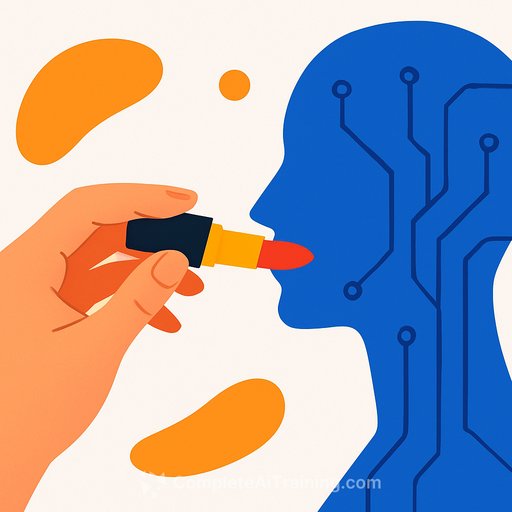
Use it to improve quality, create connection, and give your team more time for taste - not to cut corners. Because unless we all become avatarian cyborgs, a red lip will always require a steady, human hand.
Your membership also unlocks:



