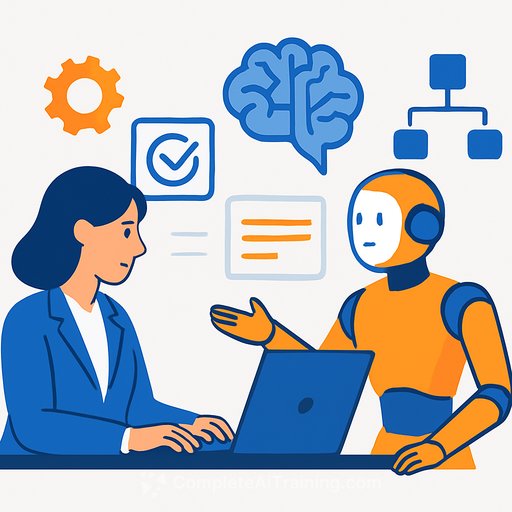
How AI Is Erasing Human Bottlenecks In Operations
Operations doesn't break because people are lazy. It breaks because work waits.
Queues wait for approvals. Tickets wait for triage. Systems wait for someone to move a field from one place to another. Every pause looks small in isolation. At scale, those pauses become your cost center.
AI changes that. Not by adding more bots, but by removing the wait time baked into handoffs, routing, and decision loops. This is the shift from oversight to orchestration.
What Is a Zero-Touch Enterprise?
A Zero-Touch Enterprise runs with minimal human intervention. AI reads signals, decides what to do, kicks off actions across systems, and handles exceptions without stopping for approvals.
This isn't faster RPA. It's continuous, intelligent orchestration. The system learns, adapts, and regulates itself so work doesn't stall at every handoff.
How a Zero-Touch System Operates
AI listens across your stack in real time: CRM updates, inventory changes, support sentiment, payment anomalies, system alerts. It evaluates context, sets priority, and acts.
Instead of "If X then Y," it asks, "Given everything I see, what is the best next step?" That's the move from process execution to process intelligence.
Why Traditional Automation Hit a Ceiling
- Manual dependencies: Automations still waited for people to start, approve, or fix edge cases.
- Fragmented systems: Data and decisions didn't flow end-to-end without human glue.
- Static workflows: Rule-based logic couldn't adapt to changing conditions without rework.
Automation made tasks faster. It didn't remove the bottlenecks in between the tasks.
AI Removes Coordination Gaps
AI doesn't just execute steps. It understands intent across systems, coordinates the next move, and resolves ambiguity. That's what clears the wait time-in routing, in approvals, in triage.
Anatomy of a Zero-Touch Enterprise
1) Data Fabric: Your Operational Nervous System
A real-time, connected data layer that ingests, cleans, and normalizes signals from CRM, ERP, HRIS, product analytics, supply chain tools, finance, and comms platforms. If AI can't see it, it can't run it.
The fabric removes manual syncs and reconciliation. Every downstream decision is made on current, consistent data.
2) AI Workflow Engine: Dynamic Decision-Making
- Analyzes signals across systems
- Infers intent and priority
- Predicts outcomes
- Selects and executes the best next action
- Self-adjusts as conditions change
No more brittle rule trees. The engine reasons, then acts.
3) Self-Learning Routing: Smart Use of Resources
- Balances workload and agent performance
- Optimizes for predicted handling time and impact
- Accounts for risk and customer importance
Routing becomes an optimization problem, not a queue.
4) API-Orchestrated Operations: Systems That Act Without You
- Creates and updates records
- Triggers procurement and logistics moves
- Adjusts inventory and pricing
- Launches campaigns and tasks
- Modifies financial entries with controls
Actions flow across platforms without CSVs, copy-paste, or manual approvals.
5) Autonomous Exception Handling: Fix Before Anyone Notices
- Detects anomalies
- Diagnoses root causes
- Implements fixes or escalates with context and recommended actions
Response time shrinks. Fire drills fade.
The AI Orchestration Layer
Think of orchestration as your always-on control plane. It senses, reasons, and directs operations across the entire stack-continuously.
How the Pieces Work Together
- Predictive models forecast demand, risk, churn, or delays and trigger proactive moves.
- Generative AI turns unstructured inputs (emails, calls, chats, docs, logs) into instructions and context.
- Autonomous agents execute multi-step work across systems and hand off to each other when needed.
Zero-Touch in Action
- Supply chain: Forecasted stock-out triggers reroutes, secondary procurement, warehouse reprioritization, and partner alerts-no planner in the loop.
- Sales: High-intent lead is auto-qualified, routed to the best rep, sequences launched, CRM updated, forecast adjusted-no queue babysitting.
- Support: Ticket sentiment and intent classified, urgency scored, agent assigned, response drafted, auto-escalation on risk-consistent and fast.
Why Orchestration Beats Automation
- Automation makes steps faster. Orchestration removes steps.
- Automation improves effort. Orchestration removes effort.
- Automation still needs oversight. Orchestration takes humans out of the critical path.
Human Roles in a Zero-Touch World
- Exception architects: Design escalation paths, fallback logic, and guardrails.
- Policy designers: Define thresholds, routing logic, privacy and fairness constraints, and transparency requirements.
- Ethical overseers: Monitor for bias, misuse, and harmful loops.
- Creative problem solvers: Reimagine processes and build new value streams.
- Innovation drivers: Lead frontier projects while operations run themselves.
People move from micromanaging tasks to designing systems.
Governance, Risks, and Boundaries
Zero-touch needs clear limits. Some decisions must keep a human in charge: medical outcomes, legal rulings, hiring or firing, and major financial approvals.
Watch for model drift, bias, and fragile dependencies across data pipelines, APIs, and agents. Black-box behavior kills trust and slows recovery when things misfire.
- Use human-in-the-loop checkpoints for high-impact decisions.
- Adopt clear governance standards and documentation for explainability, traceability, and fairness.
- Install "smart brakes": anomaly detectors, circuit breakers, ethics flags, and automated rollbacks.
Helpful references: NIST AI Risk Management Framework and ISO/IEC 42001 (AI management system).
A 90-Day Playbook to Start
Days 0-30: Establish the Fabric and the Facts
- Map your top 5 end-to-end workflows by volume and cost-of-delay.
- Stand up a minimal data fabric: unify CRM, ticketing, ERP, and product telemetry.
- Define decision points that cause the most waiting (approvals, triage, routing).
Days 31-60: Orchestrate One Flow
- Implement an AI workflow engine for a single high-impact journey (e.g., case-to-resolution or order-to-cash).
- Enable API actions across 3-5 systems for that journey.
- Add autonomous exception handling with rollback and audit logs.
Days 61-90: Scale and Govern
- Expand to two more workflows; reuse components and patterns.
- Define policy thresholds, ethics guardrails, and human checkpoints.
- Install smart brakes and drift monitoring; review weekly.
Metrics That Prove It's Working
- Cycle time: End-to-end minutes/hours from trigger to outcome.
- Queue wait: Time spent waiting for human touchpoints.
- First-contact resolution (FCR): Lift from intelligent triage.
- SLA adherence: Percentage improvement with auto-routing.
- Exception auto-resolve rate: Share of issues fixed without humans.
- Cost per transaction/case: Reduction driven by orchestration.
- Error rate and rollback count: Safety signals you actually want to see and trend down.
Tech Checklist
- Event streaming or CDC for real-time signals into a data fabric
- Vector-capable store for unstructured context (emails, chats, docs)
- AI workflow engine with policy controls and audit logs
- API-first systems (CRM, ERP, ticketing, finance, supply chain)
- Exception service with anomaly detection, root-cause, and rollback
- Governance layer: approvals, ethics flags, and drift monitoring
The Future of "Run Itself" Operations
Supply plans adapt before shortages hit. Sales pipelines adjust in sync with inventory. Finance reconciles in real time. Support prevents the ticket, not just answers it.
That's a business where decisions move at system speed. Costs drop, accuracy improves, and scale stops depending on headcount.
Where to Level Up Your Team
If you're building these capabilities into your ops org, upskilling matters. Curate training by role and focus on orchestration, data fabric design, and policy-led automation.
- AI courses by job to upskill operations, data, and platform teams.
- Automation resources to standardize patterns and controls.
- AI Learning Path for CIOs (Chief Information Officers) for enterprise AI strategy, governance, and orchestration skills.
- AI Learning Path for Production Planners to focus on production planning and supply chain automation for zero-touch operations.
- AI Learning Path for Regulatory Affairs Specialists to address governance, risk management, and ethical considerations.
Bottom Line
The biggest drag in operations is waiting. Zero-touch removes the wait by replacing oversight with orchestration. Your systems do the busywork so your people can do the thinking.
Start with one high-friction workflow. Wire the data fabric. Add orchestration. Install smart brakes. Then scale the pattern, not the headcount.
Move faster, not by working harder, but by making your systems smarter. That's the edge.
Your membership also unlocks: