Experienced Developers Find AI Tools Can Slow Them Down
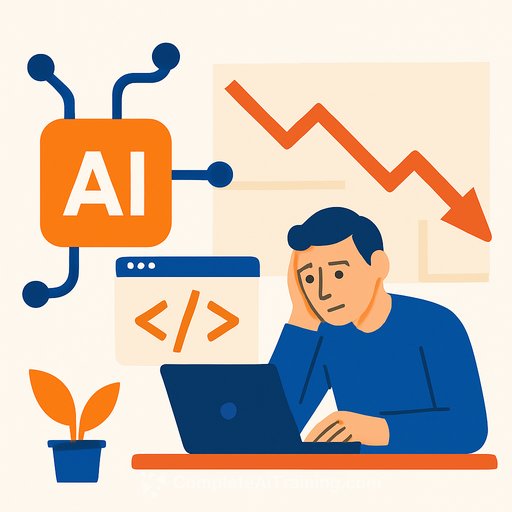
Many skilled software developers expected AI to speed up their work, but a recent study shows otherwise. When 16 developers, averaging five years of experience, used AI tools like Cursor Pro and Claude 3.5/3.7 Sonnet for real projects, their tasks took 19% longer compared to working without AI.
Despite predicting a 24% time reduction with AI assistance, the opposite happened. Instead of becoming faster, these developers found themselves spending more time debugging AI-generated code and adjusting outputs to fit their project needs. One participant even reflected that AI might have hindered rather than helped their productivity.
Why Does AI Slow Experienced Developers?
The core issue is context. Experienced developers have deep understanding of their projects that AI tools lack. This means developers must spend extra effort integrating AI’s suggestions with their own knowledge and workflows. Additionally, prompt writing and waiting for AI responses add to the total task time.
Most developers noted AI can produce useful pieces of code, but these often require significant cleanup before they become practical. This extra step offsets the time saved generating code, resulting in longer overall task durations.
Implications for Workplace AI Adoption
This study challenges the common assumption that AI automatically boosts productivity. While AI might help with simpler or repetitive tasks, its benefits for skilled workers performing complex, context-heavy work are less clear.
Experts caution that implementing AI tools without considering their fit for specific roles or tasks may lead to wasted effort rather than efficiency gains. Research indicates that productivity improvements from AI are often modest and require adjustments in workflows, training, and organizational support.
What the Research Means for Developers and Teams
- AI tools are not a guaranteed time-saver for experienced developers, especially when working on complex projects.
- Successful AI adoption requires thoughtful integration into existing workflows and investment in learning how to use these tools effectively.
- Prompt engineering and code validation remain critical skills for making the most of AI assistance.
For developers interested in improving their AI skills and learning how to use these tools efficiently, resources like Complete AI Training's latest AI courses can provide practical guidance.
Broader Context: AI and Productivity
Economists and researchers see similar trends beyond software development. AI may reduce workload in entry-level jobs but offers diminishing returns for experienced professionals with established methods. A study in Denmark found only a modest 3% productivity increase among workers using AI tools.
Some economists argue that AI’s overall impact on the economy will be limited to improvements in a small fraction of tasks. Achieving real productivity gains requires more than just deploying AI—it demands organizational changes, complementary investments, and ongoing skill development.
Takeaway
AI tools aren't a one-size-fits-all solution. For skilled developers, the promise of faster work with AI can be misleading. It’s crucial to evaluate when and how to incorporate AI into workflows to avoid unintended productivity losses. Being cautious and informed about AI’s current capabilities will help teams make better decisions about its use.
Your membership also unlocks: