WordPress.com Launches AI Assistant: A Practical Boost for Writers
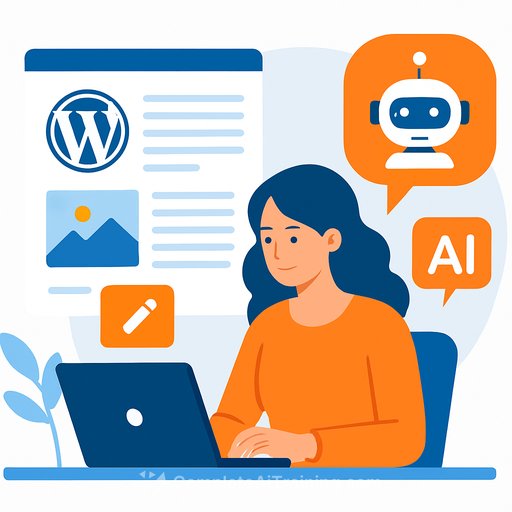
WordPress.com has rolled out WordPress AI Assistant, a built-in helper that can write, edit, translate, and even tweak site design right inside the editor and Media Library. No extra tabs. No copy-paste. It acts on your content where it lives.
As the announcement puts it, "WordPress AI Assistant works inside your site. It understands your content and layout and can act without the need to copy and paste, without the need for command engineering, and without the need to think about what code to do."
What it can do inside your editor
- Rewrite paragraphs to sound more confident or concise
- Translate posts and pages into other languages
- Offer headline and title options
- Adjust your page layout to a more modern style
- Change site colors to a brighter palette
- Add common sections like testimonials or a contact page
- Create and edit images directly in the Media Library (via the latest Nano Banaran model)
Why this matters for writers
You stay in the writing flow. Draft, reshape tone, test headlines, and localize content without leaving WordPress. Less friction, faster turnarounds, and a cleaner path from idea to publish.
It also means fewer handoffs. Need a quick layout touch-up, a testimonial block, or brighter colors to match a campaign? Ask once, move on.
Collaboration with block notes (WordPress 6.9)
The AI Assistant is available in block notes introduced in WordPress 6.9. Teams can brainstorm, fact-check, find headline ideas, or strengthen paragraphs with examples-together-while the AI helps in the background.
Availability and plans
The AI Assistant is available at no additional cost for WordPress.com users on the Business or Commerce plan. You can enable it if you want it. If your site was created through the AI website builder, the Assistant is automatically active on all packages.
How to turn it on
- Go to Settings
- Select "AI tools"
- Toggle on "WordPress AI Assistant"
Image creation and editing in the Media Library
Beyond text, you can generate or edit visuals where you manage your assets-the Media Library. Backed by the latest Nano Banaran model, it helps you produce on-brand images without bouncing between apps.
Language support and a small heads-up
English, Chinese, Japanese, Arabic, and French versions are auto-generated by AI. There may be translation inaccuracies. Indonesian is noted as the main language reference.
Quick prompts to try
- "Rewrite this section to sound more confident and cut 15%."
- "Give me five headline options that prioritize clarity over cleverness."
- "Translate this post into Japanese and keep formatting intact."
- "Add a testimonial section below the pricing table."
- "Make the homepage layout feel more modern and increase white space."
- "Brighten the site color palette to match a spring campaign."
Keep building your edge
Want a deeper bench of workflows for drafting, rewriting, and publishing with AI? Explore AI for Writers.
Your membership also unlocks: