
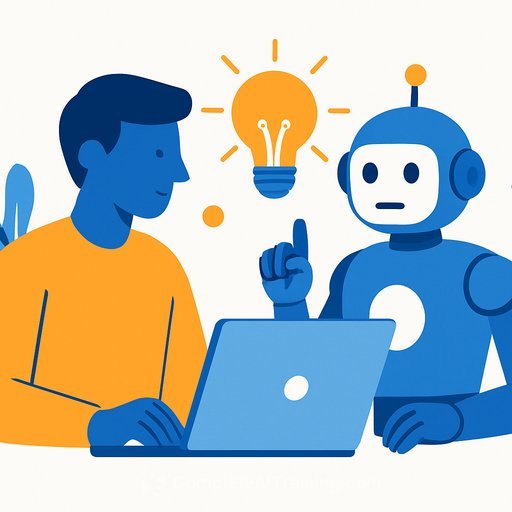
AI as a Creative Partner: Get Time Back, Go Deeper on the Work That Matters
Creators don't need more hacks - they need hours back and a cleaner headspace. That's what AI is delivering when you point it at the right jobs.
Used well, it clears the clutter, fuels better ideas, and keeps you in flow long enough to produce work you're proud of.
How creators are using AI right now
Gavin Yarbrough, a content creator and full-time student at UNC Chapel Hill, splits AI between creativity and productivity. He sends his top-performing videos and transcripts to ChatGPT to spot trends - work that would take him hours to do by hand. He also generates digital flashcards for studying, saving roughly 10 hours per set.
Freed time goes straight into originals and hobbies, like learning Greek and Spanish. The advantage is two-fold: more time to create, and smoother workflows to ideate, storyboard, edit, and polish content.
"AI is becoming a true creative partner," says Jeff Snow, Head of Product, AI Ecosystem at Motorola. "It's not just an automation tool. It can help creators offload repetitive work, speed up inspiration, act as a sounding board and polish content."
On average, workers spend 2.6 hours a day on tasks that could be more efficient with AI, according to a survey by GoTo and Workplace Intelligence. That's 13 hours a week you can redirect into your craft, hobbies, or time with people you care about.
Give tasks to AI for a purpose
Shriya Boppana, an MBA student at Duke who also interns and freelances as a designer and creator, uses AI across her day. Tools like ChatGPT and Claude handle schedules and quick dinner recipes, then shift into creative mode for logos, flyers, website updates, and social posts. "I use it in every single portion of my life," she says.
"Gen Z is moving from experimenting with AI to expecting it as a natural part of how they learn, create, play, and work," says Snow. Boppana adds that AI lets her storyboard in seconds or minutes - work that used to take days.
Stay in flow, reduce context switching
"AI shouldn't pull creators out of their flow, but instead help them stay in it," says Snow. Lenovo's Personal Ambient Intelligence, Lenovo and Motorola Qira, works in the background to keep creators organized, transcribe meetings, draft social posts, and move through work without breaking focus.
"For creators, Lenovo Qira is the ultimate partner," Snow continues. "Because Qira is personalized to the individual, Qira understands how you work and can bring that context into the creative process, moving seamlessly with you across Lenovo and Motorola devices."
A brain boost, not brain drain
Boppana uses AI to offload the monotony so she can protect her creative energy. "I use my brain on things I want to spend time on, not the things I'm forced to spend time on," she says. Tilanka Chandrasekera, Oklahoma State University professor and director of the Mixed Reality Lab, adds: "AI helps us speed things up in terms of efficiency. It also slows us down in terms of cognitive demand, where we can focus on more things like mental health."
A February 2025 survey of 200 IT professionals found that 25% of workplaces saw a drop in emotional exhaustion after adopting AI tools, thanks to better workload management. The point isn't to let AI think for you - it's to use it as a companion so you can keep your mind on the creative moves that count.
Yarbrough agrees: without tech to streamline research and admin, there's less space in the day to create. He and Boppana represent a growing wave of creatives who study smarter, create faster, collaborate more fluidly, and explore new mediums with AI in the loop. "When you combine the ability to be more productive and more creative, the sky is the limit," says Snow.
Put this into practice: a simple playbook
- Define the outcome and guardrails. Tell AI the audience, tone, format, and constraints before you ask for drafts or ideas.
- Turn past wins into inputs. Feed transcripts and top-performers to extract themes, hooks, and angles you can reuse.
- Batch boring work. Scheduling, outlines, caption options, and first-pass edits go to AI so you can focus on taste and voice.
- Storyboard fast, refine slow. Generate beats, mood, and variations in minutes - then spend your time on pacing, visuals, and message.
- Study smarter. Convert notes into flashcards, quizzes, and summaries so learning compounds without chewing up your day.
- Measure the time you save. Reinvest those hours into shooting, design sprints, and audience feedback loops.
- Keep your signature. Use AI as a sounding board; you make the final call on style, narrative, and polish.
Want deeper workflows for your craft? Explore AI for Creatives and streamline your end-to-end process, from ideation to delivery. If you work with footage, sharpen your post-production stack with Video Editing tactics built around AI tools.
Your membership also unlocks:



