Will X get a native AI video editor? Product head Nikita Bier responds
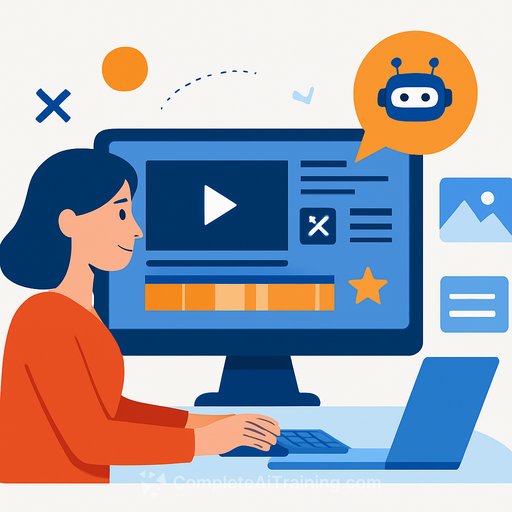
Nikita Bier, head of product at X, says he built a working, in-browser video editor for the platform in 15 minutes using AI tools. He had expected the project to take about three months. The gap between expectation and execution is the story.
In a post on Sunday, he wrote, "I one shotted a full in browser editor in 15 minutes." He added that the speed felt so extreme he briefly wondered whether entire creative suites could be replaced within a weekend.
From months to minutes
This wasn't a toy demo. It was a functional prototype stitched together by generative tooling like those used for Generative Video. No dedicated team, no long design cycles, minimal glue code-just a focused session and a clear goal.
As Bier put it, "It felt like I could replace the entire Adobe software suite by Sunday." Whether that holds up in production is a different question, but the direction of travel is obvious: prototypes now live on a different clock.
Will manual editing survive?
Bier also questioned whether manual editing will stick around. "Will videos even be edited manually in three months? Chatbots can do reasonably well now," he wrote.
Many core tasks-cuts, transitions, captions, highlights-are already being automated. The editor becomes a supervisor, not the worker. The UI changes from timelines and knobs to prompts and approvals.
What this means for product teams
- Prototype velocity: PMs and designers can ship working demos in hours. Scope first, polish later.
- Resourcing: Small teams can test big bets. Rethink headcount plans tied to long buildouts.
- Build vs. buy: If AI can stand up 80% fast, the question is less "can we build?" and more "should we own this?"
- Design assumptions: Design may shift from manual controls to intent-based workflows. Plan for both.
- Planning risk: Roadmaps age faster. Use shorter cycles, decision gates, and explicit kill criteria.
- Quality bar: Define "good enough" with objective metrics (edit success rate, time-to-first-export, retention).
- Human-in-the-loop: Keep easy overrides. Let users correct AI choices without friction.
- Data and rights: Use licensed media for training and tests. Store prompts and edits with clear audit trails.
- Latency and cost: Choose where inference runs (client vs. server). Watch GPU bills and cold starts.
- Safety: Guardrails for deepfakes, copyright violations, and harmful content. Clear reporting and takedowns.
A practical playbook to test AI editing features
- Start with one job-to-be-done: "Create a 30s highlight from a 5m clip with captions and music."
- Ship a thin slice: upload → prompt → preview → export. No extra knobs until metrics justify them.
- Add a "fix it" loop: quick trims, caption edits, and music swaps that learn from user changes.
- Instrument everything: prompt types, edit time, undo rate, export completion, re-edit churn.
- Model flexibility: abstract the model layer so you can swap providers as quality/cost shifts.
- Compliance pass: consent checks, licensed assets, and clear disclosure for AI-modified media.
The product call at X
Does this mean X will ship a native AI video editor? The prototype proves feasibility, not commitment. But when a product head can assemble a working editor this fast, experiments are likely.
The real decision is strategic: do you make editing a core on-platform habit, or integrate best-in-class partners and keep the feed as the focal point? Either path needs strong measurement and a clear story for creators.
Want to explore current AI video toolchains?
- GitHub Copilot for assisted coding and rapid prototyping.
- AI tools for generative video (curated list) for benchmarking features and workflows.
Bottom line: AI just moved the cost of trying to near zero. Your edge is how fast you test, what you measure, and how quickly you cut the things that don't move the needle.
Your membership also unlocks: