AI agent for 3d artists
3D Asset Library Tagging Agent
A searchable, licensed and duplicate-free asset library
What it does
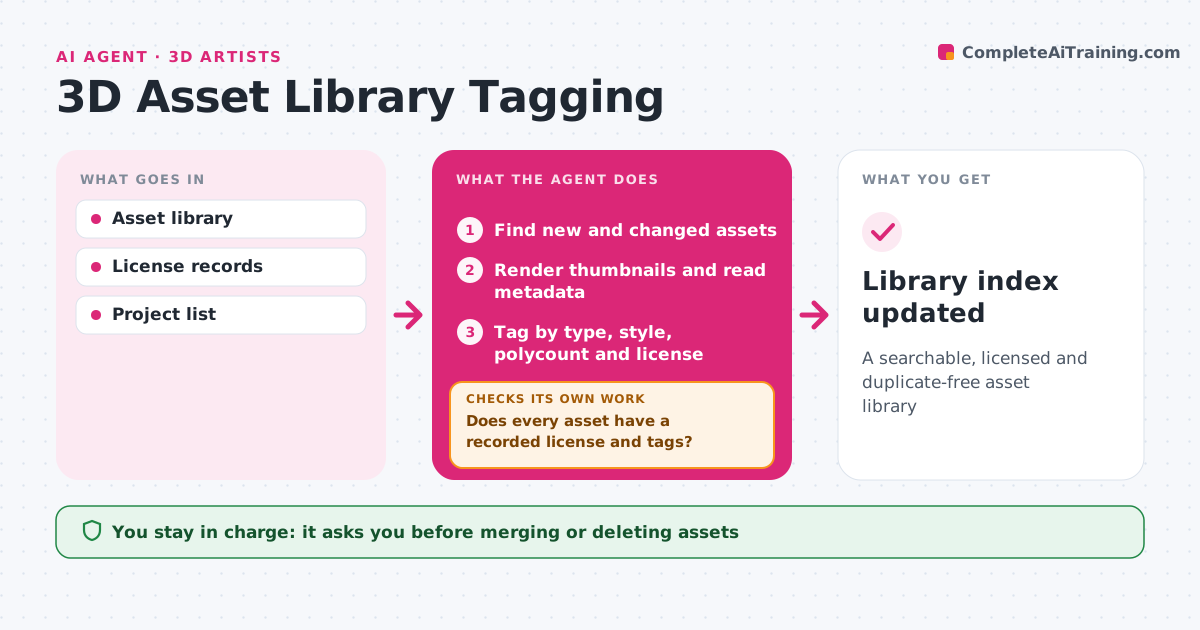
Asset libraries fill up with duplicates and files of unknown license, which wastes time and creates legal risk. Each week this agent scans the library for new or changed files. It renders a thumbnail, reads metadata, and tags each asset by type, style, polycount, texture set, license and project. It looks for duplicates by comparing shapes and file hashes. Then it checks that each asset has a license recorded and that bought assets are used within their license terms. Assets missing licenses are flagged for the owner, and the agent rechecks them the following week. Proposed merges or deletions of duplicates go to the lead. Edge case: two assets that look the same but have different licenses are both kept until the lead decides.
How it works
Follow the arrows from top to bottom. The orange dashed arrow is the loop: when a check fails, the agent goes back and tries again.
Read the steps as a list
- Weekly library scan
- Find new and changed assets
- Render thumbnails and read metadata
- Tag by type, style, polycount and license
- Find duplicates by shape and hash
- Does every asset have a recorded license and tags?If not: flag the owner and recheck next run. Back to step 4.
- Lead approves merges and deletionsThe agent waits here for your OK.
- Library index updated
How it decides
It tags from geometry and metadata and only proposes merges for true duplicates with the same license.
- No license means flagged, not used
- Different licenses are never merged
- Deletions only with approval
Make it yours
Every agent is a starting point. You choose these settings for your own situation.
- Tag list
- Duplicate match sensitivity
- Scan day
- License fields required
What keeps you in control
It always asks you first
- Merging or deleting assets
Hard limits
- Never deletes files without approval
- Never shares licensed assets outside the studio
It stops when
- Done: index updated
- Stop: storage unavailable
Set it up
We guide you through the set-up, step by step
Members get the full set-up guide for this agent. No technical skills needed: you copy, paste and upload.
- One set of instructions to paste into your AI, with the clicks for ChatGPT, Claude, Microsoft 365 Copilot, Gemini and Grok
- The agent then walks you through connecting your own data, one source at a time
- A downloadable copy with the flow chart, the rules and the full guide