AI agent for 3d artists
Lookdev Turntable Consistency Agent
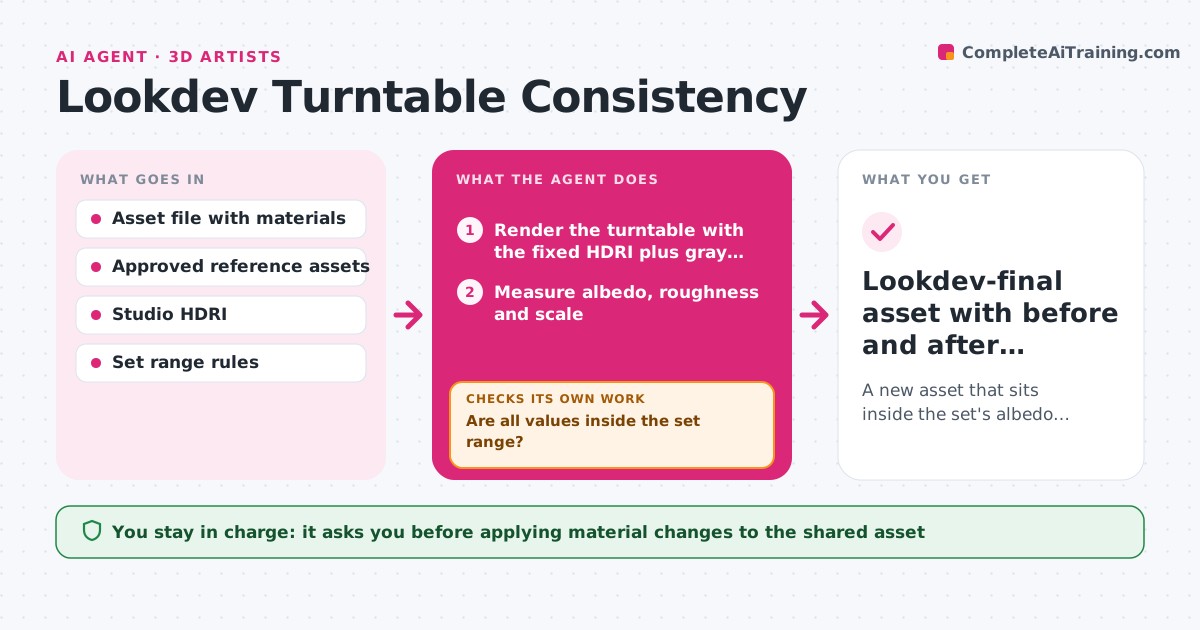
A new asset that sits inside the set's albedo, roughness and scale range and is approved as lookdev-final
What it does
Assets built weeks apart rarely look alike under the same light, and the mismatch usually shows only in the final scene. This agent renders each new asset on a standard turntable with a fixed HDRI and gray and chrome balls. It measures albedo range, roughness range and scale, then compares them with the approved reference assets of the same set. If values fall outside the set range, it suggests specific material tweaks, such as lowering albedo on a too-bright wood. It re-renders with the tweaks and measures again. The loop ends when the asset sits inside the range or after four rounds. The artist approves the changes before the asset is marked lookdev-final. Edge case: a glowing emissive part is excluded from the albedo check so it does not fail an otherwise good asset.
How it works
Follow the arrows from top to bottom. The orange dashed arrow is the loop: when a check fails, the agent goes back and tries again.
Read the steps as a list
- Asset submitted for lookdev
- Render the turntable with the fixed HDRI plus gray and chrome balls
- Measure albedo, roughness and scale
- Compare the numbers with the approved reference range
- Suggest material tweaks for each value that is out of range
- Apply the tweaks to a copy and re-render
- Are all values inside the set range?If not: re-measure and propose a smaller tweak to the value still out of range. Back to step 3.
- Does the asset still look like the artist's intent in the turntable?If not: undo the last tweak and flag the conflict for the artist. Back to step 3.
- Artist approves the tweaks and marks the asset lookdev-finalThe agent waits here for your OK.
- Lookdev-final asset with before and after turntables
How it decides
The asset passes when albedo, roughness and scale each fall inside the range of the approved reference assets, with emissive parts excluded.
- Fail albedo when the average is more than 10% outside the set range
- Fail scale when the asset is more than 5% off its real-world size
- Exclude emissive and transparent parts from albedo checks
- Stop after four re-render rounds
Make it yours
Every agent is a starting point. You choose these settings for your own situation.
- Allowed distance from the set range (default 10%)
- HDRI and turntable settings
- Which material channels to measure
- Maximum re-render rounds (default 4)
What keeps you in control
It always asks you first
- Applying material changes to the shared asset
- Marking the asset lookdev-final
Hard limits
- Never edits the approved reference assets
- Never overwrites the artist's original materials
It stops when
- Done: values are in range and the artist approved
- Stop: four rounds without reaching range, or reference assets are missing
Set it up
We guide you through the set-up, step by step
Members get the full set-up guide for this agent. No technical skills needed: you copy, paste and upload.
- One set of instructions to paste into your AI, with the clicks for ChatGPT, Claude, Microsoft 365 Copilot, Gemini and Grok
- The agent then walks you through connecting your own data, one source at a time
- A downloadable copy with the flow chart, the rules and the full guide