AI agent for ux/ui designers
Accessibility Option Audit Agent
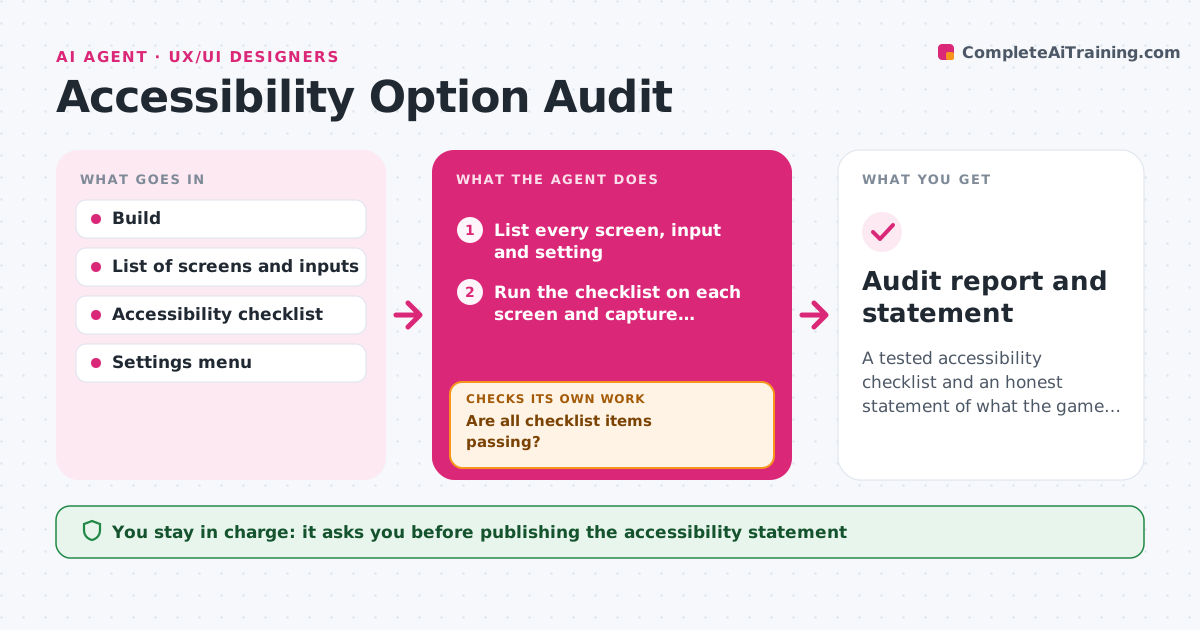
A tested accessibility checklist and an honest statement of what the game supports
What it does
Options such as remapping, subtitles and color-blind modes are added unevenly and never fully tested. This agent lists every screen and input method in the game, then runs a checklist for each: button remapping, text size, contrast, subtitle options, motion settings and hold-versus-toggle. It records every failure with a screenshot, such as a menu that cannot be navigated with one hand. After fixes, it checks the same items again and also checks that the fix did not break other options. It repeats until the failure list is empty or the remaining failures are accepted. It drafts an accessibility statement from the results. The designer approves the final statement. Edge case: a fast reaction mini game that cannot be slowed is listed as a known limit with a workaround.
How it works
Follow the arrows from top to bottom. The orange dashed arrow is the loop: when a check fails, the agent goes back and tries again.
Read the steps as a list
- Build ready for accessibility review
- List every screen, input and setting
- Run the checklist on each screen and capture screenshots
- Record each failure with location and screenshot
- Are all checklist items passing?If not: send the failure list to the developer. Back to step 3.
- Re-run the failed items after fixes
- Did the fixes pass without breaking other options?If not: list any new failure and send it back. Back to step 3.
- Draft the accessibility statement from the results
- Designer approves the final accessibility statementThe agent waits here for your OK.
- Audit report and statement
How it decides
A checklist item passes when it works on every relevant screen. Items that cannot be fixed are recorded as known limits, not hidden.
- Require every text size option to keep menus readable
- Fail a screen that cannot be used with remapped controls
- Require contrast of at least 4.5 to 1 for text
- List unfixable items as known limits
Make it yours
Every agent is a starting point. You choose these settings for your own situation.
- Checklist items
- Contrast ratio (default 4.5 to 1)
- Platforms to test
- Accessibility statement format
What keeps you in control
It always asks you first
- Publishing the accessibility statement
- Marking an item as a known limit
Hard limits
- Never claims support that was not tested
- Never edits the game
It stops when
- Done: checklist complete and the statement approved
- Stop: the build cannot be launched
Set it up
We guide you through the set-up, step by step
Members get the full set-up guide for this agent. No technical skills needed: you copy, paste and upload.
- One set of instructions to paste into your AI, with the clicks for ChatGPT, Claude, Microsoft 365 Copilot, Gemini and Grok
- The agent then walks you through connecting your own data, one source at a time
- A downloadable copy with the flow chart, the rules and the full guide