AI agent for product designers
Prototype Interaction State Agent
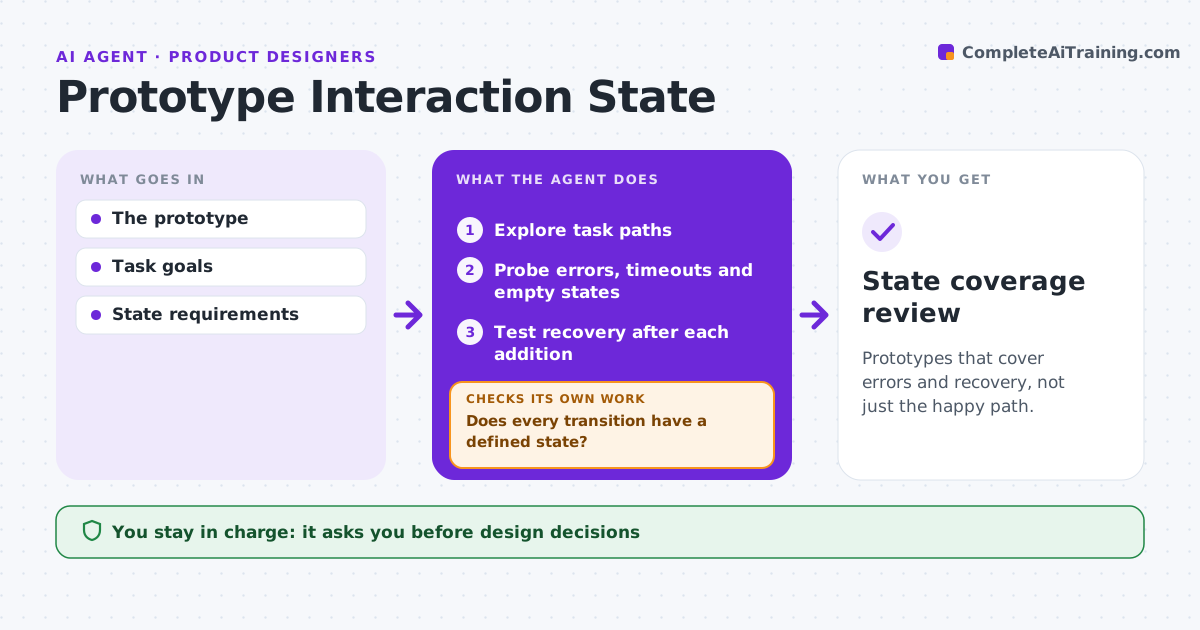
Prototypes that cover errors and recovery, not just the happy path.
What it does
Prototypes often show only the happy path and leave out what happens on errors, timeouts or empty screens. When a prototype is ready for review, this agent explores each task path and probes transitions that have no defined state, such as invalid input, slow responses, no results or lost connection. For each gap it drafts the missing state with a way to recover. After each addition it tests recovery to confirm the user can get back on track. It reports coverage at the end. The designer decides which additions to keep. Edge case: invalid input in a form leads to a dead end, so the agent drafts an inline error with a retry path.
How it works
Follow the arrows from top to bottom. The orange dashed arrow is the loop: when a check fails, the agent goes back and tries again.
Read the steps as a list
- Prototype ready for review
- Explore task paths
- Probe errors, timeouts and empty states
- Does every transition have a defined state?If not: draft the missing state. Back to step 3.
- Test recovery after each addition
- Can the user recover and continue?If not: revise the drafted state. Back to step 4.
- Designer decidesThe agent waits here for your OK.
- State coverage review
How it decides
It probes transitions without a defined state.
- Every transition needs a defined state.
- Each error state must offer a way to recover.
- The designer makes all design decisions.
Make it yours
Every agent is a starting point. You choose these settings for your own situation.
- Transition types to probe (errors, timeouts, empty states)
- Prototype tool in use
- Coverage report format
- Who decides on additions
What keeps you in control
It always asks you first
- Design decisions
Hard limits
- Drafts only.
It stops when
- Done: coverage complete.
Set it up
We guide you through the set-up, step by step
Members get the full set-up guide for this agent. No technical skills needed: you copy, paste and upload.
- One set of instructions to paste into your AI, with the clicks for ChatGPT, Claude, Microsoft 365 Copilot, Gemini and Grok
- The agent then walks you through connecting your own data, one source at a time
- A downloadable copy with the flow chart, the rules and the full guide