AI agent for sales development representatives
Account Based Outreach Campaign Agent
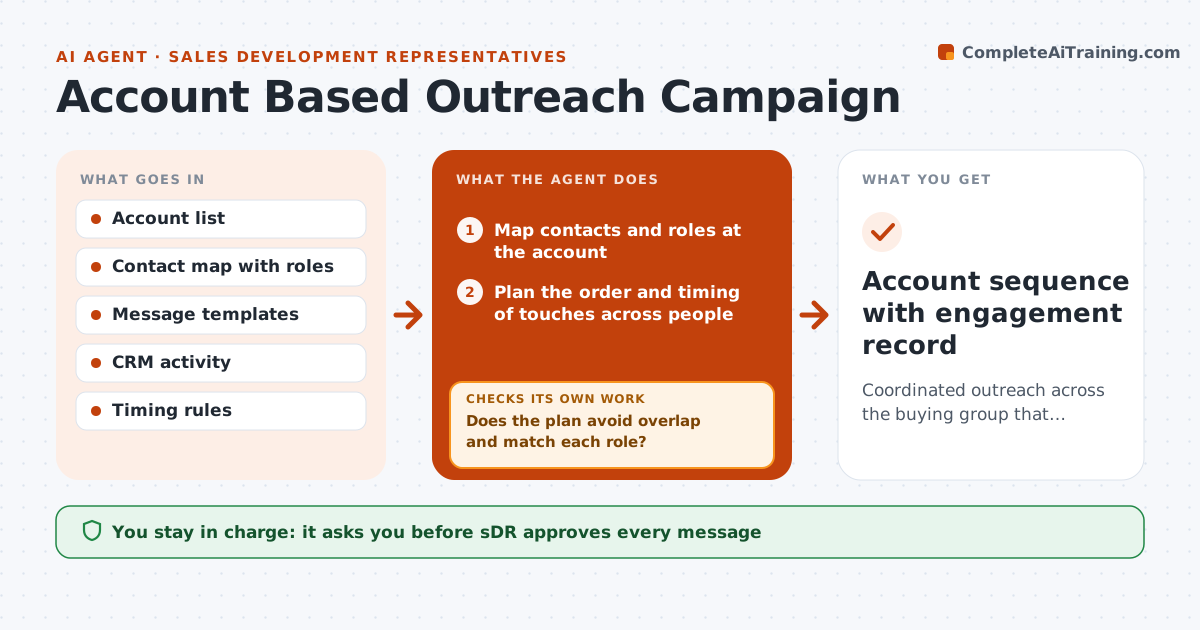
Coordinated outreach across the buying group that raises replies without overlap
What it does
Targeting one account with five contacts is powerful, but five reps writing to five people on the same day makes noise. This agent maps the contacts at each target account and plans the order and timing across people, so messages do not overlap and each fits the person's role. It tracks replies and adjusts the plan when someone engages, for example pausing others and referring to the conversation. It watches for signs such as a forward or a meeting and updates the account notes. The SDR approves each send. Edge case: two contacts in the same team both reply, so the agent combines the thread into one conversation.
How it works
Follow the arrows from top to bottom. The orange dashed arrow is the loop: when a check fails, the agent goes back and tries again.
Read the steps as a list
- Account enters the campaign
- Map contacts and roles at the account
- Plan the order and timing of touches across people
- Does the plan avoid overlap and match each role?If not: reorder or space the touches. Back to step 3.
- Draft a message for each contact
- SDR approves each sendThe agent waits here for your OK.
- Send and track replies
- Has anyone engaged?If not: pause others, reference the conversation and update the plan. Back to step 3.
- Update account notes and next steps
- Account sequence with engagement record
How it decides
Contacts are ordered by role and likely influence. Touches are spaced across people and paused for others when one engages.
- Send to one contact per account per day
- Start with the role closest to the problem
- Pause others when one replies
- Merge threads when teammates reply
Make it yours
Every agent is a starting point. You choose these settings for your own situation.
- Contacts per account
- Touch spacing
- Role order
- Pause rules
What keeps you in control
It always asks you first
- SDR approves every message
Hard limits
- Never send without approval
- Do not contact opted-out people
- Keep notes factual
It stops when
- Done: meeting booked or the sequence ends
- Stop: the account asks to stop
Set it up
We guide you through the set-up, step by step
Members get the full set-up guide for this agent. No technical skills needed: you copy, paste and upload.
- One set of instructions to paste into your AI, with the clicks for ChatGPT, Claude, Microsoft 365 Copilot, Gemini and Grok
- The agent then walks you through connecting your own data, one source at a time
- A downloadable copy with the flow chart, the rules and the full guide