AI agent for sales representatives
Bounced and Stale Contact Repair Agent
The contact list is clean and verified before the next outreach
What it does
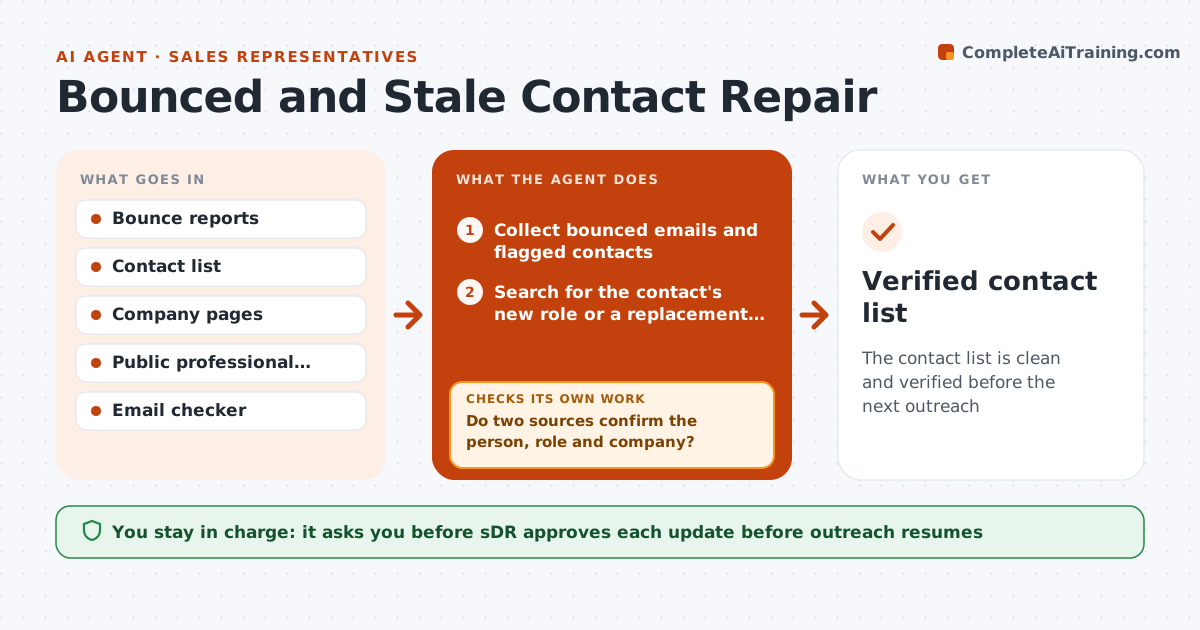
A sales list decays fast: emails bounce, people change jobs and outreach goes to the wrong person. This agent finds bounced emails and contacts whose job has changed, then searches for updated details. It looks for the person's new role or the right replacement at the account, verifying each candidate against two sources such as a company page and a professional profile. It checks emails for validity before they are added. It updates the draft list and holds outreach until verification is done. The SDR approves the updates. Edge case: a contact left, and the company has no one with a similar role listed, so the agent suggests the manager instead.
How it works
Follow the arrows from top to bottom. The orange dashed arrow is the loop: when a check fails, the agent goes back and tries again.
Read the steps as a list
- Bounces or job changes detected
- Collect bounced emails and flagged contacts
- Search for the contact's new role or a replacement at the account
- Verify each candidate with two sources
- Do two sources confirm the person, role and company?If not: search more or mark the record as on hold. Back to step 3.
- Check the email address for validity
- Does the email pass the check?If not: try the standard format variants and recheck. Back to step 4.
- Update the draft list with the changes and notes
- SDR approves the updatesThe agent waits here for your OK.
- Verified contact list
How it decides
A new contact is accepted only if two sources confirm the name, role and company and the email passes the check. Otherwise the record stays on hold.
- Require two sources for any new contact
- Hold outreach to unverified contacts
- Remove contacts who asked to be removed
- Suggest a manager when no replacement is found
Make it yours
Every agent is a starting point. You choose these settings for your own situation.
- Verification sources
- Email check tool
- Review schedule
- Hold rules
What keeps you in control
It always asks you first
- SDR approves each update before outreach resumes
Hard limits
- Never send outreach
- Do not keep personal data beyond business contacts
- Respect opt-outs
It stops when
- Done: all flagged contacts are updated or removed
- Stop: contact has opted out
Set it up
We guide you through the set-up, step by step
Members get the full set-up guide for this agent. No technical skills needed: you copy, paste and upload.
- One set of instructions to paste into your AI, with the clicks for ChatGPT, Claude, Microsoft 365 Copilot, Gemini and Grok
- The agent then walks you through connecting your own data, one source at a time
- A downloadable copy with the flow chart, the rules and the full guide