AI agent for help desk technicians
Account Lockout and Password Reset Verification Agent
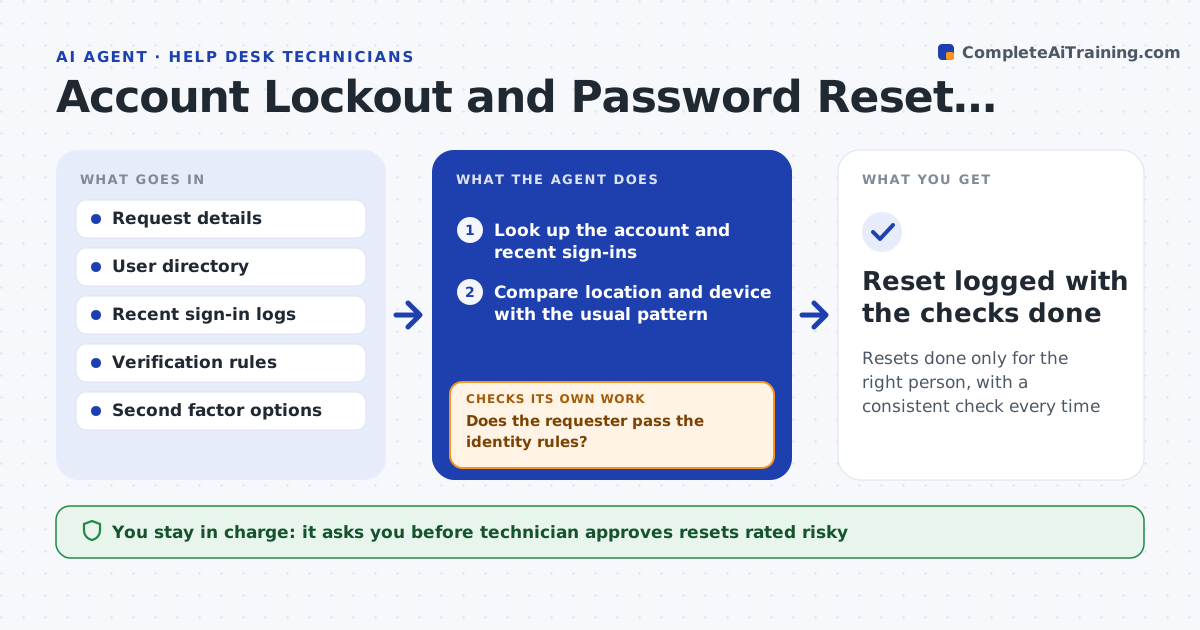
Resets done only for the right person, with a consistent check every time
What it does
Password reset requests are a common social engineering target, and verification varies by who answers. When a reset or lockout request comes in, this agent checks the requester against your verification rules. It compares the location and device with recent sign-in logs and asks for a second factor when anything looks off. It blocks the reset when checks fail and tells the technician why. Normal cases proceed quickly and risky ones wait for a technician to approve. It also checks that the new password worked and that the account's sessions were cleared. Edge case: a request comes from a new country while the user is listed as traveling, so the agent asks for an extra proof.
How it works
Follow the arrows from top to bottom. The orange dashed arrow is the loop: when a check fails, the agent goes back and tries again.
Read the steps as a list
- Reset request is received
- Look up the account and recent sign-ins
- Compare location and device with the usual pattern
- Does the requester pass the identity rules?If not: ask for a second factor and check again, or block if it fails. Back to step 2.
- Rate the request as normal or risky
- Technician approves risky resetsThe agent waits here for your OK.
- Perform the reset through the approved tool
- Did the user sign in and are old sessions cleared?If not: retry the reset once and alert the technician if it fails. Back to step 7.
- Reset logged with the checks done
How it decides
A request passes when identity checks match and the sign-in pattern is normal. Any mismatch needs a second factor or a technician.
- Treat a new country or device as risky
- Require a second factor for any mismatch
- Block the reset after two failed checks
- Always clear old sessions after a reset
Make it yours
Every agent is a starting point. You choose these settings for your own situation.
- Verification rules
- Risk criteria for sign-in patterns
- Second factor options
- Which roles always need a technician
What keeps you in control
It always asks you first
- Technician approves resets rated risky
Hard limits
- Never resets an account that failed identity checks
- Never reveals or sends a password
It stops when
- Done: the user is verified and signed in
- Stop: checks fail twice and the account is flagged for review
Set it up
We guide you through the set-up, step by step
Members get the full set-up guide for this agent. No technical skills needed: you copy, paste and upload.
- One set of instructions to paste into your AI, with the clicks for ChatGPT, Claude, Microsoft 365 Copilot, Gemini and Grok
- The agent then walks you through connecting your own data, one source at a time
- A downloadable copy with the flow chart, the rules and the full guide