
Learning path
Learning AI as a IT Support Specialist
Become an AI-focused IT Support Specialist. Engage with video courses, explore generative AI prompts, and access eBooks, and essential AI tools. Enhance your skills, improve efficiency, increase your earning potential, and broaden your career options.
Your path
Everything in the IT Support Specialist AI kit, in the order that makes sense. Members tick off each step and see their progress.
Set up your AI
We guide you through each click.
Let skills do your everyday tasks
Connect your apps and pick your AI apps
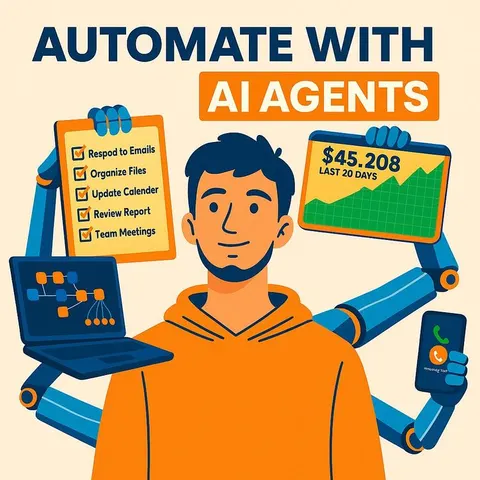
Hand whole tasks to AI agents
Build your own tools
Keep growing
Everything for it support specialists
All the courses, certifications, AI tools, MCP servers and apps for it support specialists, most relevant first. Open any list to see more.
Take the prompt courses
Two short framework courses to learn how to ask, then 17 lessons with ready-to-use prompts for it support specialists.
Start with these frameworks: how to talk to AI
CARE fits IT support because each ticket needs context, action, result, example, like resolving a VPN login issue for a remote employee.
TIDD-EC helps you write precise support prompts, like resetting a locked EHR account while following HIPAA and avoiding password sharing.
Then your prompt course for it support specialists- 1Troubleshooting Guide Creation17 prompts
- 2Incident Reporting22 prompts
- 3Automating Routine Queries17 prompts
- 4Hardware Recommendations19 prompts
- 5Software Installation Guides16 prompts
- 6Network Troubleshooting11 prompts
- 7Security Best Practices14 prompts
- 8Data Recovery Processes19 prompts
- 9System Optimization Techniques22 prompts
- 10User Training and Education18 prompts
- 11IT Policy Development17 prompts
- 12Vendor Evaluation and Comparison17 prompts
- 13Chatbot and Helpdesk Assistance22 prompts
- 14Disaster Recovery Planning11 prompts
- 15Custom Scripting for IT Tasks15 prompts
- 16Technological Trend Analysis22 prompts
- 17Communication Channel Optimization17 prompts
Watch the video courses or add them to your Favorites for later
145 video courses our AI picked for it support specialists, most useful first. Save the ones you want to watch later with the heart.
Favorites are saved to your account: sign in or get your AI kit first.
Show all 145 video courses
Get certified, or add certifications to your Favorites
Every course ends in an exam and a certificate you can add to LinkedIn. Save the certifications you are aiming for with the heart.
Favorites are saved to your account: sign in or get your AI kit first.
Main certification for it support specialists
More certifications for it support specialistsShow all 15 certifications
Try the AI tools for it support specialists
24 AI tools our AI matched to the work of it support specialists, best fit first. Each review shows what it does, its alternatives and the jobs it suits.
Favorites are saved to your account: sign in or get your AI kit first.
Show all 24 AI tools
Connect your AI to the apps it support specialists use
MCP servers let ChatGPT, Claude or Copilot look things up and get work done in other apps, like your email, calendar or bookkeeping software. These 12 fit the work of it support specialists best, well-known apps first.

Entra ID MCP server
by hieuttmmoLets your AI look up Microsoft Entra ID users, groups, devices, sign-ins and MFA status for you.

Freshdesk MCP server
by omnom62Lets your AI look up Freshdesk tickets, read conversations and pull text out of attachments for you.
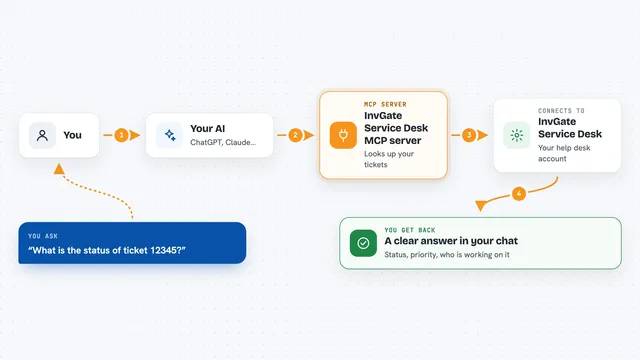
InvGate Service Desk MCP server
by tracegazerLets your AI look up InvGate tickets, users, knowledge base articles and assets, and optionally update them.

Zendesk MCP server
by michaelriceLets your AI read, search, and update Zendesk tickets, comments, views, and macros for you.
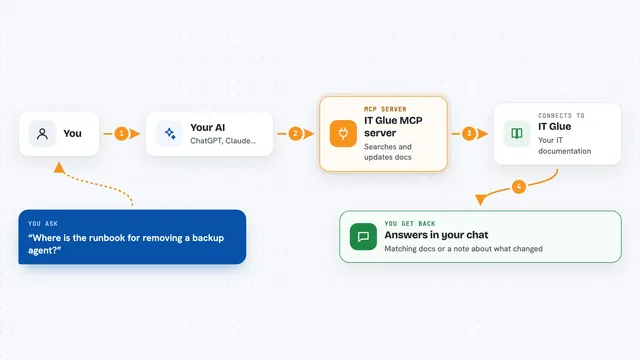
IT Glue MCP server
by selicLets your AI search, read, and update your IT Glue documentation for you.
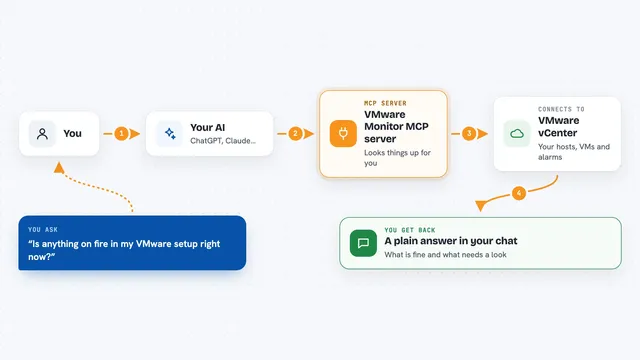
VMware Monitor MCP server
by zw008Ask your AI to check your VMware hosts, VMs, and alerts without changing anything.
Show all 12 MCP servers
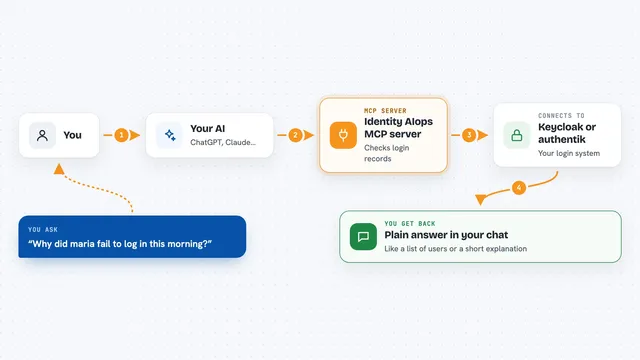
Identity AIops MCP server
by AIops-toolsLets your AI check who can log in, why logins fail, and safely fix Keycloak or authentik settings.

VirusTotal MCP server
by BurtTheCoderLets your AI check links, files, IP addresses and domains for signs of malware or scams.

VMware ESXi MCP server
by bright8192Let your AI list, create, clone, start, stop, and delete VMware virtual machines, and check their performance.

openITCOCKPIT MCP server
by openITCOCKPITAsk your AI what is broken in your monitoring, why, and who is already handling it.
Analytics Official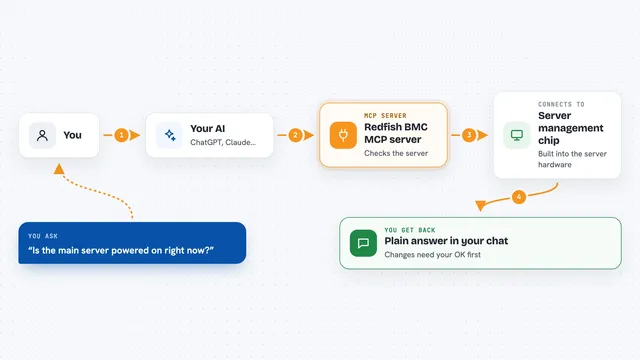
Redfish BMC MCP server
by mirastacklabs-aiLets your AI check and manage server hardware (power, fans, firmware, BIOS) through Redfish BMCs, safely.
Analytics Official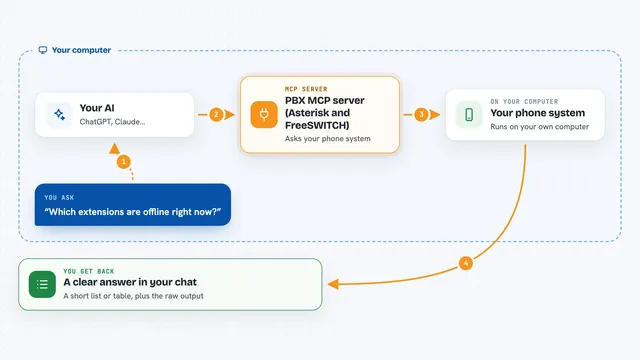
PBX MCP server (Asterisk and FreeSWITCH)
by ictinnovationsAsk your AI about your phone system: extensions, live calls, trunks, and dialplans, straight from the switch.
Build your own AI apps for it support specialists
Apps you build yourself with your own AI, no coding needed and no monthly fee. Our AI picked the 12 that fit the work of it support specialists.
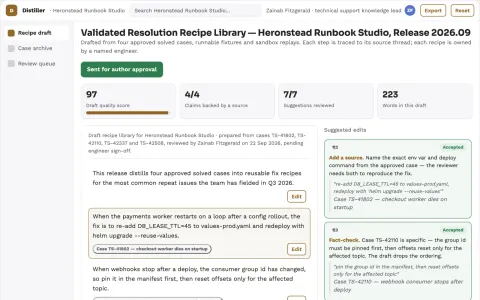
Support resolution knowledge distiller
Turn verified fixes into reusable operational knowledge.
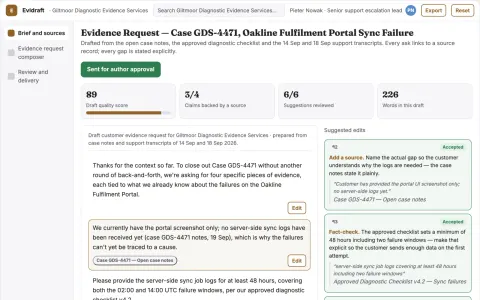
Customer evidence request composer
Clear bounded requests before another support round.
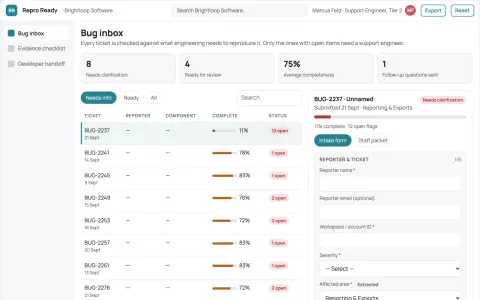
Bug reproduction assistant
A complete reproducibility package before engineering triage.
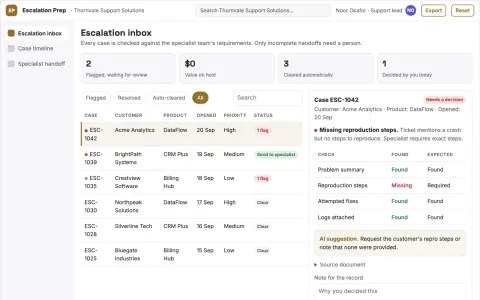
Escalation preparation tool
Structured evidence packages matched to each specialist team's requirements.
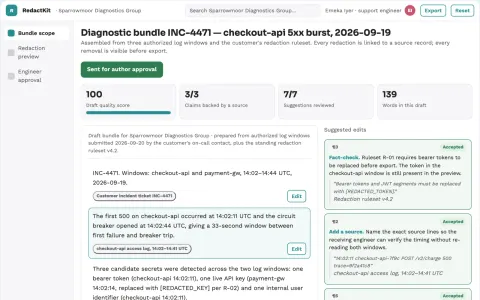
Secrets-free debugging bundle builder
Useful debugging context with explicit redaction review.
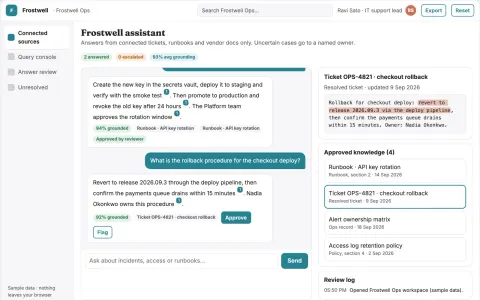
Cross-tool source-linked knowledge assistant console
Reduce search and answer time while keeping source links and permissions intact.
Show all 12 apps
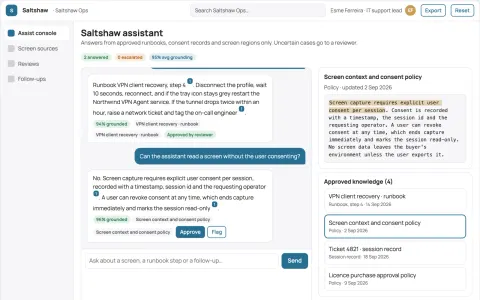
Screen-aware assistant and admin console
Reduce context switching and missed follow-ups while keeping screen data under the buyer's control.
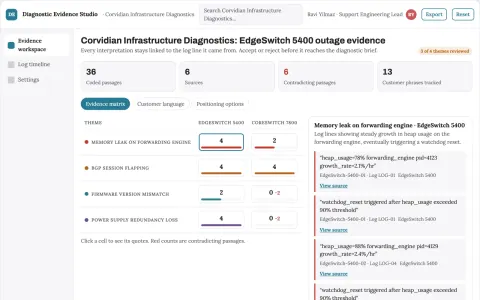
Technical support diagnostic tool
Product-version context and evidence excerpts accompany every diagnostic suggestion.
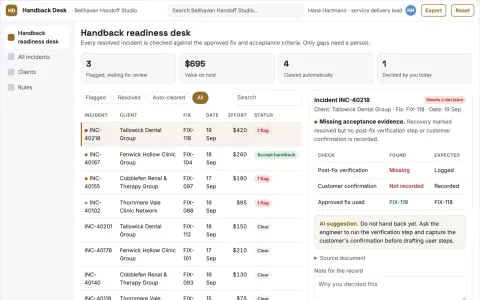
Customer handback readiness desk
Resolution includes a usable customer handback.
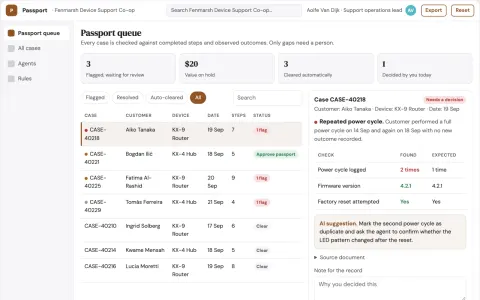
Customer troubleshooting progress passport
Portable evidence of attempted steps.
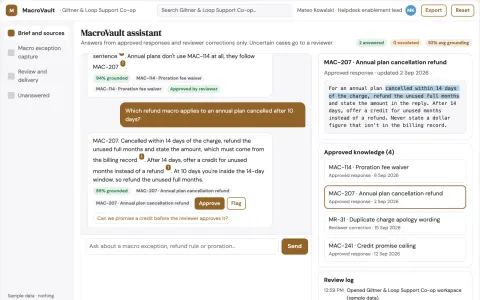
Support macro exception capture
Learn from approved changes without automatic policy drift.
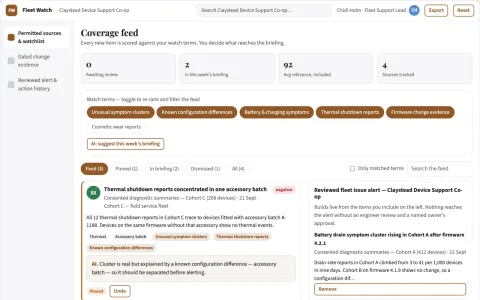
Device fleet issue early-warning service
Shorten time to recognize widespread confirmed defects.
Read the handbook

























































































































About this learning path
10 topicsUnlock the Future of IT Support with AI: A Game-Changer for IT Support Specialists
Picture this—you wake up each day confident that your skills are at the forefront of the tech industry. You aren't stuck troubleshooting the same repetitive issues, your role has evolved, your time reclaimed, your job secure, and your income steadily climbing. It's not wishful thinking; it's the reality available when you harness the power of Artificial Intelligence (AI).
As an IT Support Specialist, your role is critical. You're the backbone of technological operations, ensuring businesses run smoothly. Yet, the tech landscape is dynamic, and staying relevant means continuously upgrading your toolkit. The 'AI for IT Support Specialists' course is your gateway into a new era—one where AI transforms your daily routines, boosts your productivity, and elevates your professional value.
Future-Proof Your Skills
Let's cut through the noise—AI isn't a distant reality; it's already here, embedded into nearly every aspect of technology. As IT support specialists, your role isn't just to react to tech evolutions; it's to anticipate them. This course provides you with the insights, skills, and real-world applications needed to stay ahead of the curve.
You'll learn how to integrate AI-driven solutions into your workflow, significantly boosting your problem-solving capabilities. By embracing AI now, you're securing a competitive edge for years to come. The future belongs to those who adapt, learn continuously, and leverage emerging technologies—start future-proofing your career today.
Save a Wealth of Time
Time wasted on monotonous tasks is time lost. As someone providing critical IT support, every minute counts. Imagine leveraging AI to automate routine tickets, streamline incident management, and anticipate system issues before they surface. This course dives deep into practical AI-driven automation strategies, helping you reclaim valuable hours each day.
AI-driven tools can instantly analyze large datasets, detect patterns, and predict potential problems. Instead of being buried under tickets, let AI handle the repetitive tasks, allowing you to focus on strategic problem-solving, complex troubleshooting, and tasks that truly require human intuition.
Secure Your Job
Insecurity around job automation is understandable—but it's also avoidable. The difference between being replaceable and indispensable lies in adaptability. AI won't replace the skilled IT support specialist; rather, it enhances their capabilities. Businesses need professionals who can leverage AI effectively, who understand its capabilities, and who can implement it to streamline operations and reduce downtime.
This course ensures you have the knowledge to become an irreplaceable AI-savvy professional. Mastering AI integration within IT support not only provides job security—it positions you as an essential member of your organization's tech infrastructure.
Maximise Your Income
Income growth follows value creation. The more specialized and valuable your skills, the greater your earning potential. AI specialization is in high demand, and companies are increasingly recognizing its strategic value. With this course, you'll discover how to leverage AI to optimize processes, reduce operational costs, and deliver measurable improvements.
By offering AI-driven solutions, you're not just enhancing your organization's bottom line—you're enhancing your own. Your ability to understand, deploy, and manage AI tools places you in a premium salary bracket. Simply put, mastering AI translates directly into higher market value and income potential.
What's Inside the Course?
This isn't a static, outdated curriculum you'll forget in a month—it's a constantly evolving knowledge base, regularly updated to ensure you're always equipped with the latest insights. Here's exactly what you'll get:
- Courses and Video Courses:
Comprehensive video lessons specifically crafted for IT Support Specialists, breaking down complex AI concepts into practical, understandable modules. - 1000s of Job Prompts for Generative AI:
Real-world scenarios and prompts designed to simulate day-to-day IT support challenges, enabling you to apply AI solutions directly and effectively in real time. - AI eBooks & Guides:
Expert-written guides and eBooks that provide you with in-depth knowledge whenever you need it, accessible in a clear, digestible format. - AI Tools:
Exclusive access to cutting-edge AI software solutions designed to streamline your IT operations, enhance your productivity, and improve overall performance.
- Courses and Video Courses:
How To Integrate AI Into Your IT Support Role
Integrating AI into your daily operations doesn't have to be daunting. Begin by identifying repetitive tasks that consume your energy and resources. AI tools like automated ticket management, predictive analytics, and intelligent incident tracking can quickly take over these mundane tasks.
Start small, implement AI incrementally, and measure its impact. The course provides clear, step-by-step guidelines and case studies to help you seamlessly adopt AI in ways that directly improve your workflow.
Why Every IT Support Specialist Needs to Master AI
AI isn’t optional—it’s essential. Businesses are rapidly shifting towards smarter technologies, and IT support roles that refuse to evolve risk falling behind. Mastering AI positions you as proactive, forward-thinking, and highly valuable to your organization.
Beyond job security, mastering AI expands your professional horizon. It opens pathways to more strategic roles, better professional recognition, and significant career advancement.
What Can You Expect From The AI for IT Support Specialists Course?
This course offers practical, actionable knowledge. You won't just learn theory; you'll actively engage with realistic scenarios, case studies, and examples relevant to IT support roles. Expect regular updates, interactive learning experiences, and a supportive community of learners and professionals to exchange ideas and solve problems together.
FAQ
Is prior AI knowledge necessary?
No prior AI experience is required. The course is structured to suit beginners and intermediate learners, with foundational concepts clearly explained before moving onto advanced topics.How long will it take to see results?
You can start implementing practical AI tools immediately after beginning the course. Significant improvements in productivity and efficiency are typically noticeable within weeks.Can I apply these skills directly to my current job?
Absolutely. The course prioritizes practical application, enabling you to immediately integrate AI-driven solutions into your current role.Will this course be updated regularly?
Yes, this course is a living resource, regularly updated to reflect the latest developments, trends, and best practices in AI and IT support.How To Start Your AI Journey
Getting started is straightforward. Sign up for the 'AI for IT Support Specialists' course, access your learning dashboard, and begin the first module at your own pace. Engage actively, experiment with practical tools, and leverage community discussions to enhance your learning experience.
Your future as an IT support specialist doesn't have to be uncertain. AI offers clarity, stability, and growth. The knowledge provided within this comprehensive course is the key that unlocks the next level of your professional journey.
So, are you ready to harness AI and revolutionize your career? Your next step lies just ahead—let's get started.