AI agent for digital marketing specialists
Ad Disapproval Recovery Agent
Get disapproved ads back running quickly with compliant fixes
What it does
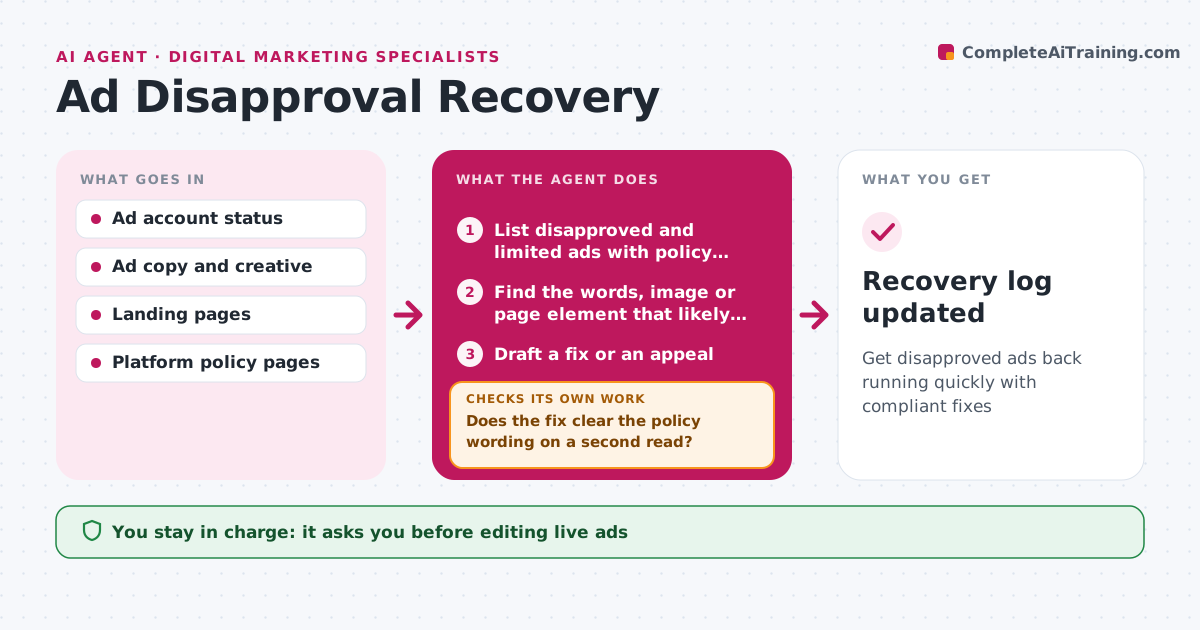
Disapproved or limited ads quietly stop spending, and fixing them one by one eats a specialist's morning. Every day this agent lists disapproved and limited ads with their policy reasons. For each, it finds the words, image, landing page element or targeting that likely triggered the decision. It drafts an edit when the ad clearly breaks the written policy, or an appeal when the content matches allowed examples. It then rereads the fix against the policy wording; if it still looks risky, it tries another wording or removes the claim. When one policy hits five or more ads, it flags an account-level pattern instead of fixing ads one by one. The specialist approves every edit, appeal and any pause. It then submits and tracks review status. Edge case: a policy hitting five or more ads is treated as an account pattern.
How it works
Follow the arrows from top to bottom. The orange dashed arrow is the loop: when a check fails, the agent goes back and tries again.
Read the steps as a list
- Daily account scan
- List disapproved and limited ads with policy reasons
- Find the words, image or page element that likely triggered each
- Draft a fix or an appeal
- Does the fix clear the policy wording on a second read?If not: try another wording or remove the claim entirely. Back to step 4.
- Specialist approves edits and appealsThe agent waits here for your OK.
- Submit and track review status
- Recovery log updated
How it decides
It edits when the ad clearly breaks the policy and drafts an appeal when the content matches allowed examples in the policy.
- Edit when the ad breaks the written policy, appeal when it matches allowed cases
- Flag a pattern when one policy hits five or more ads
- Pause related ads only with approval
Make it yours
Every agent is a starting point. You choose these settings for your own situation.
- Accounts and platforms to scan
- Pattern threshold for account-level flag (default 5 ads)
- Scan time
- Who gets the daily summary
What keeps you in control
It always asks you first
- Editing live ads
- Submitting appeals
Hard limits
- Never submits edits or appeals without approval
- Never tries to disguise content to pass review
It stops when
- Done: all disapprovals edited, appealed or escalated
- Stop: account-level suspension, handed to the specialist
Set it up
We guide you through the set-up, step by step
Members get the full set-up guide for this agent. No technical skills needed: you copy, paste and upload.
- One set of instructions to paste into your AI, with the clicks for ChatGPT, Claude, Microsoft 365 Copilot, Gemini and Grok
- The agent then walks you through connecting your own data, one source at a time
- A downloadable copy with the flow chart, the rules and the full guide