AI agent for insurance agency managers
Agency Errors and Omissions Risk Review Agent
Reduce errors and omissions exposure by closing documentation gaps in client files.
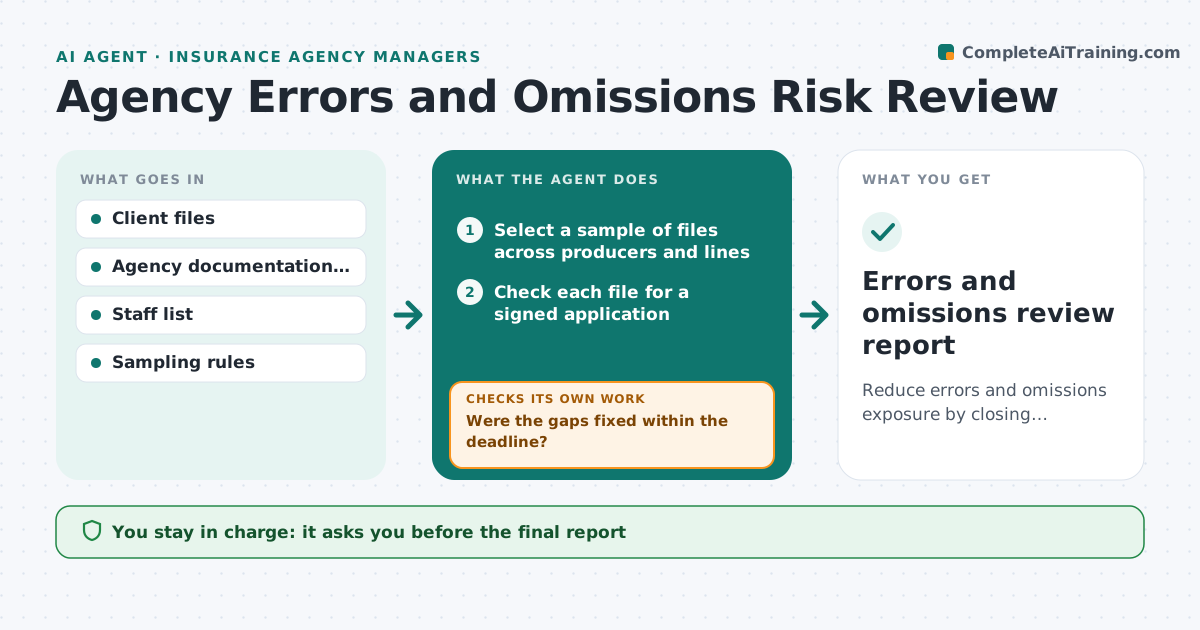
What it does
Agencies get sued when a client says they asked for coverage and did not get it, and the file has no proof. The best defense is a complete file: a signed application, a signed form for coverage the client declined, and notes of the advice given. This agent samples client files each month and checks for these items. When something is missing it flags the file, asks the responsible staff member to fix it, and checks again after. It summarizes the findings by person and type of gap, and sends the report to the manager. Edge case: a file with a declined coverage and no signed form is treated as the most serious type and moved to the top of the fix list.
How it works
Follow the arrows from top to bottom. The orange dashed arrow is the loop: when a check fails, the agent goes back and tries again.
Read the steps as a list
- Monthly file review begins
- Select a sample of files across producers and lines
- Check each file for a signed application
- Check for signed declination forms on offered but refused coverage
- Check for notes of advice and recommendations
- Rank gaps by severity
- Send a fix request to each responsible staff member
- Were the gaps fixed within the deadline?If not: Remind the staff member and escalate to the manager after a second miss. Back to step 7.
- Does a recheck of the fixed files show all items present?If not: Add any remaining gaps to the next fix request. Back to step 3.
- Manager approves the reportThe agent waits here for your OK.
- Errors and omissions review report
How it decides
Samples files by risk, checks each against the standard, and ranks gaps by severity, with a declined coverage lacking a signed form the highest.
- Sample at least 5% of files, more for staff with prior gaps
- Missing declination form is severity one
- Gap rate above 10% for a person triggers coaching
- Fix deadline is 10 working days
Make it yours
Every agent is a starting point. You choose these settings for your own situation.
- Sample size (default 5%)
- Items in the standard
- Fix deadline (default 10 working days)
- Severity ranking
- Who gets the report
What keeps you in control
It always asks you first
- The final report
- Any coaching or action about a person
- Any change to documentation standards
Hard limits
- Never change or sign a client document
- Never assign blame in the report
It stops when
- Done: all sampled gaps closed
- Stop: a claim or complaint needs legal review
- Stop: files unavailable
Set it up
We guide you through the set-up, step by step
Members get the full set-up guide for this agent. No technical skills needed: you copy, paste and upload.
- One set of instructions to paste into your AI, with the clicks for ChatGPT, Claude, Microsoft 365 Copilot, Gemini and Grok
- The agent then walks you through connecting your own data, one source at a time
- A downloadable copy with the flow chart, the rules and the full guide