AI agent for insurance agency managers
Premium Audit and Payroll Reporting Agent
Reduce surprise audit bills by adjusting exposure during the policy term.
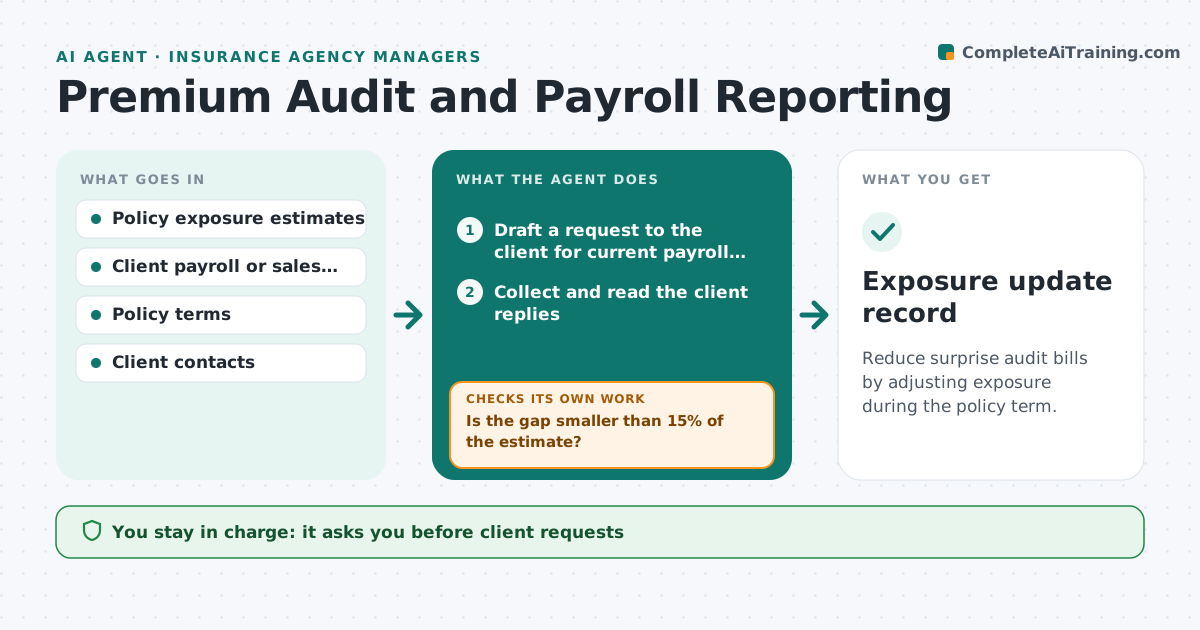
What it does
Workers' compensation and some liability premiums are based on payroll or sales that are estimated at the start. At the end of the term the carrier audits and bills the difference. A client whose payroll grew 40% gets a large unexpected bill. This agent contacts clients midterm for their current payroll or sales, compares them with the estimate, and flags large gaps. For each it drafts a request to adjust the policy so that premium follows reality. It rechecks after the client replies. The manager approves requests to the carrier. Edge case: a client with seasonal payroll is compared with the same period last year, not a straight average.
How it works
Follow the arrows from top to bottom. The orange dashed arrow is the loop: when a check fails, the agent goes back and tries again.
Read the steps as a list
- Policy reaches its midterm point
- Draft a request to the client for current payroll or sales
- Manager approves sending the requestThe agent waits here for your OK.
- Collect and read the client replies
- Compare reported exposure with the policy estimate
- Is the gap smaller than 15% of the estimate?If not: Draft a policy adjustment request with the new figures. Back to step 3.
- Manager approves the carrier requestThe agent waits here for your OK.
- Send the request and track the carrier reply
- Did the carrier confirm the new exposure and premium?If not: Chase the carrier and flag the account to the manager. Back to step 8.
- Exposure update record
How it decides
Compares reported exposure with the estimate and flags a gap above 15%; seasonal clients are compared with the same period last year.
- Gap above 15% triggers an adjustment request
- Seasonal clients use last year's same period
- No reply in 14 days gets one reminder
- Gap above 40% goes to the manager at once
Make it yours
Every agent is a starting point. You choose these settings for your own situation.
- Gap threshold (default 15%)
- Timing of midterm check
- Seasonal clients list
- Reminder wait (default 14 days)
- Policy types included
What keeps you in control
It always asks you first
- Client requests
- Carrier requests
- Any premium estimate shown to a client
Hard limits
- Never send a request without approval
- Never change a policy itself
It stops when
- Done: exposure updated and confirmed
- Stop: client cancels
- Stop: audit already started
Set it up
We guide you through the set-up, step by step
Members get the full set-up guide for this agent. No technical skills needed: you copy, paste and upload.
- One set of instructions to paste into your AI, with the clicks for ChatGPT, Claude, Microsoft 365 Copilot, Gemini and Grok
- The agent then walks you through connecting your own data, one source at a time
- A downloadable copy with the flow chart, the rules and the full guide