AI agent for home inspectors
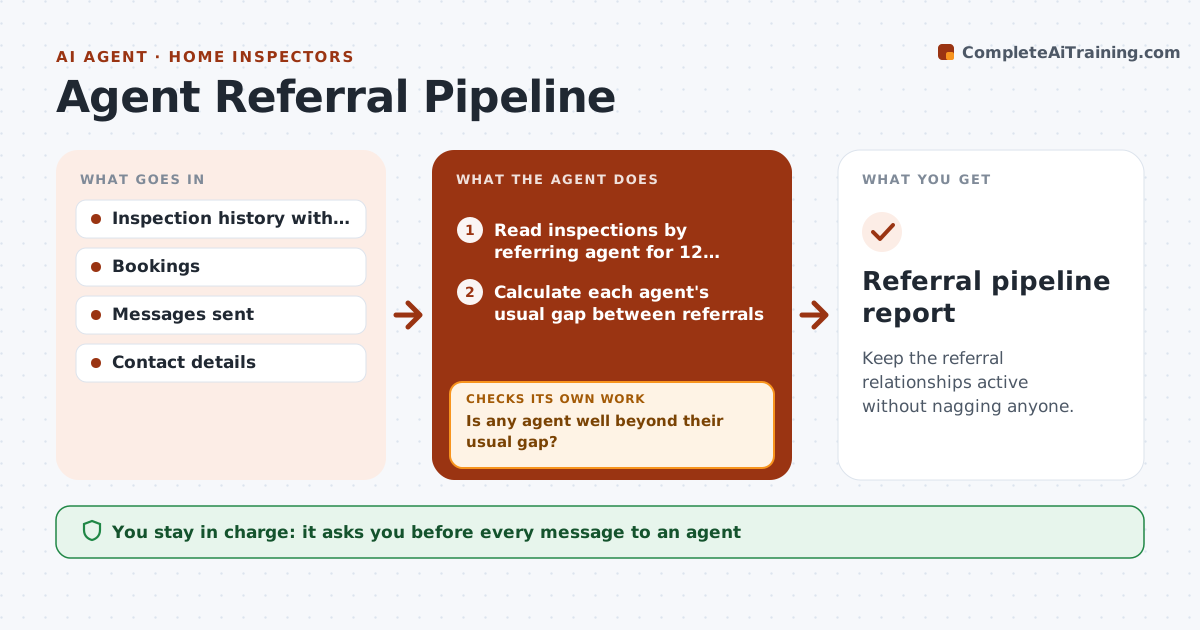
Agent Referral Pipeline Agent
Keep the referral relationships active without nagging anyone.
What it does
Most of an inspector's work comes from a few agents, and nobody notices when one goes quiet. This agent tracks inspections by referring agent, counts the last 12 months, and flags agents who have gone quiet compared with their usual rhythm. It drafts a short, human check-in for each and tracks replies and bookings. It also checks whether past check-ins led to bookings within 60 days, and adjusts how often it suggests contacting each agent. You approve each message. Edge case: an agent who sends 2 jobs a quarter is not quiet after 5 weeks, and the agent uses each person's rhythm.
How it works
Follow the arrows from top to bottom. The orange dashed arrow is the loop: when a check fails, the agent goes back and tries again.
Read the steps as a list
- Weekly review begins
- Read inspections by referring agent for 12 months
- Calculate each agent's usual gap between referrals
- Is any agent well beyond their usual gap?If not: Keep them on the active list. Back to step 3.
- Rank quiet agents by past volume
- Draft a short, personal check-in for each
- Inspector approves each messageThe agent waits here for your OK.
- Send and log the messages
- Track replies and bookings for 60 days
- Did past check-ins lead to a booking?If not: Lower the contact rate for that agent and note it. Back to step 3.
- Referral pipeline report
How it decides
It compares the time since the last referral with the agent's own usual gap. It reduces the contact rate for agents who do not respond.
- Quiet means 1.5 times the agent's usual gap (default)
- Never contact an agent more than once a month
- Reduce contact rate after 2 check-ins with no reply
- Rank by past volume
Make it yours
Every agent is a starting point. You choose these settings for your own situation.
- Quiet multiple (default 1.5)
- Maximum contact frequency (default monthly)
- Follow-up window (default 60 days)
- Message tone
- Volume ranking
What keeps you in control
It always asks you first
- Every message to an agent
Hard limits
- Never sends without approval
- Never contacts agents who opted out
- Never shares agent data
It stops when
- Done: report and approved messages
- Stop: agent asks not to be contacted; remove from list
Set it up
We guide you through the set-up, step by step
Members get the full set-up guide for this agent. No technical skills needed: you copy, paste and upload.
- One set of instructions to paste into your AI, with the clicks for ChatGPT, Claude, Microsoft 365 Copilot, Gemini and Grok
- The agent then walks you through connecting your own data, one source at a time
- A downloadable copy with the flow chart, the rules and the full guide