AI agent for home inspectors
Inspection Report Photo and Narrative Match Agent
Deliver a report in which every finding has a matching photo, location and caption.
What it does
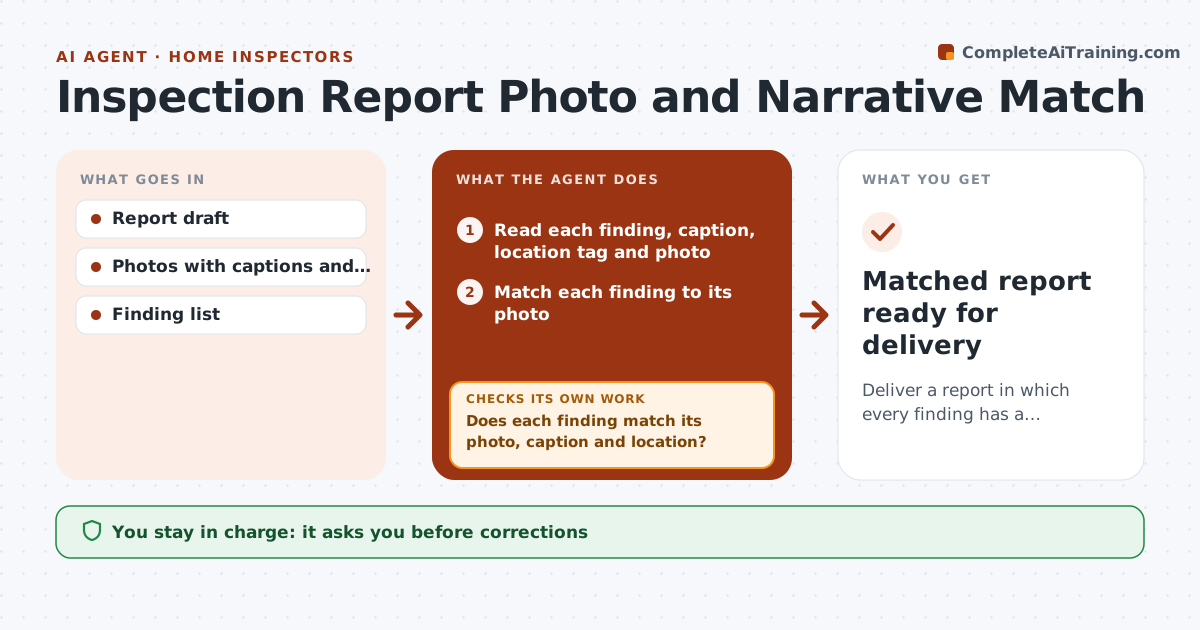
A report with a photo of the wrong room or a caption that does not show the defect can cause a dispute. This agent compares each narrative entry with its photo caption, location tag and image. It flags photos that do not show the stated defect, entries with no photo, photos with no entry, and captions in the wrong room. It asks you for fixes. It then rechecks the corrected report. It cannot judge a defect itself, it only checks that the entry, tag and photo agree. You approve the report before delivery. Edge case: a photo of the water heater is tagged to the basement bathroom, and the agent flags the location conflict.
How it works
Follow the arrows from top to bottom. The orange dashed arrow is the loop: when a check fails, the agent goes back and tries again.
Read the steps as a list
- Report draft is complete
- Read each finding, caption, location tag and photo
- Match each finding to its photo
- Check location, caption and the visible subject
- Does each finding match its photo, caption and location?If not: List the entries that do not match and why. Back to step 4.
- Ask for a replacement photo or a corrected caption
- Inspector corrects or approves each change and the draft is updatedThe agent waits here for your OK.
- Recheck the corrected entries
- Do all entries match now?If not: Return the remaining entries to the inspector. Back to step 4.
- Inspector approves the report for deliveryThe agent waits here for your OK.
- Matched report ready for delivery
How it decides
It compares the finding, location and caption in each entry. A mismatch in any one is flagged. Missing photos are flagged for required items.
- Safety and major defects must have at least one photo
- The location tag must match the section of the report
- A photo that does not show the defect is flagged
- Duplicate photos are flagged
Make it yours
Every agent is a starting point. You choose these settings for your own situation.
- Required photo items
- Tag format
- Caption style
- Checks run
- Duplicate rule
What keeps you in control
It always asks you first
- Corrections
- Delivery of the report
Hard limits
- Never judges the defect
- Never changes the report without approval
- Keeps the original photo files
It stops when
- Done: every entry matches
- Stop: photo cannot be replaced; inspector adds a note
Set it up
We guide you through the set-up, step by step
Members get the full set-up guide for this agent. No technical skills needed: you copy, paste and upload.
- One set of instructions to paste into your AI, with the clicks for ChatGPT, Claude, Microsoft 365 Copilot, Gemini and Grok
- The agent then walks you through connecting your own data, one source at a time
- A downloadable copy with the flow chart, the rules and the full guide