AI agent for call center supervisors
Agent Schedule Adherence Exception Agent
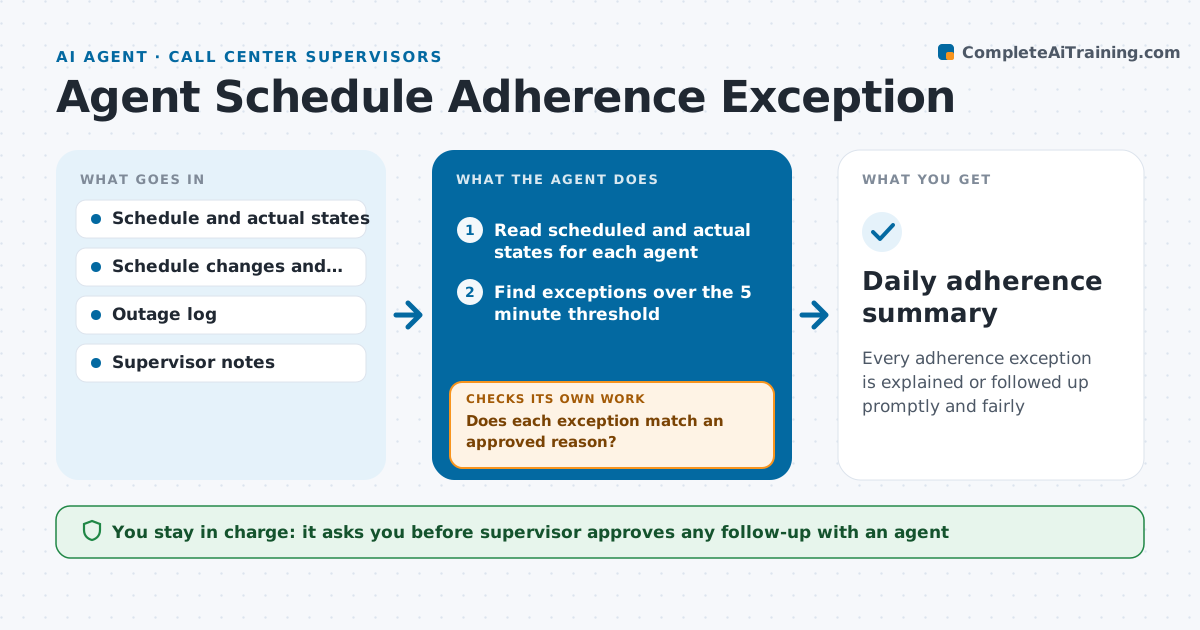
Every adherence exception is explained or followed up promptly and fairly
What it does
At the end of the week, a supervisor looks at an adherence report and finds that one agent was out of adherence 40 minutes on Tuesday, but nobody knows why and the moment has passed. This agent compares scheduled and actual states from the workforce system through the day and flags exceptions, such as late logins, extended breaks and unplanned aux time. It first checks for approved reasons in the schedule changes, time-off, system outage log and supervisor notes. Unexplained exceptions loop back to the agent for a note, and the agent rechecks the reply. It builds a summary for the supervisor with explained and unexplained time and patterns across the team or time of day. The supervisor approves any follow-up with an agent. Edge case: a system outage that blocked logins is applied to everyone affected before any exceptions are flagged.
How it works
Follow the arrows from top to bottom. The orange dashed arrow is the loop: when a check fails, the agent goes back and tries again.
Read the steps as a list
- Hourly adherence check
- Read scheduled and actual states for each agent
- Find exceptions over the 5 minute threshold
- Check schedule changes, time off, outage logs and notes
- Does each exception match an approved reason?If not: Send the agent a request for a note and review again after the reply. Back to step 3.
- Group unexplained exceptions by agent, time and pattern
- Supervisor approves any follow-up with an agentThe agent waits here for your OK.
- Send approved follow-ups and record the replies
- Are all exceptions explained or followed up by the end of the shift?If not: Add open items to the next day's list and flag repeated ones. Back to step 3.
- Daily adherence summary
How it decides
An exception is flagged when time out of adherence exceeds 5 minutes. It is cleared when it matches an approved reason, and unexplained exceptions go to the agent for a note.
- Flag exceptions over 5 minutes
- Clear exceptions that match an approved change or outage
- Ask the agent for a note within the same shift
- Mark a pattern when the same agent has 3 unexplained exceptions in a week
Make it yours
Every agent is a starting point. You choose these settings for your own situation.
- Exception threshold (default 5 minutes)
- Check frequency
- Approved reasons list
- Pattern limit (default 3 per week)
- Summary time
What keeps you in control
It always asks you first
- Supervisor approves any follow-up with an agent
Hard limits
- Never discipline or contact agents without the supervisor's approval
- Treat adherence data as support for conversations, not final judgments
It stops when
- Done: All exceptions are explained or followed up
- Stop: The schedule data is missing for a period, so the agent flags the gap instead of exceptions
Set it up
We guide you through the set-up, step by step
Members get the full set-up guide for this agent. No technical skills needed: you copy, paste and upload.
- One set of instructions to paste into your AI, with the clicks for ChatGPT, Claude, Microsoft 365 Copilot, Gemini and Grok
- The agent then walks you through connecting your own data, one source at a time
- A downloadable copy with the flow chart, the rules and the full guide