AI agent for call center supervisors
Intraday Staffing Adjustment Agent
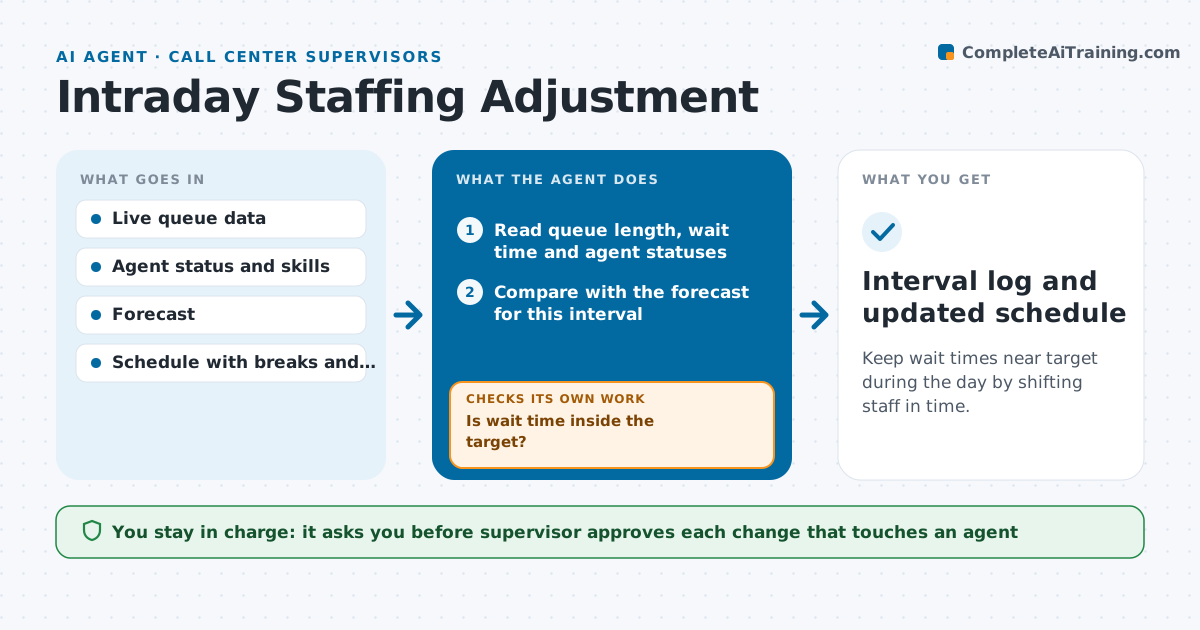
Keep wait times near target during the day by shifting staff in time.
What it does
You come out of a meeting and the queue has had 14 callers waiting for 20 minutes, while three agents are on break and two on off-phone work. This agent checks every 15 minutes. It reads queue length, wait time and who is logged in, and compares them with the forecast for the interval. If service is slipping, it looks for who can help: agents who can shift a break, move off-phone work or take overflow from another queue, matched by skill. It proposes a specific move for each agent. After the supervisor approves, it rechecks the queue at the next interval to see whether the wait fell. If it did not, it looks for the next option. The supervisor approves every change that touches agents. Edge case: only one agent speaks Spanish, so the agent never moves them off the Spanish queue.
How it works
Follow the arrows from top to bottom. The orange dashed arrow is the loop: when a check fails, the agent goes back and tries again.
Read the steps as a list
- 15-minute interval check
- Read queue length, wait time and agent statuses
- Compare with the forecast for this interval
- Is wait time inside the target?If not: find agents who can move breaks, leave off-phone work or take overflow. Back to step 2.
- Match candidates by skill and schedule rules
- Propose each move with the expected effect
- Supervisor approves each change that touches agentsThe agent waits here for your OK.
- Apply the approved status changes
- Read the queue at the next interval
- Did the wait fall below the threshold?If not: propose the next option such as overflow or a callback offer. Back to step 5.
- Interval log and updated schedule
How it decides
It acts when wait time or queue length exceeds the threshold for two intervals, then picks moves that cost the least: breaks first, then off-phone work, then overflow.
- Act when wait time is over 2 minutes above target for two intervals
- Move breaks before off-phone work, and off-phone work before overflow
- Never move the only agent with a required skill
- Never delay a legally required break
Make it yours
Every agent is a starting point. You choose these settings for your own situation.
- Wait time target and trigger (default 2 minutes over target)
- Check interval (default 15 minutes)
- Order of moves
- Skills that cannot be moved
- Queues that can overflow into each other
What keeps you in control
It always asks you first
- Supervisor approves each change that touches an agent
Hard limits
- Never change an agent's status without supervisor approval
- Never move breaks that are required by labor rules
It stops when
- Done: wait is back inside the target
- Stop: no agent can move, so alert the supervisor to consider callbacks
Set it up
We guide you through the set-up, step by step
Members get the full set-up guide for this agent. No technical skills needed: you copy, paste and upload.
- One set of instructions to paste into your AI, with the clicks for ChatGPT, Claude, Microsoft 365 Copilot, Gemini and Grok
- The agent then walks you through connecting your own data, one source at a time
- A downloadable copy with the flow chart, the rules and the full guide