AI agent for head of operations
Management Escalation Routing Agent
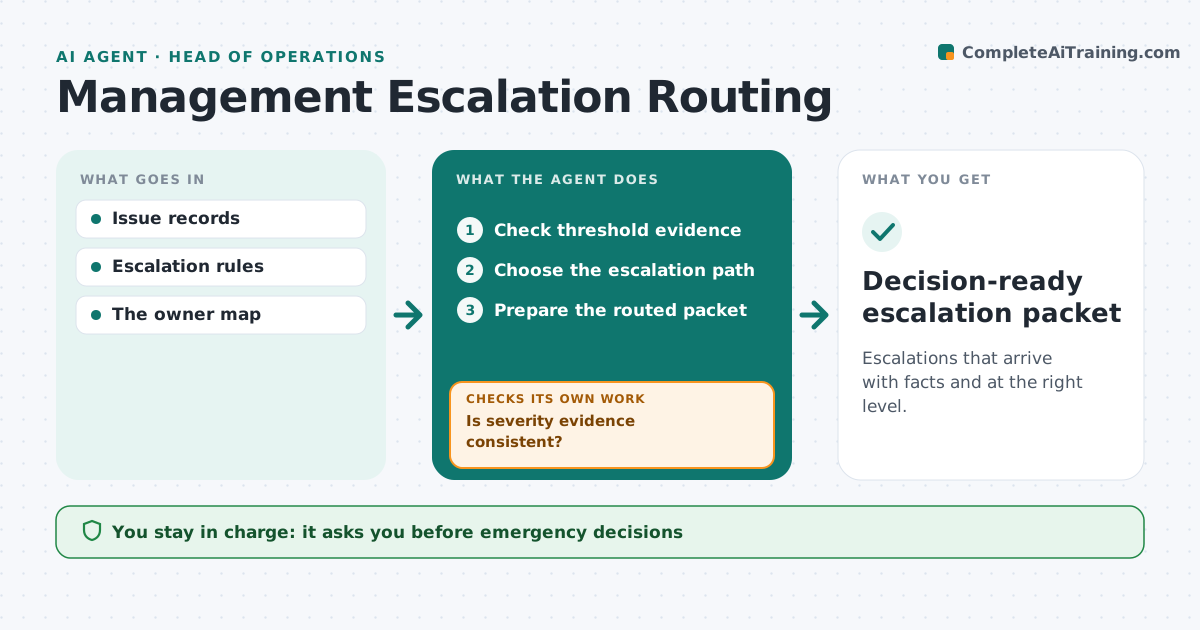
Escalations that arrive with facts and at the right level.
What it does
Issues often reach a manager without the facts needed to decide, or they land at the wrong level. This agent reads the issue record and checks its evidence against the written escalation rules, such as downtime, cost or customer impact thresholds. When the evidence is thin or contradicts itself, it runs a targeted fact check, for example pulling the monitoring log or the ticket history, before going further. It then picks the escalation path from severity and from who holds authority for that kind of decision. It prepares a short packet with the facts, the open questions and the options. The person still makes the call and handles outside communication. Edge case: two reports give different start times for an outage, so the agent checks the system log before deciding whether the threshold was crossed.
How it works
Follow the arrows from top to bottom. The orange dashed arrow is the loop: when a check fails, the agent goes back and tries again.
Read the steps as a list
- Issue raised
- Check threshold evidence
- Is severity evidence consistent?If not: run a targeted fact check. Back to step 2.
- Choose the escalation path
- Prepare the routed packet
- Operations manager decidesThe agent waits here for your OK.
- Decision-ready escalation packet
How it decides
It checks severity evidence before routing and verifies contradictions.
- Route by severity first, then by who holds authority for that decision.
- If two sources disagree on a threshold fact, check the system record before routing.
- Never route on a guess: missing facts are listed as open questions in the packet.
Make it yours
Every agent is a starting point. You choose these settings for your own situation.
- Escalation thresholds per issue type (default downtime over 2 hours)
- Owner map that says who decides what
- Sources used for fact checks (monitoring logs, tickets, incident notes)
- Packet format (one page summary or full evidence file)
What keeps you in control
It always asks you first
- Emergency decisions
- External communication
Hard limits
- No emergency decisions.
It stops when
- Done: escalated.
Set it up
We guide you through the set-up, step by step
Members get the full set-up guide for this agent. No technical skills needed: you copy, paste and upload.
- One set of instructions to paste into your AI, with the clicks for ChatGPT, Claude, Microsoft 365 Copilot, Gemini and Grok
- The agent then walks you through connecting your own data, one source at a time
- A downloadable copy with the flow chart, the rules and the full guide