AI agent for chief digital officers
AI Model Risk Register Agent
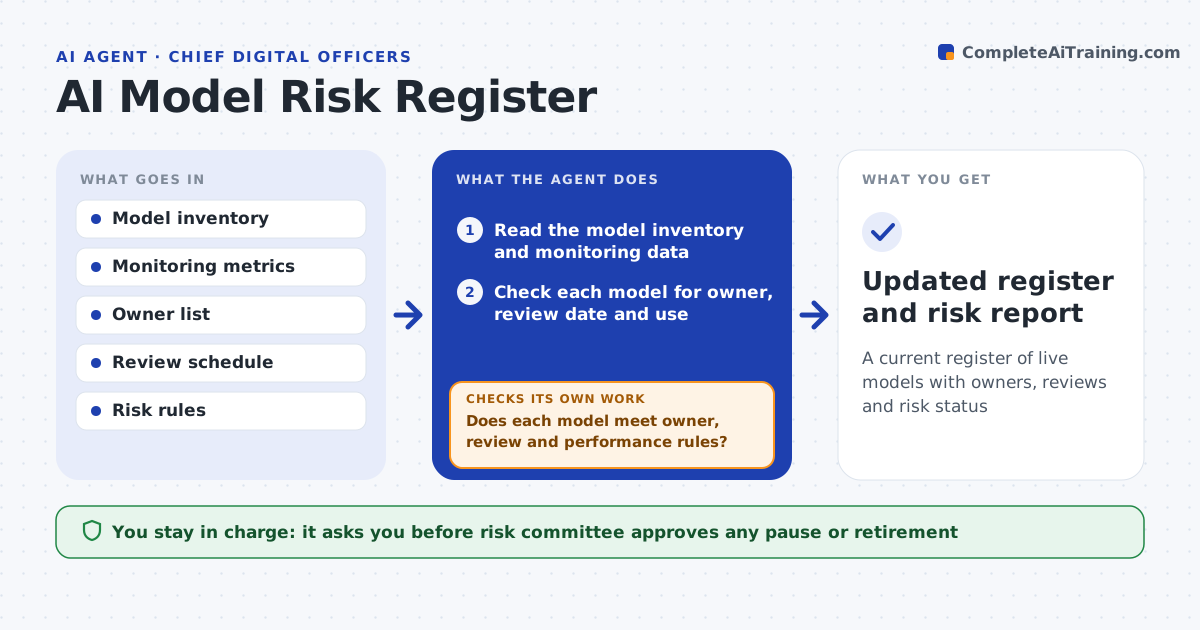
A current register of live models with owners, reviews and risk status
What it does
Nobody knows which models are live, who owns them and when they were last reviewed. This agent reads the model inventory and monitoring data and checks each model for an owner, review date, performance and changes in its data. It flags overdue reviews and models whose accuracy or data has drifted. It requests evidence from the owners, such as a review note or test results, and checks again when it arrives. The risk committee approves any pause or retirement. Edge case: a model has no owner because the team was reorganized, so the agent flags it as unowned.
How it works
Follow the arrows from top to bottom. The orange dashed arrow is the loop: when a check fails, the agent goes back and tries again.
Read the steps as a list
- Monthly model review
- Read the model inventory and monitoring data
- Check each model for owner, review date and use
- Check performance and data drift against limits
- Does each model meet owner, review and performance rules?If not: flag the model and request evidence from the owner. Back to step 3.
- Send evidence requests to owners
- Review the evidence when it arrives
- Does the evidence close each flag?If not: mark the flag open and escalate after the deadline. Back to step 3.
- Risk committee approves any pause or retirementThe agent waits here for your OK.
- Updated register and risk report
How it decides
A model is flagged when it has no owner, its review is overdue, performance dropped below its limit or its input data changed a lot.
- Flag a model with no owner
- Flag a review overdue by 30 days or more
- Flag performance below the stated limit
- Escalate open flags after 30 days
Make it yours
Every agent is a starting point. You choose these settings for your own situation.
- Review frequency per model (default: 12 months)
- Performance limits
- Drift limits
- Escalation time
What keeps you in control
It always asks you first
- Risk committee approves any pause or retirement
Hard limits
- Never pauses a model itself
- Never changes model settings
It stops when
- Done: all flags are closed or decided
- Stop: the model inventory is incomplete
Set it up
We guide you through the set-up, step by step
Members get the full set-up guide for this agent. No technical skills needed: you copy, paste and upload.
- One set of instructions to paste into your AI, with the clicks for ChatGPT, Claude, Microsoft 365 Copilot, Gemini and Grok
- The agent then walks you through connecting your own data, one source at a time
- A downloadable copy with the flow chart, the rules and the full guide