AI agent for environmental engineers
Air Permit Emissions Calculation Agent
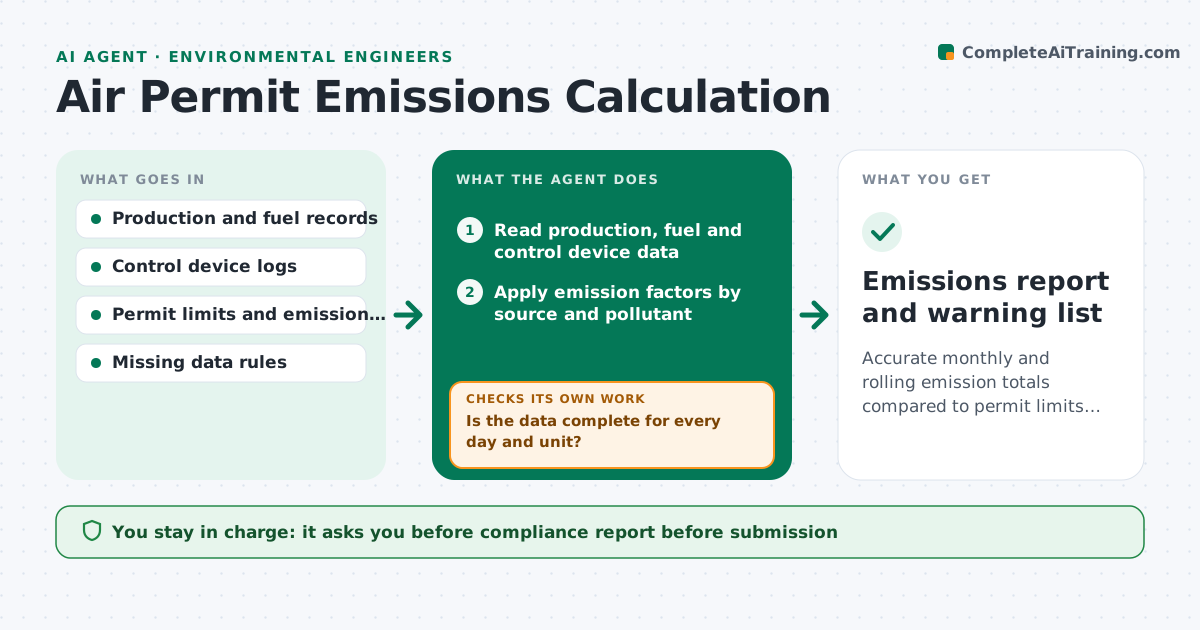
Accurate monthly and rolling emission totals compared to permit limits, with warnings before exceedances
What it does
Many facilities calculate air emissions by hand each month, and the first sign of an exceedance is a letter. This agent reads production, fuel use and control device data, applies the permit's emission factors, and totals emissions against permit limits. It keeps rolling totals, such as 12-month sums, and flags any that approach the limit. It checks for missing data, such as a day without fuel records or a control device outage, and recalculates using the permit's missing-data rules. The engineer approves the compliance report. Edge case: a scrubber was down for 6 hours, so the agent applies uncontrolled emission factors for those hours as the permit requires.
How it works
Follow the arrows from top to bottom. The orange dashed arrow is the loop: when a check fails, the agent goes back and tries again.
Read the steps as a list
- Month closes
- Read production, fuel and control device data
- Is the data complete for every day and unit?If not: apply the permit's missing data rule and list the gaps. Back to step 2.
- Apply emission factors by source and pollutant
- Adjust for control device downtime
- Calculate monthly and rolling totals
- Are all rolling totals below 90% of the permit limit?If not: flag the pollutant and propose an operating change or review. Back to step 4.
- Draft the compliance report with assumptions
- Engineer approves the compliance reportThe agent waits here for your OK.
- Emissions report and warning list
How it decides
Emissions equal activity times the permit factor, adjusted for control efficiency only when the device was running. Warn at 90% of any limit.
- Warn at 90% of any limit
- Use uncontrolled factors during control device outages
- Apply the missing data rule exactly as written in the permit
- Flag any change in fuel type for review
Make it yours
Every agent is a starting point. You choose these settings for your own situation.
- Warning level (default 90%)
- Pollutants tracked
- Rolling window
- Report format
What keeps you in control
It always asks you first
- Compliance report before submission
- Any deviation report
Hard limits
- Never submits reports to the regulator
- Never changes permit factors
It stops when
- Done: totals calculated and approved
- Stop: permit factors are unclear
Set it up
We guide you through the set-up, step by step
Members get the full set-up guide for this agent. No technical skills needed: you copy, paste and upload.
- One set of instructions to paste into your AI, with the clicks for ChatGPT, Claude, Microsoft 365 Copilot, Gemini and Grok
- The agent then walks you through connecting your own data, one source at a time
- A downloadable copy with the flow chart, the rules and the full guide