AI agent for research associates
Weather Station Data Gap Filling Agent
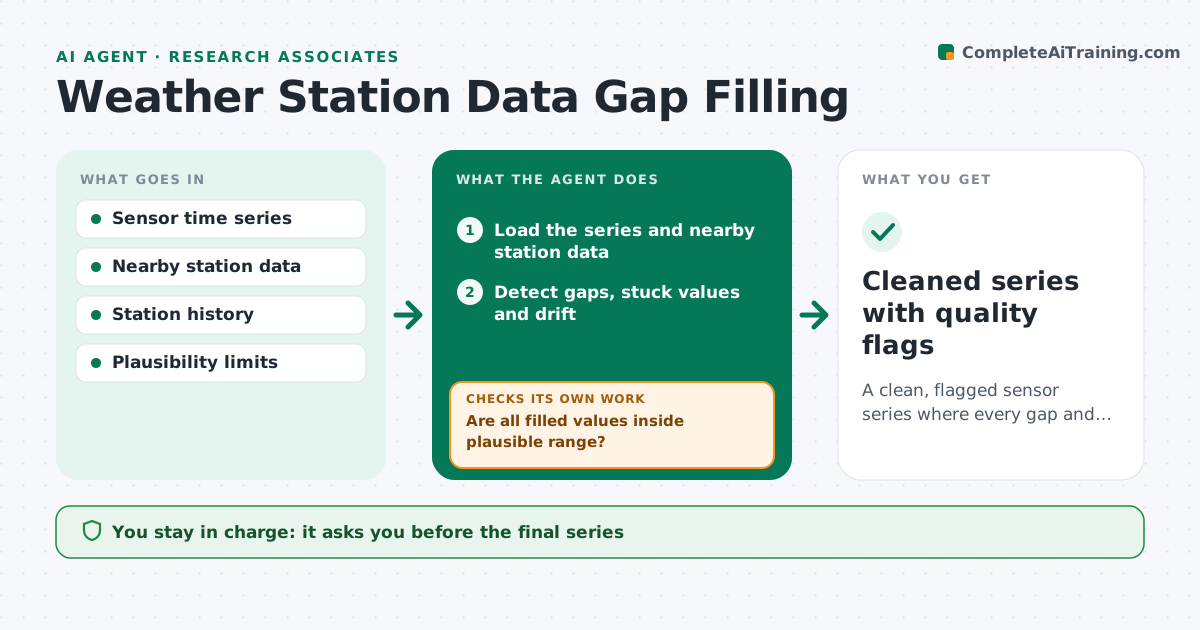
A clean, flagged sensor series where every gap and drift is either corrected by a documented method or left open.
What it does
A station that dropped out for three days or drifted 2 degrees warm can bias a season of analysis without anyone noticing. This agent scans each sensor series for gaps, stuck values and drift. It compares the series to nearby stations and to the station's own history to see where it departs. It then proposes a fill method for each problem, such as interpolation for short gaps or regression to the nearest station for longer ones, and marks every filled value. It checks the filled values against plausible physical ranges and against neighbors, and loops back to try another method if they fail. You approve the final series. Edge case: gaps longer than a set number of days are left empty rather than filled.
How it works
Follow the arrows from top to bottom. The orange dashed arrow is the loop: when a check fails, the agent goes back and tries again.
Read the steps as a list
- New sensor data downloaded
- Load the series and nearby station data
- Detect gaps, stuck values and drift
- Choose a fill method for each problem by length and cause
- Fill values and flag each one
- Are all filled values inside plausible range?If not: switch to another method for the failing segment and refill. Back to step 4.
- Do filled values agree with neighboring stations within tolerance?If not: try a different reference station or leave the segment empty. Back to step 4.
- Write a log of every change and method
- Scientist approves the final seriesThe agent waits here for your OK.
- Cleaned series with quality flags
How it decides
Short gaps are interpolated, longer gaps use neighbor regression, and gaps beyond the limit stay empty. A fill is kept only if it passes the range and neighbor checks.
- Gap up to 3 hours: linear interpolation
- Gap 3 hours to 3 days: regression with the best neighbor
- Gap over 3 days: leave empty and flag
- Drift over 0.5 degrees compared to neighbors: flag and do not fill automatically
Make it yours
Every agent is a starting point. You choose these settings for your own situation.
- Gap length limits for each method
- Plausibility ranges per variable
- Neighbor stations to use
- Drift tolerance
- Schedule
What keeps you in control
It always asks you first
- The final series
- Any correction of drift
Hard limits
- Never overwrite raw data, always write a new flagged series
- Never fill gaps beyond the set limit
It stops when
- Done: series cleaned and logged
- Stop: no neighboring station data available
Set it up
We guide you through the set-up, step by step
Members get the full set-up guide for this agent. No technical skills needed: you copy, paste and upload.
- One set of instructions to paste into your AI, with the clicks for ChatGPT, Claude, Microsoft 365 Copilot, Gemini and Grok
- The agent then walks you through connecting your own data, one source at a time
- A downloadable copy with the flow chart, the rules and the full guide