AI agent for urban planners
Environmental Review Screening Agent
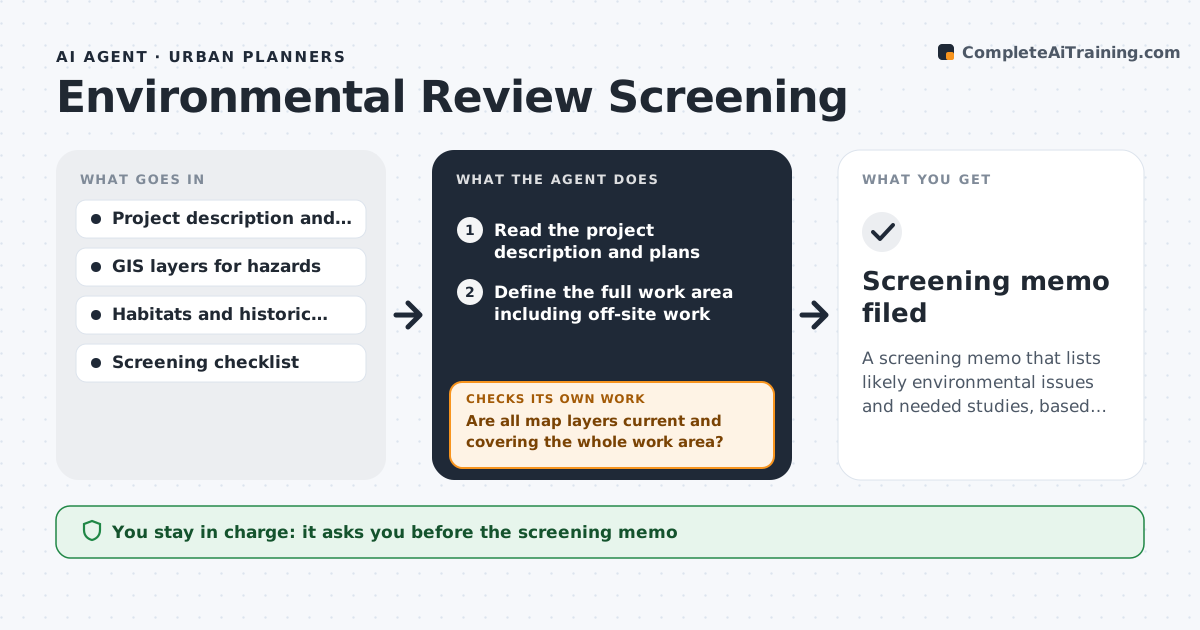
A screening memo that lists likely environmental issues and needed studies, based on the whole work area
What it does
A project that skips early screening can run into a wetland, a historic building or a hazard late in review, and months are lost. This agent reads the project description and checks the site against maps of hazards, habitats, flood zones and historic resources. It lists the likely issues and the studies they usually require, such as a biological survey or a noise study. It checks that the map data is current and that the project footprint, including off-site work like utilities, was used rather than just the parcel. If the plans change, it reruns the screening and shows what is new. It drafts a screening memo with sources. The planner approves it. Edge case: a project with a small footprint but a utility extension crossing a stream is screened on the full work area.
How it works
Follow the arrows from top to bottom. The orange dashed arrow is the loop: when a check fails, the agent goes back and tries again.
Read the steps as a list
- Application received or plans revised
- Read the project description and plans
- Define the full work area including off-site work
- Check the work area against hazard, habitat and historic maps
- Are all map layers current and covering the whole work area?If not: update or add layers and rerun the overlay. Back to step 4.
- List likely issues and the studies each normally needs
- Apply the screening checklist triggers
- Does every issue cite a map layer or checklist item?If not: remove unsupported items or find the source. Back to step 6.
- Draft the screening memo
- Planner approves the memoThe agent waits here for your OK.
- Screening memo filed
How it decides
An issue is listed when the work area overlaps a mapped resource or hazard, or the checklist trigger applies. Each issue is linked to the study it normally needs.
- Screen the full work area, including utilities and staging
- Add a study to the list when a mapped resource is within the buffer distance
- Rerun the screening on any plan revision
- Mark an issue as possible if the map data is old
Make it yours
Every agent is a starting point. You choose these settings for your own situation.
- Map layers used
- Buffer distances
- Checklist version
- Memo format
What keeps you in control
It always asks you first
- The screening memo
Hard limits
- Never decides that a project is exempt
- Does not contact the applicant
It stops when
- Done: the memo is approved
- Stop: no site location is provided
Set it up
We guide you through the set-up, step by step
Members get the full set-up guide for this agent. No technical skills needed: you copy, paste and upload.
- One set of instructions to paste into your AI, with the clicks for ChatGPT, Claude, Microsoft 365 Copilot, Gemini and Grok
- The agent then walks you through connecting your own data, one source at a time
- A downloadable copy with the flow chart, the rules and the full guide