AI agent for catering managers
Allergen Matrix Verification Agent
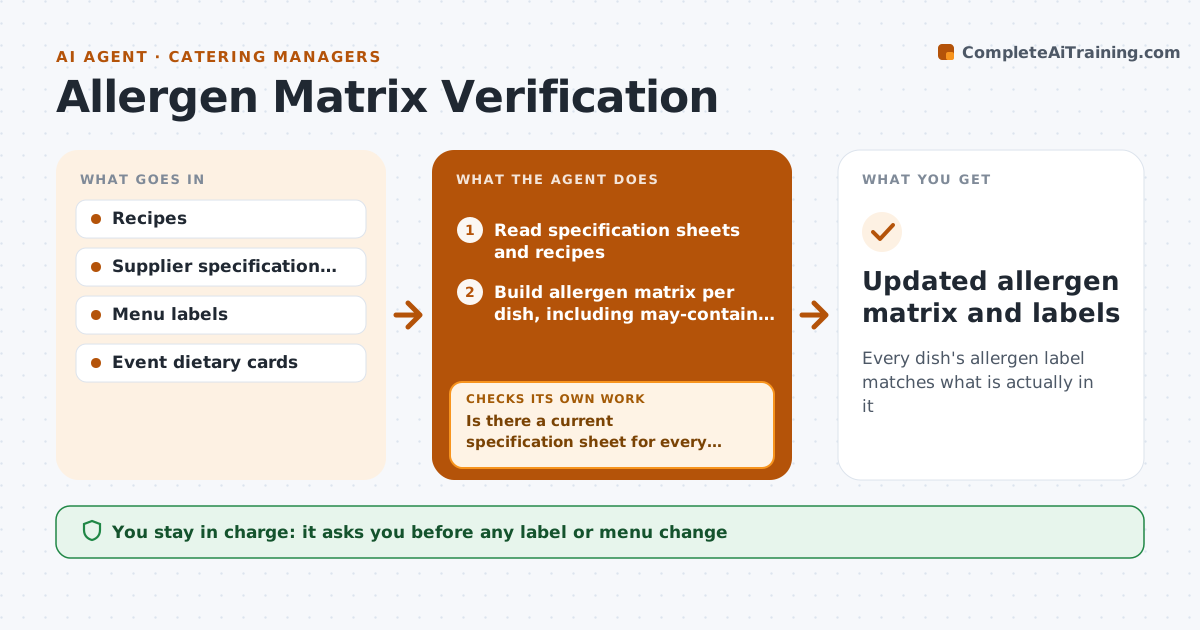
Every dish's allergen label matches what is actually in it
What it does
Allergen information must match every recipe and every product actually used, and a quiet supplier change can make a safe label wrong overnight. When a recipe or supplier product changes, this agent reads the specification sheets and recipes and rebuilds the allergen matrix for every affected dish. A dish shows an allergen if any ingredient lists it or carries a may-contain warning. Missing specification sheets block a dish from being marked safe, and the agent requests them from the supplier. It compares the matrix with menu labels and event dietary cards. If anything differs, it drafts corrections and checks again until they all match. The chef approves every label change. Edge case: a product with a may-contain warning is shown as a risk on the matrix even when the allergen is not an ingredient.
How it works
Follow the arrows from top to bottom. The orange dashed arrow is the loop: when a check fails, the agent goes back and tries again.
Read the steps as a list
- Recipe or supplier product changed
- Read specification sheets and recipes
- Is there a current specification sheet for every ingredient?If not: request missing sheets from the supplier and hold the dish as unconfirmed. Back to step 2.
- Build allergen matrix per dish, including may-contain risks
- Compare matrix with menu labels and dietary cards
- Draft label and card corrections
- Do all labels match the matrix?If not: draft the remaining corrections and recheck. Back to step 6.
- Chef approves label changesThe agent waits here for your OK.
- Updated allergen matrix and labels
How it decides
A dish shows an allergen if any ingredient lists it or carries a may-contain warning for it.
- All regulated allergens are tracked
- May-contain warnings count as a risk
- Missing specification sheets block a dish from being marked safe
Make it yours
Every agent is a starting point. You choose these settings for your own situation.
- Allergen list for your region
- Supplier specification sources
- Check schedule
- Label format
What keeps you in control
It always asks you first
- Any label or menu change
Hard limits
- Never prints or publishes labels
- Never marks a dish allergen-free without a specification sheet
It stops when
- Done: all labels match
- Stop: a supplier specification is missing, request it before the dish is served as allergen-free
Set it up
We guide you through the set-up, step by step
Members get the full set-up guide for this agent. No technical skills needed: you copy, paste and upload.
- One set of instructions to paste into your AI, with the clicks for ChatGPT, Claude, Microsoft 365 Copilot, Gemini and Grok
- The agent then walks you through connecting your own data, one source at a time
- A downloadable copy with the flow chart, the rules and the full guide