AI agent for tax advisors
Amended Return Opportunity Agent
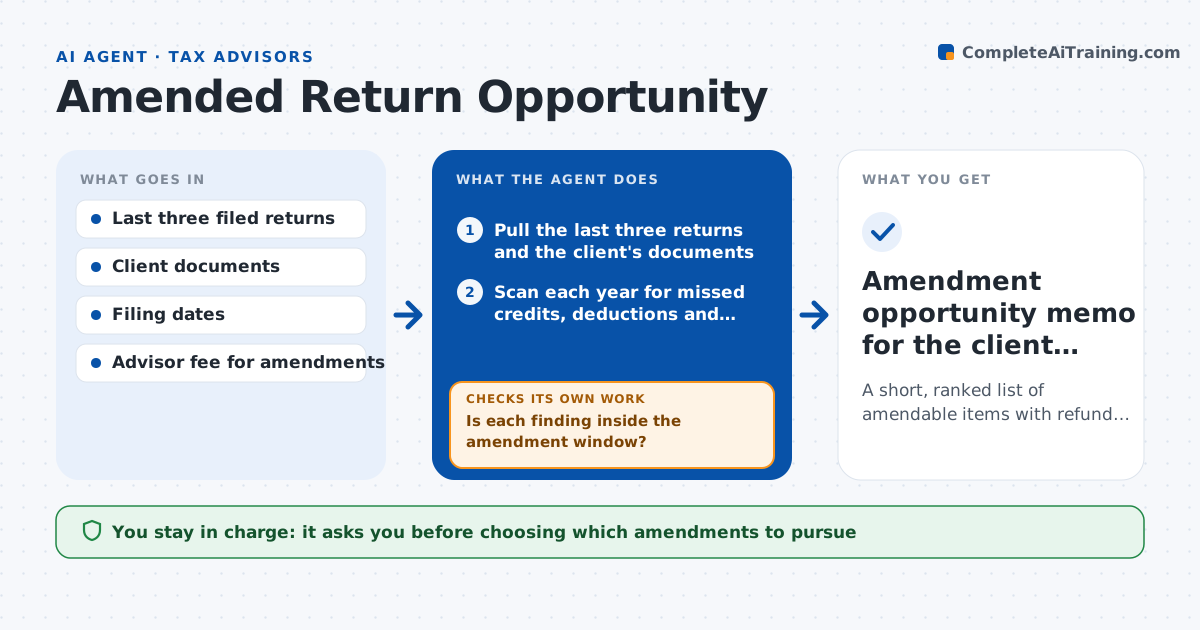
A short, ranked list of amendable items with refund estimates, each inside the window and worth the cost
What it does
Advisors rarely have time to look back at old returns, so refunds go unclaimed. For a client you choose, this agent pulls the last three filed returns and the client's documents. It scans for missed items such as credits, deductions and basis errors, and calculates the possible refund for each year. Then it checks every finding against the amendment window and the cost of filing. A finding that falls outside the window, or whose refund is smaller than the cost to pursue, is dropped with a note. It rechecks the arithmetic on what remains and lists the rest from largest to smallest. The advisor decides which to pursue and approves any client outreach. Edge case: a credit that was claimed on a later return but missed earlier is flagged as a possible duplicate before any refund is counted.
How it works
Follow the arrows from top to bottom. The orange dashed arrow is the loop: when a check fails, the agent goes back and tries again.
Read the steps as a list
- Advisor selects a client for review
- Pull the last three returns and the client's documents
- Scan each year for missed credits, deductions and basis errors
- Estimate the refund for each finding
- Is each finding inside the amendment window?If not: drop it and note the date it expired. Back to step 3.
- Does the refund beat the filing cost by the set margin?If not: drop it, or combine it with other findings for the same year. Back to step 3.
- Recalculate surviving items with the tax software
- Rank the items and mark the proof needed for each
- Advisor chooses items and approves client outreachThe agent waits here for your OK.
- Amendment opportunity memo for the client file
How it decides
An item is kept only if it falls inside the amendment window and the estimated refund exceeds the filing cost by a set margin. Items with weak documents are marked as needing proof.
- Keep a finding only if the refund is at least 3 times the filing cost
- Drop any item past the amendment window
- Mark an item needs proof when a supporting document is missing
- Flag a credit claimed in a later year as a possible duplicate
Make it yours
Every agent is a starting point. You choose these settings for your own situation.
- Years to look back (default 3)
- Minimum refund to filing cost ratio (default 3)
- Item types to scan for
- Fee per amended return
What keeps you in control
It always asks you first
- Choosing which amendments to pursue
- Contacting the client
Hard limits
- Never files an amended return
- Never promises a refund to the client
It stops when
- Done: a ranked memo with window and cost checks
- Stop: fewer than two prior returns are available
Set it up
We guide you through the set-up, step by step
Members get the full set-up guide for this agent. No technical skills needed: you copy, paste and upload.
- One set of instructions to paste into your AI, with the clicks for ChatGPT, Claude, Microsoft 365 Copilot, Gemini and Grok
- The agent then walks you through connecting your own data, one source at a time
- A downloadable copy with the flow chart, the rules and the full guide