AI agent for tax advisors
Prior-Year Carryover Check Agent
A verified carryover schedule where every prior-year balance rolls into the current return or has a written reason it did not
What it does
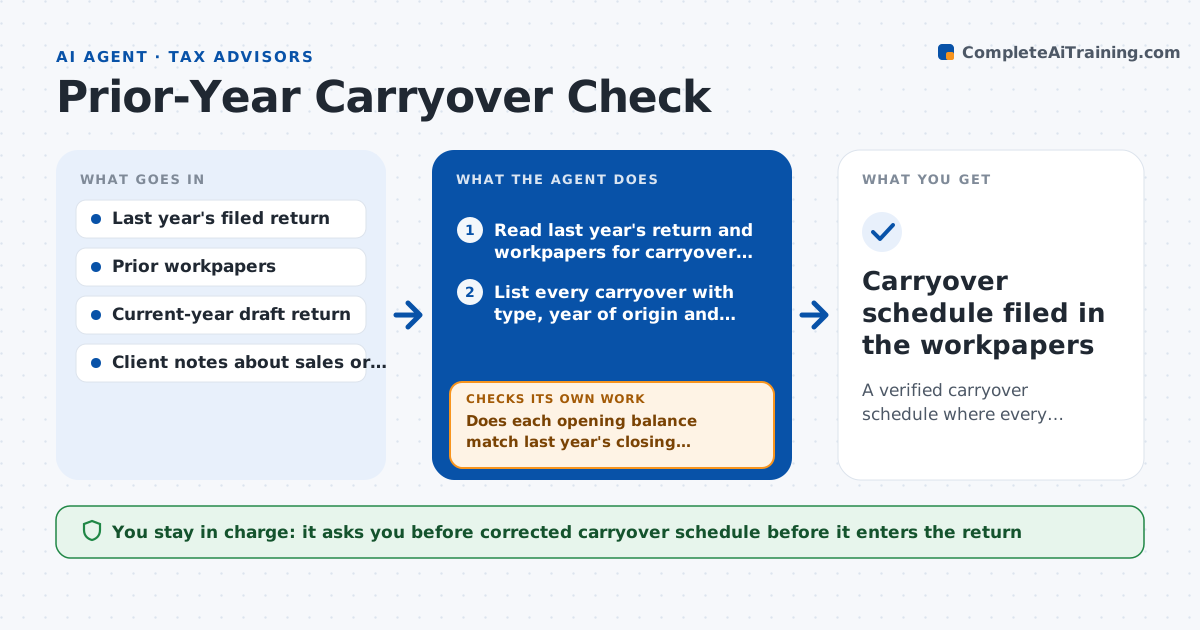
When an advisor opens a new return, carryovers from last year are easy to lose. This agent reads last year's filed return and workpapers and lists every carryover: capital losses, net operating losses, unused credits and suspended passive losses. It then looks for each one on the current-year draft. If a carryover is missing, or the amount does not equal last year's ending balance less what was used, it traces the gap back through the workpapers and reruns the roll-forward. It also checks that any amount used this year does not exceed the allowed limit. Anything still unexplained goes on a short question list for the advisor and client. The advisor always approves the corrected carryover schedule. Edge case: a client moved states mid-year, so a state credit carries forward under different rules and the agent flags it instead of rolling it forward.
How it works
Follow the arrows from top to bottom. The orange dashed arrow is the loop: when a check fails, the agent goes back and tries again.
Read the steps as a list
- Advisor opens a returning client's new-year return
- Read last year's return and workpapers for carryover schedules
- List every carryover with type, year of origin and ending balance
- Find each carryover on the current-year draft
- Does each opening balance match last year's closing balance?If not: trace the difference through the workpapers and note whether it was used, expired or dropped. Back to step 4.
- Rerun the roll-forward with the corrected opening balances
- Is the amount used this year within the allowed limit?If not: recompute the limit and reduce the amount used, then list the unused remainder. Back to step 6.
- List what is still unexplained as questions for the advisor
- Advisor approves the corrected carryover scheduleThe agent waits here for your OK.
- Carryover schedule filed in the workpapers
How it decides
A carryover is cleared only when the opening balance on the draft equals last year's closing balance after documented use. Differences above a small tolerance are traced before anything is changed.
- Treat a difference of $50 or less as rounding and note it
- Flag any carryover that is on last year's return but absent from the draft
- Hold a state carryover for review when the client changed states
- Stop rolling forward a loss that has passed its expiry year
Make it yours
Every agent is a starting point. You choose these settings for your own situation.
- Rounding tolerance for balance differences (default $50)
- Carryover types to track (default all)
- Where workpapers are stored
- How many prior years to read (default 1)
What keeps you in control
It always asks you first
- Corrected carryover schedule before it enters the return
Hard limits
- Never changes the return itself, only drafts the schedule
- Does not contact the client without advisor approval
It stops when
- Done: every carryover is matched, corrected or explained
- Stop: last year's return or workpapers are missing
Set it up
We guide you through the set-up, step by step
Members get the full set-up guide for this agent. No technical skills needed: you copy, paste and upload.
- One set of instructions to paste into your AI, with the clicks for ChatGPT, Claude, Microsoft 365 Copilot, Gemini and Grok
- The agent then walks you through connecting your own data, one source at a time
- A downloadable copy with the flow chart, the rules and the full guide