AI agent for chemists
Analytical Results Review Agent
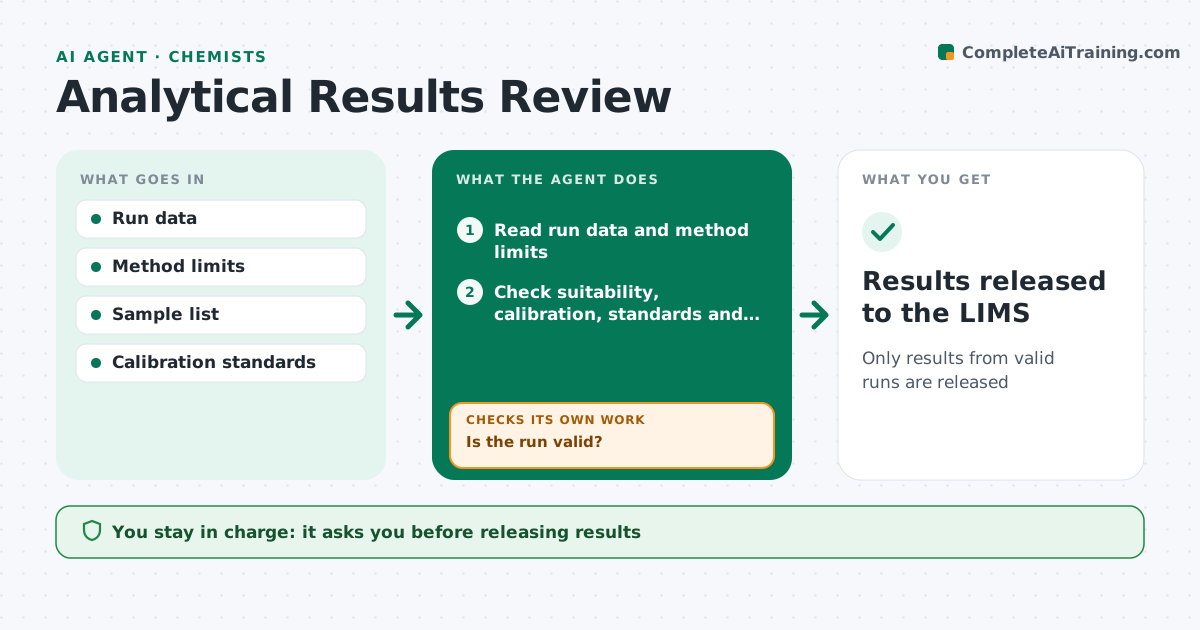
Only results from valid runs are released
What it does
Before an analytical result goes out, the run itself must be valid, and checking it by hand is slow and easy to rush. When an instrument run completes, this agent reads the run data from the chromatography or spectroscopy software and the method limits. It checks system suitability results such as resolution, tailing and repeatability, plus the calibration curve fit, check standards and blanks. If the run fails, it marks it invalid with the reason and a suggested action. It then checks each sample for values outside the calibration range or replicate differences above the limit. Failed samples get a re-injection or dilution suggestion, and the agent reviews the rerun. It never reports a value by extrapolation. The chemist reviews and releases results. Edge case: a sample above the top standard is flagged for dilution rather than extrapolated.
How it works
Follow the arrows from top to bottom. The orange dashed arrow is the loop: when a check fails, the agent goes back and tries again.
Read the steps as a list
- Instrument run completes
- Read run data and method limits
- Check suitability, calibration, standards and blanks
- Is the run valid?If not: mark the run invalid with the reason and review the rerun. Back to step 3.
- Check sample ranges and replicates
- Are all samples within range and replicate limits?If not: mark for re-injection or dilution and review the rerun. Back to step 5.
- Prepare the results summary
- Chemist reviews and releases resultsThe agent waits here for your OK.
- Results released to the LIMS
How it decides
A run is valid only when suitability, calibration, check standards and blanks all meet method limits. Samples outside range or with poor replicates are flagged.
- Reject runs with failed suitability
- Flag samples above the calibration range for dilution
- Flag replicates outside the allowed difference
Make it yours
Every agent is a starting point. You choose these settings for your own situation.
- Method limits
- Replicate limit
- Instruments covered
- Report format
What keeps you in control
It always asks you first
- Releasing results
- Invalidating a run
Hard limits
- Never releases results
- Never edits raw data
It stops when
- Done: results released
- Stop: repeated failure; escalate to the lab supervisor
Set it up
We guide you through the set-up, step by step
Members get the full set-up guide for this agent. No technical skills needed: you copy, paste and upload.
- One set of instructions to paste into your AI, with the clicks for ChatGPT, Claude, Microsoft 365 Copilot, Gemini and Grok
- The agent then walks you through connecting your own data, one source at a time
- A downloadable copy with the flow chart, the rules and the full guide