AI agent for aerospace engineers
Anomaly Board Action Closure Agent
Close every board action on time with proper evidence
What it does
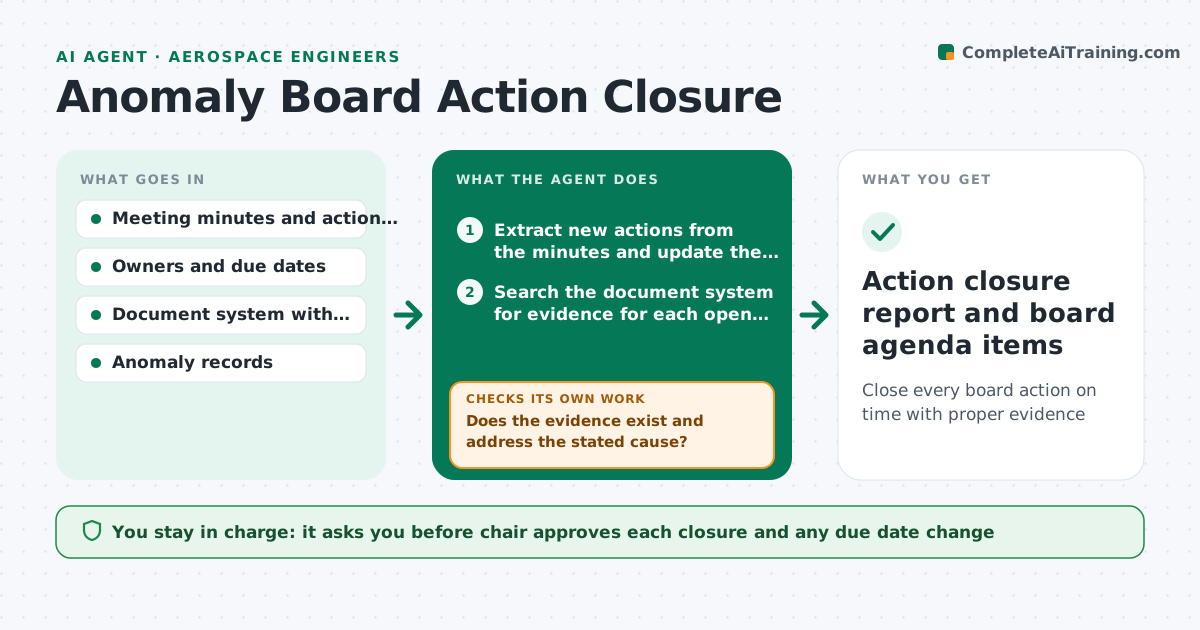
An anomaly review board assigns actions at every meeting, and many remain open for months because no one follows up and closure evidence is scattered. This agent tracks them. It keeps a list of every action with owner and due date, checks whether closure evidence exists in the document system, chases overdue owners with a draft reminder and updates the status after replies. It rechecks open items weekly and groups them by root cause to show recurring issues. The chair approves each closure. Edge case: an action is closed with evidence that does not address the cause. The agent flags it and returns it to the owner.
How it works
Follow the arrows from top to bottom. The orange dashed arrow is the loop: when a check fails, the agent goes back and tries again.
Read the steps as a list
- Board meeting ends or weekly check
- Extract new actions from the minutes and update the action list
- Search the document system for evidence for each open action
- Does the evidence exist and address the stated cause?If not: Return it to the owner with the specific gap. Back to step 3.
- Find overdue actions and draft reminders
- Chair approves reminders for senior owners and any closuresThe agent waits here for your OK.
- Send reminders and record replies
- Update status and revised due dates
- Is any action overdue by more than 7 days?If not: If overdue, escalate to the chair and add to the next agenda. Back to step 6.
- Action closure report and board agenda items
How it decides
An action is ready to close when evidence exists and addresses the stated cause. Actions overdue by more than 7 days are escalated.
- Overdue by 7 days triggers escalation
- Closure needs linked evidence
- Actions with the same root cause are grouped
- Due date changes need the chair's approval
Make it yours
Every agent is a starting point. You choose these settings for your own situation.
- Escalation days (default 7)
- Reminder wording
- Agenda format
- Who receives escalations
- Weekly check day
What keeps you in control
It always asks you first
- Chair approves each closure and any due date change
Hard limits
- Never closes an action itself
- Does not alter anomaly records
It stops when
- Done: all actions closed or scheduled
- Stop: an action reveals a new safety concern, notify the chair at once
Set it up
We guide you through the set-up, step by step
Members get the full set-up guide for this agent. No technical skills needed: you copy, paste and upload.
- One set of instructions to paste into your AI, with the clicks for ChatGPT, Claude, Microsoft 365 Copilot, Gemini and Grok
- The agent then walks you through connecting your own data, one source at a time
- A downloadable copy with the flow chart, the rules and the full guide