AI agent for aerospace engineers
Drawing Revision and BOM Mismatch Agent
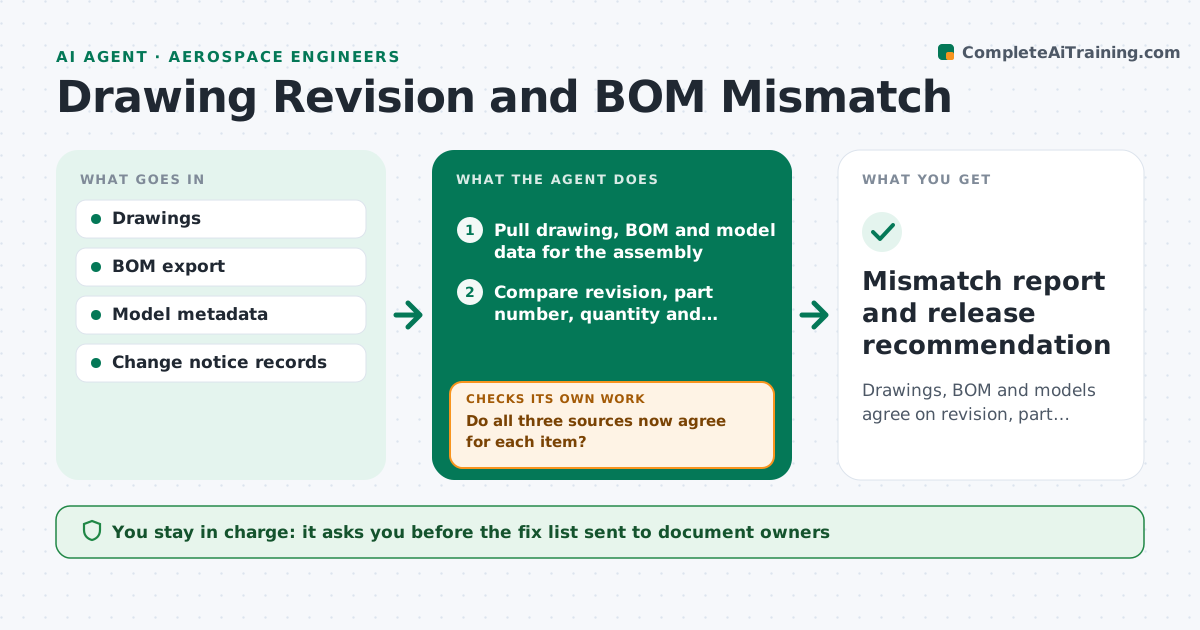
Drawings, BOM and models agree on revision, part number and quantity for each assembly before release.
What it does
A drawing is at revision D, the BOM still calls out revision C of a bracket, and the model in the vault is at E. Shop floor questions follow. This agent compares drawings, BOM and model data for each assembly. It reads revision letters, part numbers, quantities and material notes, then lists every mismatch. For each one it traces the latest change notice to see which source is right, and writes the cause. It sends the list to the document owners as draft messages. After the owners fix their records, it rechecks the assembly. You approve any release. Edge case: a change notice that is approved but not yet effective is shown separately so it is not reported as an error.
How it works
Follow the arrows from top to bottom. The orange dashed arrow is the loop: when a check fails, the agent goes back and tries again.
Read the steps as a list
- Assembly selected for release or weekly scan
- Pull drawing, BOM and model data for the assembly
- Compare revision, part number, quantity and material for each item
- List every mismatch with the source of each value
- Look up the latest effective change notice for each mismatched item
- Decide which source is correct and which is pending
- Engineer approves the fix list sent to ownersThe agent waits here for your OK.
- After owners update, reload the data
- Do all three sources now agree for each item?If not: return the remaining mismatches to the owner with the change notice reference. Back to step 3.
- Write the release readiness summary
- Mismatch report and release recommendation
How it decides
The latest effective change notice defines the correct revision. Anything not matching it is a mismatch, and anything pending is listed as pending.
- Revision differs across sources: the latest effective change notice wins
- Quantity differs by any amount: always treat as a mismatch, never as rounding
- Change notice approved but not yet effective: list as pending, not as error
- No change notice found for a revision change: flag as undocumented change
Make it yours
Every agent is a starting point. You choose these settings for your own situation.
- Fields compared per item
- Scan schedule
- Which assemblies are active
- How pending changes are shown
- Owner contact list
What keeps you in control
It always asks you first
- The fix list sent to document owners
- Any release of the assembly
Hard limits
- Never edit a drawing, BOM or model
- Never recommend release with an open mismatch
It stops when
- Done: all sources agree and report issued
- Stop: undocumented change found, engineer decides
Set it up
We guide you through the set-up, step by step
Members get the full set-up guide for this agent. No technical skills needed: you copy, paste and upload.
- One set of instructions to paste into your AI, with the clicks for ChatGPT, Claude, Microsoft 365 Copilot, Gemini and Grok
- The agent then walks you through connecting your own data, one source at a time
- A downloadable copy with the flow chart, the rules and the full guide