AI agent for technical writers
API Changelog to Docs Gap Agent
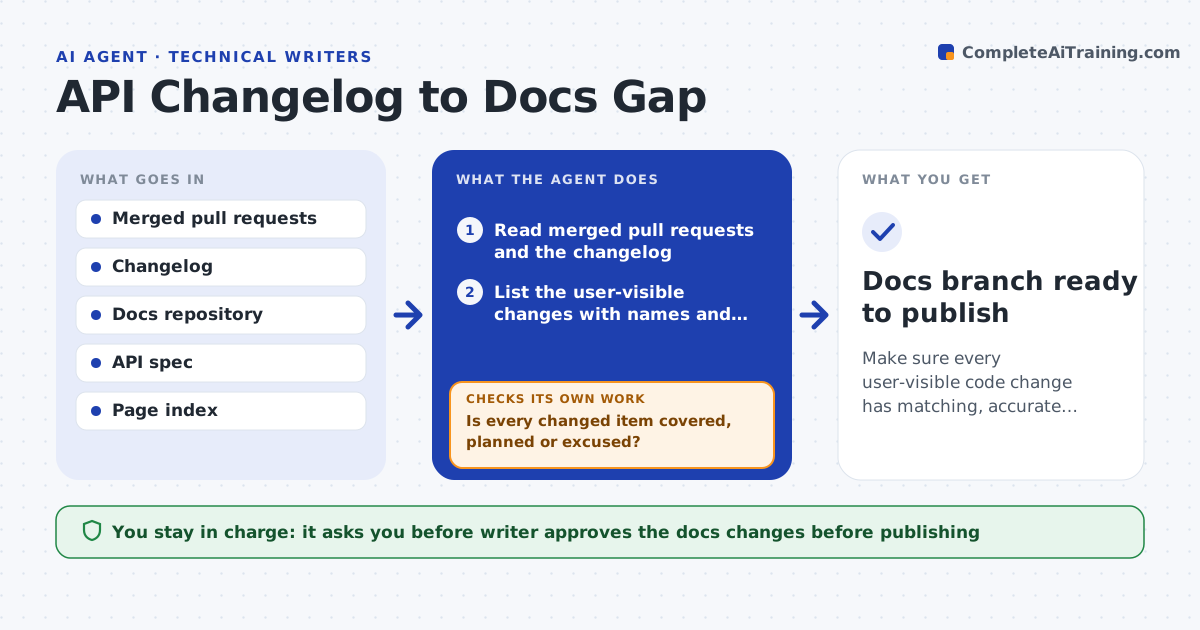
Make sure every user-visible code change has matching, accurate documentation before or soon after release.
What it does
A release ships with 40 merged pull requests, and a month later a customer reports that a renamed setting is still described by its old name in the docs. This agent runs after each release. It reads the merged pull requests and the changelog and extracts what changed for users: endpoints, parameters, settings, error codes and removals. It maps each changed item to the doc pages that mention it, using search on names and paths. For each match, it drafts update notes or new text in a branch. It then checks coverage: every changed item must either have a doc page updated, a new page planned, or a reason it needs no change. Any gap loops back to the search. The writer reviews and approves before publishing. Edge case: a pull request has no description, so the agent reads the code diff and asks the author.
How it works
Follow the arrows from top to bottom. The orange dashed arrow is the loop: when a check fails, the agent goes back and tries again.
Read the steps as a list
- Release is tagged
- Read merged pull requests and the changelog
- List the user-visible changes with names and paths
- Search the docs for pages that mention each item
- Draft update notes or new text in a branch
- Is every changed item covered, planned or excused?If not: search again with other names and draft text for the gaps. Back to step 4.
- Compare the drafts with the API spec and examples
- Do the names, types and defaults match the spec?If not: correct the text and ask the pull request author about unclear changes. Back to step 5.
- Write a coverage list for the writer
- Writer approves before publishingThe agent waits here for your OK.
- Docs branch ready to publish
How it decides
A change is user-visible when it alters an endpoint, parameter, setting, default or error. It is covered when a page or section names it correctly.
- Treat renamed or removed items as breaking and put them first
- Require a doc page or a written reason for every changed endpoint
- Read the code diff when a pull request has no description
- Compare every example with the API spec
Make it yours
Every agent is a starting point. You choose these settings for your own situation.
- Repositories and branches to read
- What counts as user-visible
- Docs repository structure
- Spec format
- Coverage list format
What keeps you in control
It always asks you first
- Writer approves the docs changes before publishing
Hard limits
- Never publish docs directly
- Never describe behavior that the code does not show
It stops when
- Done: all items covered and the writer approves
- Stop: the changelog is missing and no pull requests are linked to the release
Set it up
We guide you through the set-up, step by step
Members get the full set-up guide for this agent. No technical skills needed: you copy, paste and upload.
- One set of instructions to paste into your AI, with the clicks for ChatGPT, Claude, Microsoft 365 Copilot, Gemini and Grok
- The agent then walks you through connecting your own data, one source at a time
- A downloadable copy with the flow chart, the rules and the full guide