AI agent for ghostwriters
Article Structure Revision Agent
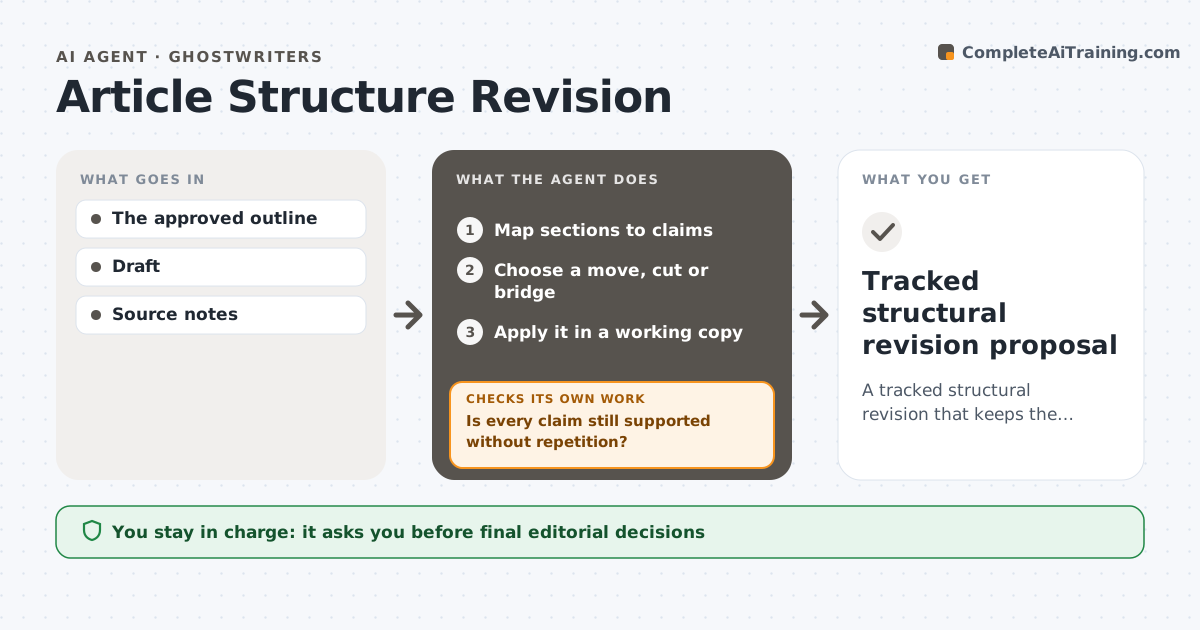
A tracked structural revision that keeps the argument fully supported.
What it does
Long-form drafts such as reports, long articles or book chapters drift away from the argument agreed in the outline. This agent maps each section of the draft to the claim it is supposed to support. It finds where the argument breaks: a claim with no section, a section supporting nothing, or evidence in the wrong order. For the real gap, it chooses one move, cut or bridge and applies it in a working copy. It then rechecks that every claim is still supported and nothing is repeated. If a change removes needed evidence or creates repetition, it restores or relocates it. The writer accepts or rejects the tracked revision. Edge case: a section the writer marked as essential is never cut, only moved or bridged.
How it works
Follow the arrows from top to bottom. The orange dashed arrow is the loop: when a check fails, the agent goes back and tries again.
Read the steps as a list
- Draft ready
- Map sections to claims
- Choose a move, cut or bridge
- Apply it in a working copy
- Is every claim still supported without repetition?If not: restore or relocate the evidence. Back to step 3.
- Writer acceptsThe agent waits here for your OK.
- Tracked structural revision proposal
How it decides
It fixes the actual argument gap with the smallest structural change.
- Fix one real gap at a time.
- Essential sections are never cut.
- Recheck all claims after each change.
- Repetition is resolved by trimming to a pointer.
Make it yours
Every agent is a starting point. You choose these settings for your own situation.
- Outline source and claim list
- Sections marked as essential
- Maximum changes per pass (default 3)
- Output format (default: tracked changes)
- Who accepts changes (default: the writer)
What keeps you in control
It always asks you first
- Final editorial decisions
- Publication
Hard limits
- Working copy.
It stops when
- Done: proposal ready.
Set it up
We guide you through the set-up, step by step
Members get the full set-up guide for this agent. No technical skills needed: you copy, paste and upload.
- One set of instructions to paste into your AI, with the clicks for ChatGPT, Claude, Microsoft 365 Copilot, Gemini and Grok
- The agent then walks you through connecting your own data, one source at a time
- A downloadable copy with the flow chart, the rules and the full guide