AI agent for technical writers
API Reference Drift Agent
Keep the API reference matched to the shipped API with working examples
What it does
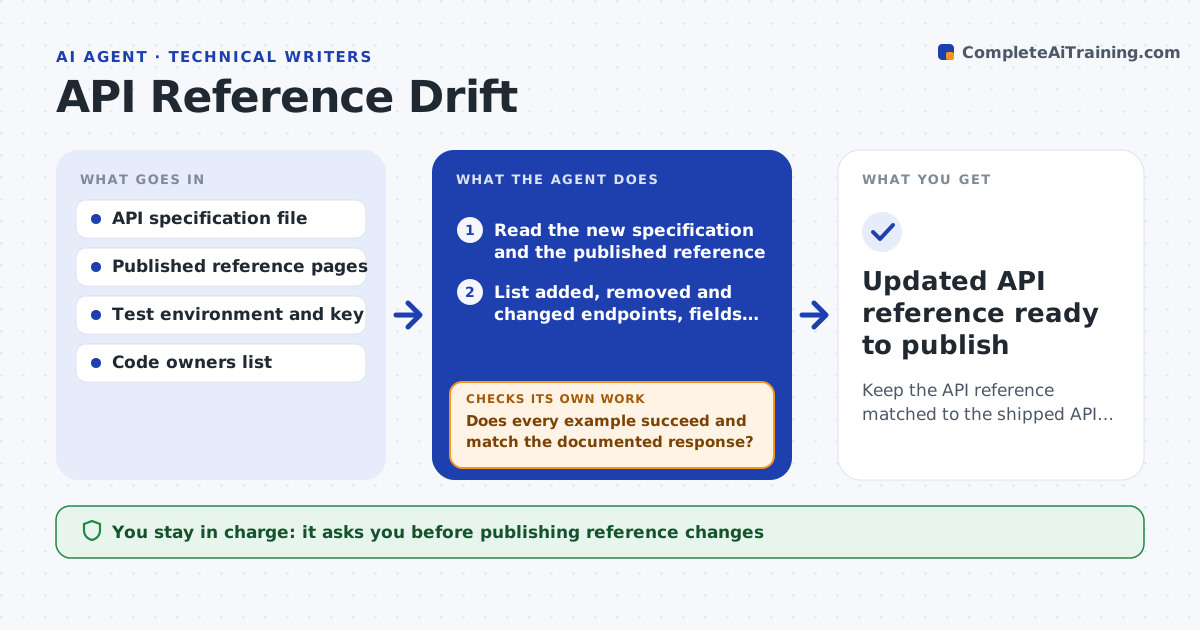
Developers change endpoints faster than writers can track them. Readers then copy examples that fail. This agent compares the published API reference with the current API specification after every release build. It lists added, removed and changed endpoints, parameters, types and error codes. For each difference it drafts the reference update and a working request example. It then runs every example against a test environment; if a call fails or returns a different shape than documented, it fixes the draft and runs it again. Items it cannot explain, like a field in the spec with no description, go to the owning developer as a question. The writer reviews the drafts and decides on wording and publication. Edge case: a field marked deprecated stays documented with a removal note until the stated sunset date.
How it works
Follow the arrows from top to bottom. The orange dashed arrow is the loop: when a check fails, the agent goes back and tries again.
Read the steps as a list
- Release build with spec changes
- Read the new specification and the published reference
- List added, removed and changed endpoints, fields and errors
- Draft reference updates and request examples
- Run each example against the test environment
- Does every example succeed and match the documented response?If not: fix the example or the description and run again. Back to step 4.
- Does every new field have a description from the spec or the developer?If not: send a question to the code owner and mark the item pending. Back to step 3.
- Writer reviews and approves the reference changesThe agent waits here for your OK.
- Updated API reference ready to publish
How it decides
Every spec difference becomes a draft change; examples are kept only when they run successfully against the test environment.
- Deprecated fields stay documented until the sunset date
- Undocumented spec fields go to the code owner, never guessed
- Breaking changes get a note at the top of the changelog page
- Examples use test keys only
Make it yours
Every agent is a starting point. You choose these settings for your own situation.
- Spec file location (default repository main branch)
- Test environment URL (default staging)
- Who answers field questions (default code owners file)
- Changelog format (default newest first)
What keeps you in control
It always asks you first
- Publishing reference changes
Hard limits
- Never uses production API keys
- Never publishes directly
It stops when
- Done: all differences documented or pending with an owner
- Stop: test environment down
Set it up
We guide you through the set-up, step by step
Members get the full set-up guide for this agent. No technical skills needed: you copy, paste and upload.
- One set of instructions to paste into your AI, with the clicks for ChatGPT, Claude, Microsoft 365 Copilot, Gemini and Grok
- The agent then walks you through connecting your own data, one source at a time
- A downloadable copy with the flow chart, the rules and the full guide