AI agent for receptionists
Appointment Reschedule and Waitlist Agent
Fill cancelled slots quickly from the waitlist
What it does
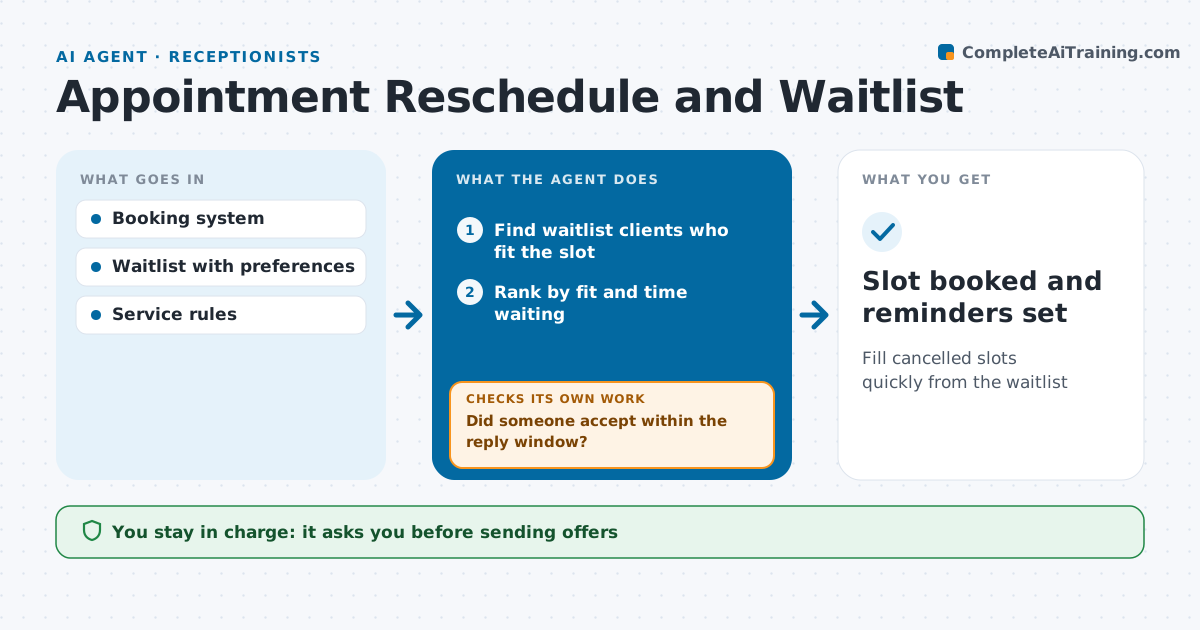
A cancelled appointment is lost income if the slot sits empty, but calling down a waitlist takes time a busy front desk does not have. When an appointment is cancelled, this agent finds clients on the waitlist who fit the slot by service type, provider, length and their stated availability. It ranks them and drafts offers to the best matches, in order, by text or email. It watches for replies. If nobody replies within the set time, it moves to the next people on the list. When someone accepts, the receptionist approves the booking, and the agent confirms it and updates reminders. Edge case: a slot that needs special preparation, like a longer first visit, is only offered to clients who fit that visit type.
How it works
Follow the arrows from top to bottom. The orange dashed arrow is the loop: when a check fails, the agent goes back and tries again.
Read the steps as a list
- Appointment cancelled
- Find waitlist clients who fit the slot
- Rank by fit and time waiting
- Draft offers to the top three
- Receptionist approves sending offersThe agent waits here for your OK.
- Did someone accept within the reply window?If not: offer to the next three on the list. Back to step 3.
- Receptionist confirms the bookingThe agent waits here for your OK.
- Slot booked and reminders set
How it decides
It ranks waitlist clients by fit and time waiting, and offers to small groups in order.
- Offer to three at a time
- First to accept gets the slot
- Stop offering two hours before the slot
Make it yours
Every agent is a starting point. You choose these settings for your own situation.
- Reply window (default 1 hour)
- Offers per round
- Channels
- Cut-off before the slot
What keeps you in control
It always asks you first
- Sending offers
- Booking
Hard limits
- Never double-books
- Never shares other clients' details
It stops when
- Done: slot filled
- Stop: less than two hours until the slot
Set it up
We guide you through the set-up, step by step
Members get the full set-up guide for this agent. No technical skills needed: you copy, paste and upload.
- One set of instructions to paste into your AI, with the clicks for ChatGPT, Claude, Microsoft 365 Copilot, Gemini and Grok
- The agent then walks you through connecting your own data, one source at a time
- A downloadable copy with the flow chart, the rules and the full guide