AI agent for electricians
Arc Flash and Labeling Update Agent
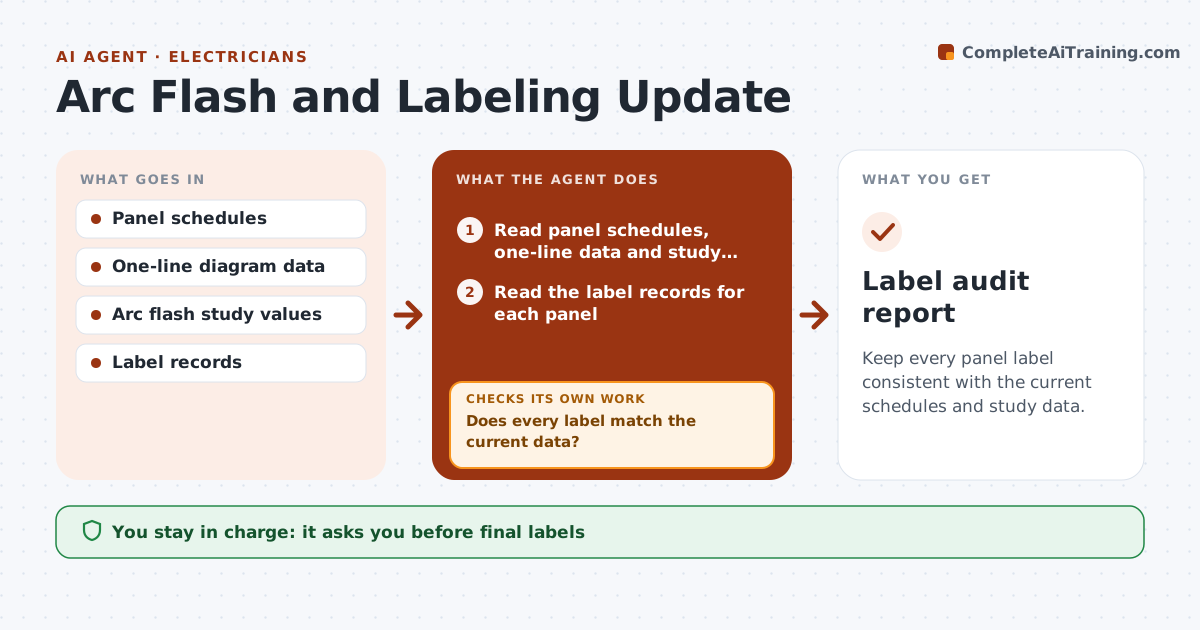
Keep every panel label consistent with the current schedules and study data.
What it does
After panel changes, labels and arc flash data go out of date. This agent compares your panel schedules, one-line diagram data and the study values with the labels on file for each panel. It flags labels that are stale, missing or inconsistent, such as a new breaker not listed or a changed incident energy. It drafts the label updates, listing exactly what changes. When changes are logged by the crew, it rechecks the data and the labels again. You approve the final labels before they are printed or applied. Edge case: a feeder was upsized last year but the label still shows the old breaker rating, and the agent flags the panel.
How it works
Follow the arrows from top to bottom. The orange dashed arrow is the loop: when a check fails, the agent goes back and tries again.
Read the steps as a list
- Panel change is logged or quarter begins
- Read panel schedules, one-line data and study values
- Read the label records for each panel
- Compare each label field with the current data
- Does every label match the current data?If not: List stale, missing and inconsistent labels. Back to step 4.
- Draft the label updates
- Electrician approves the final labelsThe agent waits here for your OK.
- Log the changes made on site
- Recheck the labels and data after the changes
- Are all labels consistent?If not: Return the remaining panels to the list and repeat the updates. Back to step 4.
- Label audit report
How it decides
It compares each field on the label with the current source. Any change in breaker rating, source or study value marks the label stale.
- A changed breaker rating or source marks the label stale
- Study values older than 5 years need review (default)
- Missing labels are urgent
- Panels with no data are listed for a site visit
Make it yours
Every agent is a starting point. You choose these settings for your own situation.
- Study age limit (default 5 years)
- Panels included
- Label format
- Audit frequency (default quarterly)
- Site contact
What keeps you in control
It always asks you first
- Final labels
Hard limits
- Never calculates arc flash values itself
- Never prints labels without approval
- Keeps the audit history
It stops when
- Done: every label matches current data
- Stop: study out of date; engineer must update it
Set it up
We guide you through the set-up, step by step
Members get the full set-up guide for this agent. No technical skills needed: you copy, paste and upload.
- One set of instructions to paste into your AI, with the clicks for ChatGPT, Claude, Microsoft 365 Copilot, Gemini and Grok
- The agent then walks you through connecting your own data, one source at a time
- A downloadable copy with the flow chart, the rules and the full guide