AI agent for operations managers
Warranty Callback Tracking Agent
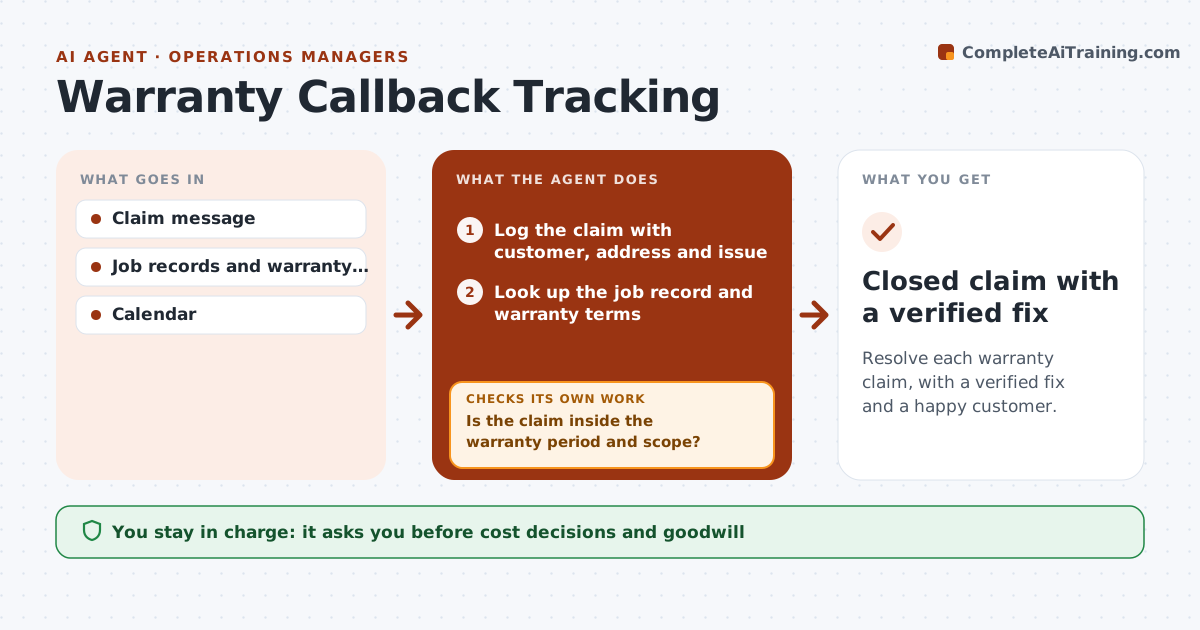
Resolve each warranty claim, with a verified fix and a happy customer.
What it does
A warranty request arrives by text, email or phone, and it gets lost in the week. This agent logs each claim with the customer, address and issue, then checks the warranty terms and dates on the original job to see if it is covered. For covered claims, it proposes appointment slots, sends the confirmation once approved, and after the visit asks for the result and checks that the customer confirms the fix. If the customer says it is not fixed, it reopens the job and escalates. You decide on cost, such as goodwill work. Edge case: the claim is 2 days past the warranty end, and the agent flags it for the owner's decision rather than refusing.
How it works
Follow the arrows from top to bottom. The orange dashed arrow is the loop: when a check fails, the agent goes back and tries again.
Read the steps as a list
- Warranty claim is received
- Log the claim with customer, address and issue
- Look up the job record and warranty terms
- Is the claim inside the warranty period and scope?If not: Flag it for the owner with the dates and scope. Back to step 3.
- Propose appointment slots from the calendar
- Owner approves the visit and any cost decisionsThe agent waits here for your OK.
- Send the appointment confirmation
- Record the visit result
- Ask the customer to confirm the fix
- Did the customer confirm the problem is fixed?If not: Reopen the job and propose a second visit. Back to step 6.
- Closed claim with a verified fix
How it decides
It checks coverage by date and scope. Borderline cases go to the owner. A claim is closed only after the customer confirms the fix.
- Claims inside the warranty period are covered if the scope matches
- Claims within 14 days after expiry go to the owner as goodwill (default)
- Reply to the customer within 1 working day
- Reopen if the customer does not confirm in 5 days
Make it yours
Every agent is a starting point. You choose these settings for your own situation.
- Warranty period and scope rules
- Goodwill window (default 14 days)
- Response time target
- Confirmation wait (default 5 days)
- Message tone
What keeps you in control
It always asks you first
- Cost decisions and goodwill
- Customer messages
Hard limits
- Never promises free work without the owner
- Never closes a claim without confirmation
- Keeps all messages
It stops when
- Done: customer confirms the fix
- Stop: dispute over responsibility; owner handles directly
Set it up
We guide you through the set-up, step by step
Members get the full set-up guide for this agent. No technical skills needed: you copy, paste and upload.
- One set of instructions to paste into your AI, with the clicks for ChatGPT, Claude, Microsoft 365 Copilot, Gemini and Grok
- The agent then walks you through connecting your own data, one source at a time
- A downloadable copy with the flow chart, the rules and the full guide