AI agent for software architects
Architecture Diagram Drift Agent
System diagrams that match what is actually running
What it does
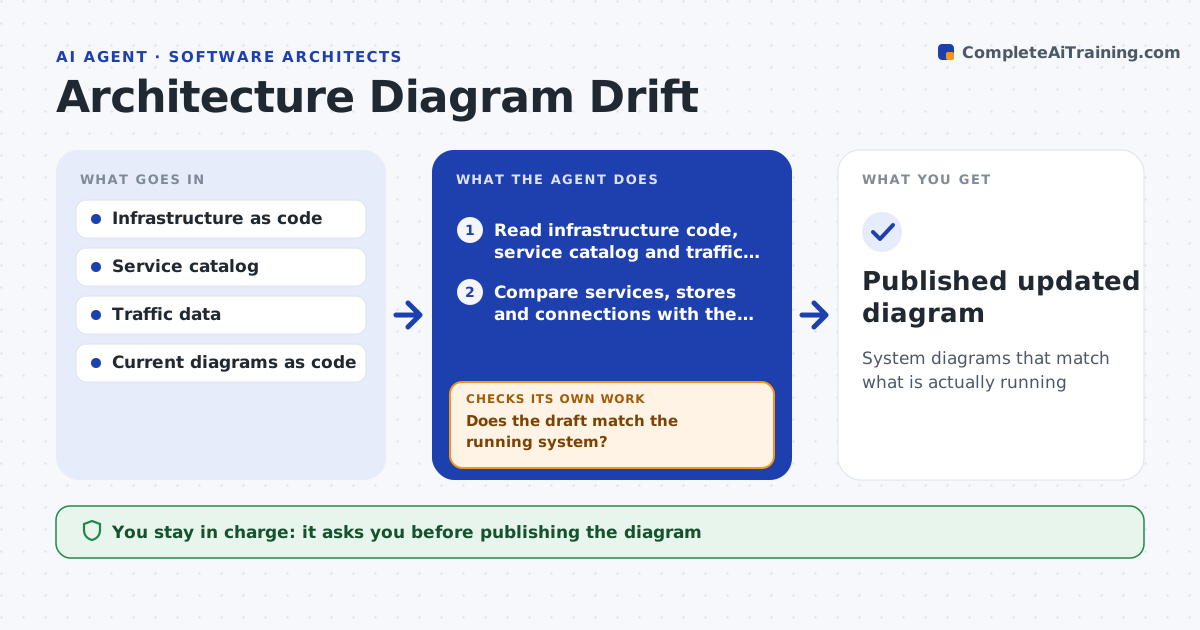
Architecture diagrams are used in onboarding, security reviews and planning, but they go stale within months. Each month, or after a major change, this agent reads the infrastructure code, the service catalog and service-to-service traffic, and compares them with the diagrams kept as code. It lists services, data stores and connections that are missing or no longer exist. A connection is drawn only if traffic shows it on several days or it is defined in infrastructure code. Rare connections are listed but not drawn, and removed services are marked deprecated first. It drafts an updated diagram, with data stores showing data sensitivity, then reruns the comparison on the draft. If differences remain, it fixes them and checks again. The architect approves before the diagram is published. Edge case: a connection seen only once in a month is listed as possibly temporary.
How it works
Follow the arrows from top to bottom. The orange dashed arrow is the loop: when a check fails, the agent goes back and tries again.
Read the steps as a list
- Monthly check or major infrastructure change
- Read infrastructure code, service catalog and traffic data
- Compare services, stores and connections with the current diagrams
- Separate frequent connections from rare or one-off ones
- Draft updated diagram as code with deprecated services marked
- Does the draft match the running system?If not: fix the remaining differences in the draft. Back to step 5.
- Prepare a change list for the architect
- Architect approves the diagramThe agent waits here for your OK.
- Publish the diagram and link it from the service catalog
- Published updated diagram
How it decides
A connection is drawn only if traffic shows it on at least several days or it is defined in infrastructure code.
- Rare connections are listed, not drawn
- Removed services are marked deprecated first
- Data stores show data sensitivity
Make it yours
Every agent is a starting point. You choose these settings for your own situation.
- Diagram tool
- Rare connection threshold
- Check schedule
- Which environments to map
What keeps you in control
It always asks you first
- Publishing the diagram
Hard limits
- Read-only access to infrastructure
- Never deletes old diagrams
It stops when
- Done: approved diagram
- Stop: data source unavailable
Set it up
We guide you through the set-up, step by step
Members get the full set-up guide for this agent. No technical skills needed: you copy, paste and upload.
- One set of instructions to paste into your AI, with the clicks for ChatGPT, Claude, Microsoft 365 Copilot, Gemini and Grok
- The agent then walks you through connecting your own data, one source at a time
- A downloadable copy with the flow chart, the rules and the full guide