AI agent for software engineers
Static Analysis Findings Triage Agent
Turn a long findings list into confirmed fixes and justified suppressions
What it does
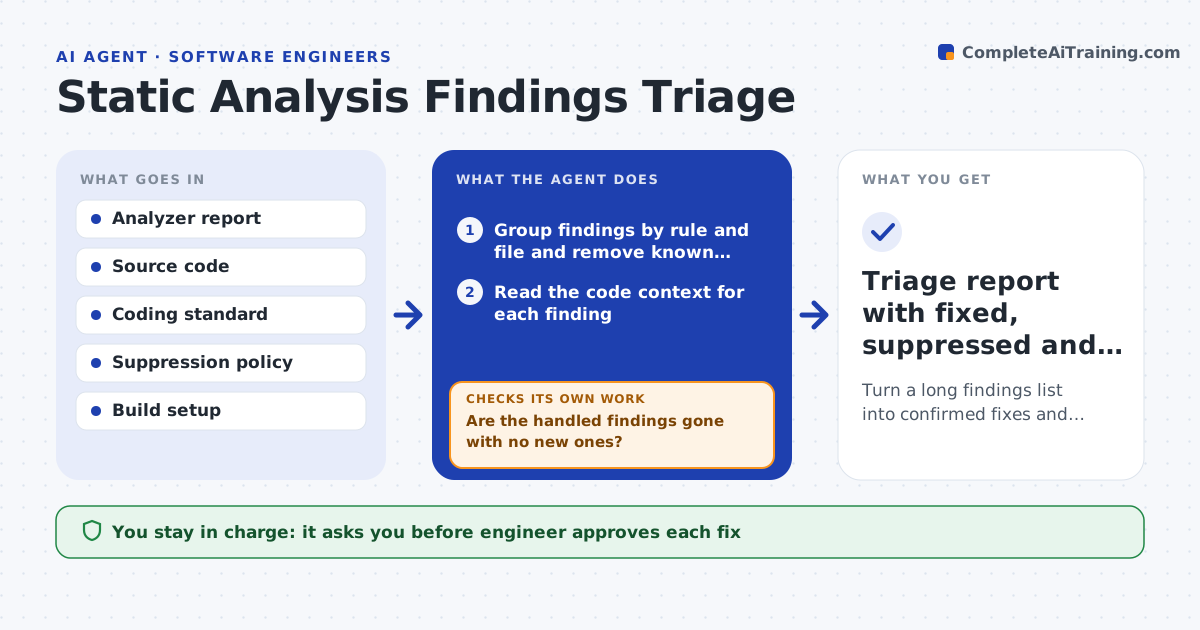
A static analyzer reports 800 findings and the team stops reading after the first page. This agent reads each finding with the surrounding code and decides whether it is a real defect, a harmless pattern or a false alarm. It ranks them by risk, with memory safety and undefined behavior first. For a real defect it proposes a code fix. For a false alarm it proposes either a code tweak that quiets the tool or a suppression with a written reason. It then reruns the analyzer and checks that the finding is gone and no new ones appeared. Items that persist are reopened. The engineer approves fixes and every suppression. Edge case: a suppression reason is vague, so the agent asks for a specific one.
How it works
Follow the arrows from top to bottom. The orange dashed arrow is the loop: when a check fails, the agent goes back and tries again.
Read the steps as a list
- Analyzer report received
- Group findings by rule and file and remove known suppressions
- Read the code context for each finding
- Classify as real, harmless or false alarm and rank by risk
- Draft a fix or a suppression with a specific reason
- Engineer approves fixes and suppressionsThe agent waits here for your OK.
- Apply changes in a branch and rerun the analyzer
- Are the handled findings gone with no new ones?If not: reopen the persisting findings, revise the fix, and check for side effects. Back to step 4.
- Do the build and tests still pass?If not: revert the change and propose a different fix. Back to step 4.
- Triage report with fixed, suppressed and open counts
How it decides
It rates a finding by severity and reachability and treats it as real when the path to the problem exists in the code. It suppresses only with a specific written reason.
- Rank memory safety and undefined behavior first
- Suppress only with a reason that names the code path
- Reopen any finding that returns after a fix
- Reject a suppression covering a whole file
Make it yours
Every agent is a starting point. You choose these settings for your own situation.
- Severity ranking order
- Coding standard (default MISRA C or the team's own)
- Suppression reason format
- Rules to ignore
- Test commands to run after fixes
What keeps you in control
It always asks you first
- Engineer approves each fix
- Engineer approves each suppression
Hard limits
- Never add a blanket suppression
- Never merge changes that break the build or tests
It stops when
- Done: all high-risk findings are fixed or justified
- Stop: findings need design changes beyond a local fix
Set it up
We guide you through the set-up, step by step
Members get the full set-up guide for this agent. No technical skills needed: you copy, paste and upload.
- One set of instructions to paste into your AI, with the clicks for ChatGPT, Claude, Microsoft 365 Copilot, Gemini and Grok
- The agent then walks you through connecting your own data, one source at a time
- A downloadable copy with the flow chart, the rules and the full guide