
AI agent for fine artists
Artist Website Portfolio Sync Agent
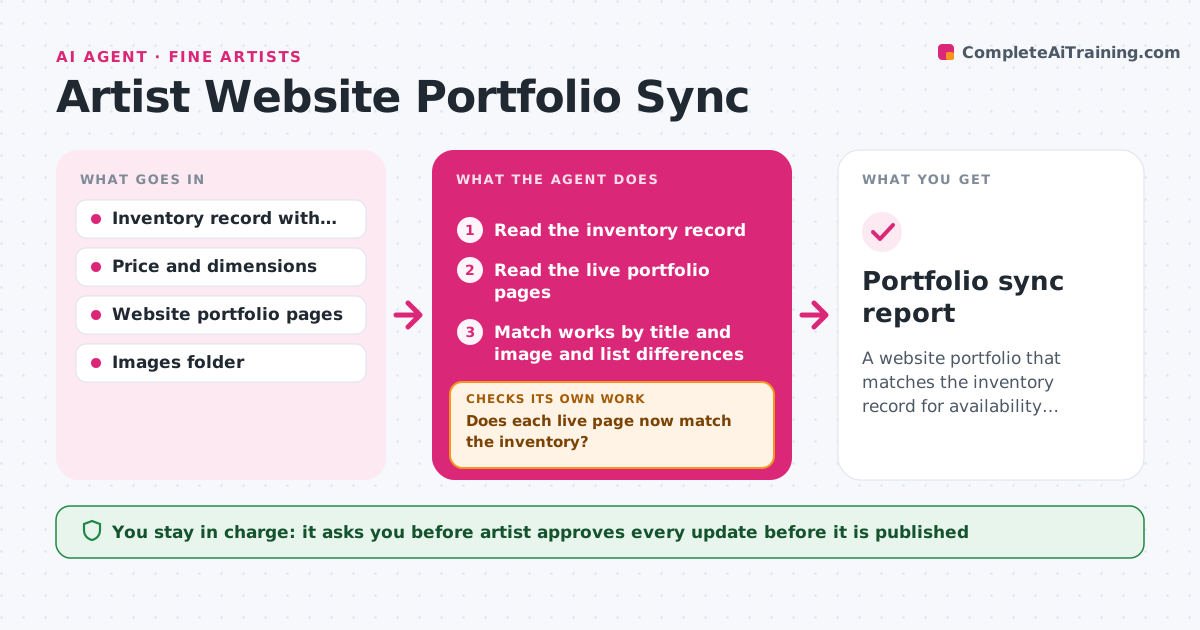
A website portfolio that matches the inventory record for availability, price and details
What it does
A buyer asks about a painting that sold last year, because it is still on the website with a price. This agent keeps the inventory record and the website in step. It compares the inventory with the live portfolio pages and marks works that are sold, retired, newly finished or missing images, titles or dimensions. For each difference, it drafts the website update, such as marking a piece sold, changing a price, or adding a new work page with a description. After the artist makes the changes, it rechecks the live pages to see that the update actually appears and nothing else has broken. It loops back if a page is still wrong. The artist approves what is published. Edge case: a work listed as 'sold' in two places but 'available' on a gallery partner's page is flagged for the artist.
How it works
Follow the arrows from top to bottom. The orange dashed arrow is the loop: when a check fails, the agent goes back and tries again.
Read the steps as a list
- Inventory updated or monthly check
- Read the inventory record
- Read the live portfolio pages
- Match works by title and image and list differences
- Draft the update for each difference, such as sold, retired, new work or missing image
- Artist approves what is publishedThe agent waits here for your OK.
- Wait for the artist to apply the changes on the site
- Reload the live pages and re-read them
- Does each live page now match the inventory?If not: List the remaining differences and redraft the updates. Back to step 4.
- Are there broken images or links on the updated pages?If not: Report the broken element with its page address. Back to step 7.
- Portfolio sync report
How it decides
It treats the inventory as the source of truth and flags each portfolio entry whose status, price, title or images differ from it.
- Inventory status overrides the website
- Mark a work as sold only when the inventory shows a payment or confirmed sale
- Flag works with no image or no dimensions as incomplete
- Flag works shown differently by partner sites
Make it yours
Every agent is a starting point. You choose these settings for your own situation.
- Where the inventory lives
- Website addresses to check
- Check frequency (default monthly)
- Fields to compare
- Format of the update drafts
What keeps you in control
It always asks you first
- Artist approves every update before it is published
Hard limits
- Never publish or edit the website itself
- Never mark a work sold without a record in the inventory
It stops when
- Done: Live pages match the inventory
- Stop: The site cannot be read or edited, so the agent lists the updates for the artist to apply by hand
Set it up
We guide you through the set-up, step by step
Members get the full set-up guide for this agent. No technical skills needed: you copy, paste and upload.
- One set of instructions to paste into your AI, with the clicks for ChatGPT, Claude, Microsoft 365 Copilot, Gemini and Grok
- The agent then walks you through connecting your own data, one source at a time
- A downloadable copy with the flow chart, the rules and the full guide



