AI agent for auditors
Audit Program Draft Agent
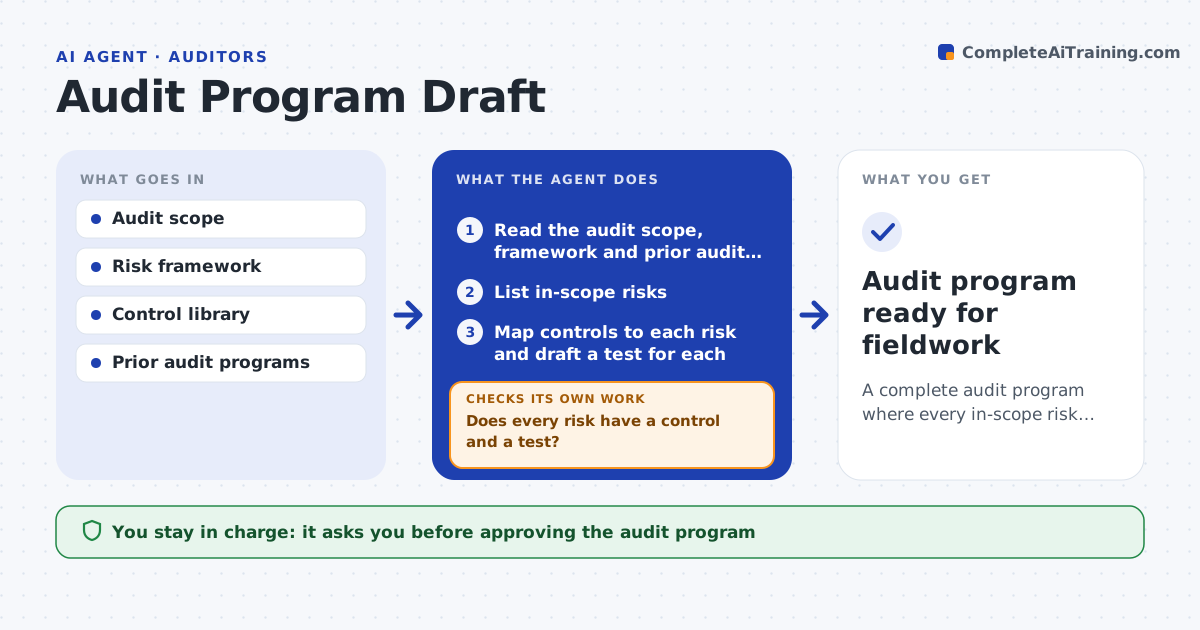
A complete audit program where every in-scope risk has a control and a test
What it does
Each audit needs a program of risks, controls and tests, and writing one per engagement is slow and lets gaps slip. This agent takes the audit scope and the relevant framework and lists the in-scope risks. It maps each risk to the expected controls and writes a test for each control, with the evidence needed and a sample approach. It then checks that every risk has at least one control and test. Where a risk has no matching control, it flags a possible control gap to investigate. It compares with prior audits to reuse tests that worked and to note past findings. It sets sample sizes from your methodology. You approve the program before fieldwork. Edge case: a control the client claims exists but has no owner is marked for existence testing first.
How it works
Follow the arrows from top to bottom. The orange dashed arrow is the loop: when a check fails, the agent goes back and tries again.
Read the steps as a list
- Audit planning begins
- Read the audit scope, framework and prior audit files
- List in-scope risks
- Map controls to each risk and draft a test for each
- Does every risk have a control and a test?If not: flag uncovered risks as possible control gaps. Back to step 4.
- Reuse tests that worked and note prior findings
- Set sample sizes from the methodology
- Lead auditor approves the programThe agent waits here for your OK.
- Audit program ready for fieldwork
How it decides
It requires every in-scope risk to map to a control and a test, and flags risks with no control as potential gaps.
- Require a control and test per risk
- Flag risks with no control as gaps
- Test control existence before effectiveness when ownership is unclear
Make it yours
Every agent is a starting point. You choose these settings for your own situation.
- Frameworks used
- Risk library
- Sample size rules
- Program format
What keeps you in control
It always asks you first
- Approving the audit program
Hard limits
- Does not perform the audit without approval
- Flags gaps rather than assuming controls exist
It stops when
- Done: program complete and approved
- Stop: audit scope is not defined
Set it up
We guide you through the set-up, step by step
Members get the full set-up guide for this agent. No technical skills needed: you copy, paste and upload.
- One set of instructions to paste into your AI, with the clicks for ChatGPT, Claude, Microsoft 365 Copilot, Gemini and Grok
- The agent then walks you through connecting your own data, one source at a time
- A downloadable copy with the flow chart, the rules and the full guide