AI agent for field service technicians
Backflow and Cross-Connection Test Tracker Agent
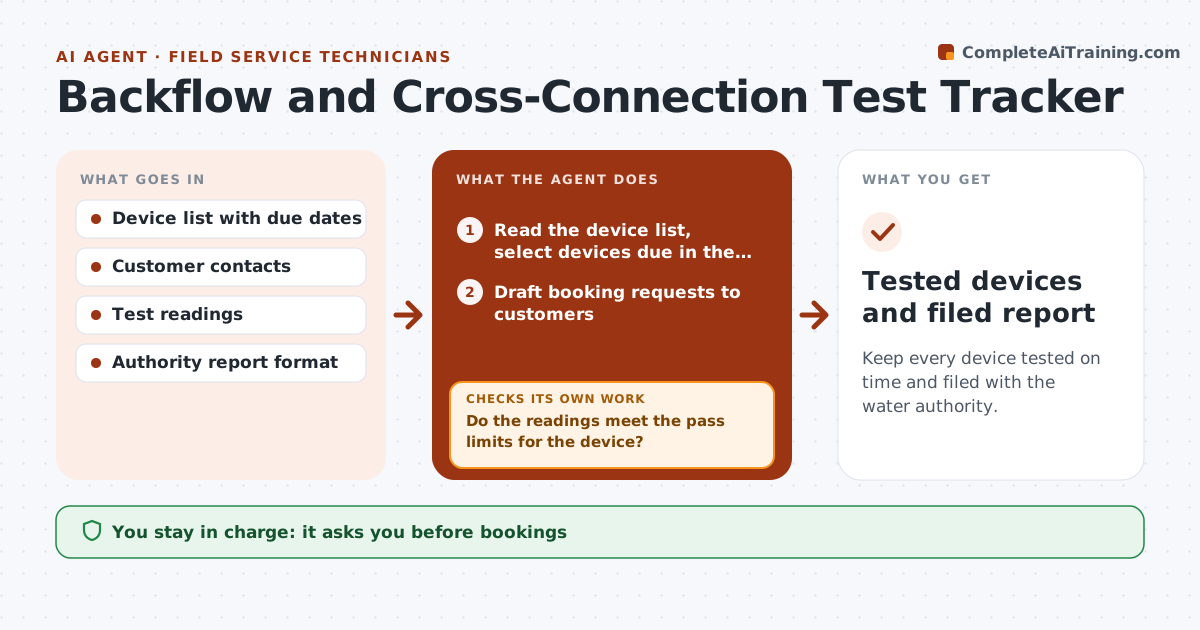
Keep every device tested on time and filed with the water authority.
What it does
Commercial customers have backflow devices that need a test every year, and a missed test brings a violation notice. This agent lists every device with its due date, books the visits, collects the test results you enter, and checks the readings against the pass limits for the device type. A failed device triggers a repair quote and a retest booking. It also compiles the report in the format the water authority wants. You approve the report before it is filed. Edge case: a device passes check valve 1 but fails check valve 2, and the agent proposes a repair kit and a retest.
How it works
Follow the arrows from top to bottom. The orange dashed arrow is the loop: when a check fails, the agent goes back and tries again.
Read the steps as a list
- Weekly device review begins
- Read the device list, select devices due in the next 60 days and group by area
- Draft booking requests to customers
- Plumber approves the bookings and messagesThe agent waits here for your OK.
- Record test readings after each visit
- Do the readings meet the pass limits for the device?If not: Mark the device failed and draft a repair quote. Back to step 5.
- Propose a retest date after repair
- Plumber approves the repair quote and retestThe agent waits here for your OK.
- Does the device now pass at the retest?If not: Record the retest readings and repeat the repair path. Back to step 5.
- Plumber approves the authority report for filingThe agent waits here for your OK.
- Tested devices and filed report
How it decides
It books by due date and area. It decides pass or fail by the readings against limits and starts a repair path for failures.
- Book at 60 days before the due date (default)
- Pass limits come from the device type and local rule
- A failed device must be retested within 14 days (default)
- File the report before the authority deadline
Make it yours
Every agent is a starting point. You choose these settings for your own situation.
- Booking lead time (default 60 days)
- Pass limits
- Retest window (default 14 days)
- Authority report format
- Customer contact method
What keeps you in control
It always asks you first
- Bookings
- Repair quotes
- The filed report
Hard limits
- Never files reports without approval
- Never marks a failed device passed
- Keeps the readings
It stops when
- Done: all devices tested and filed
- Stop: customer refuses repair; plumber notifies the authority as required
Set it up
We guide you through the set-up, step by step
Members get the full set-up guide for this agent. No technical skills needed: you copy, paste and upload.
- One set of instructions to paste into your AI, with the clicks for ChatGPT, Claude, Microsoft 365 Copilot, Gemini and Grok
- The agent then walks you through connecting your own data, one source at a time
- A downloadable copy with the flow chart, the rules and the full guide