AI agent for hvac technicians
Equipment Warranty Registration Agent
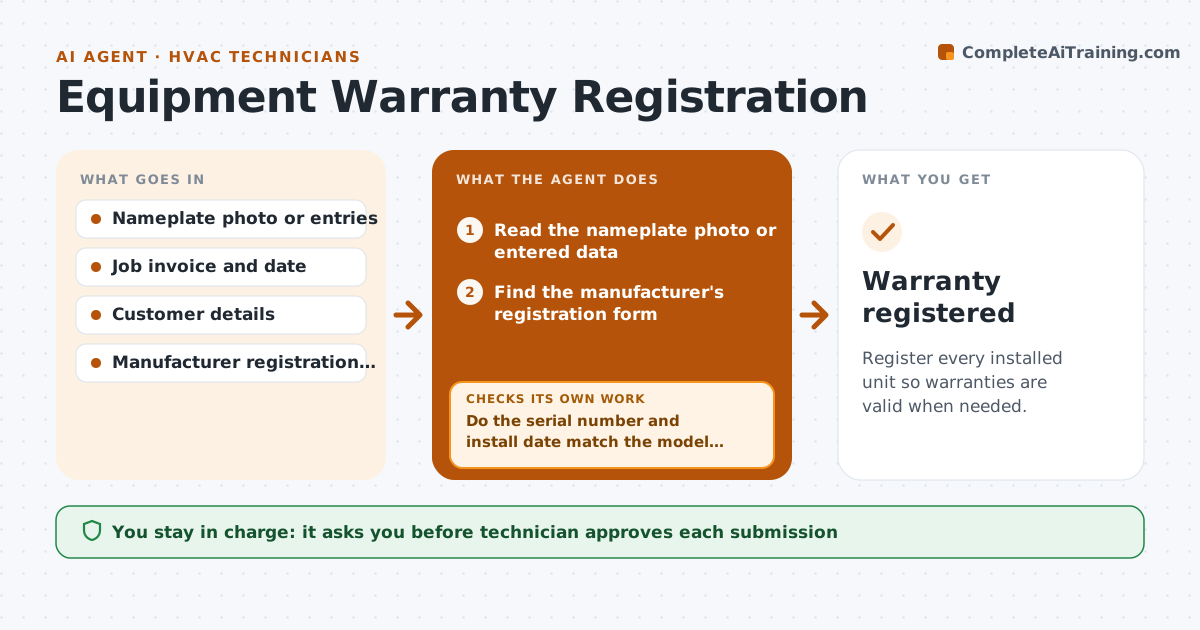
Register every installed unit so warranties are valid when needed.
What it does
A technician finishes the install and moves on, and the warranty is never registered. Months later the customer calls with a failed compressor, and the claim is refused because the unit was not on file. After each installation this agent reads the nameplate photo or entries, finds the manufacturer's registration form, and fills it. It checks serial numbers against the model, and the install date against the invoice. It reads the form back to look for errors. After the technician approves, it submits and tracks the confirmation email, chasing it if none arrives. Edge case: a serial number that does not match the model format is sent back to the technician to photograph again.
How it works
Follow the arrows from top to bottom. The orange dashed arrow is the loop: when a check fails, the agent goes back and tries again.
Read the steps as a list
- Install job marked complete
- Read the nameplate photo or entered data
- Find the manufacturer's registration form
- Fill the form with the unit and customer details
- Do the serial number and install date match the model and the job?If not: Ask the technician for a clearer photo or a correction. Back to step 2.
- Technician approves submissionThe agent waits here for your OK.
- Submit the form
- Wait for the confirmation
- Did a confirmation arrive within the time limit?If not: Check the portal, resubmit, or call the manufacturer. Back to step 7.
- Store the confirmation with the job record
- Warranty registered
How it decides
It accepts the data only when the serial format and the date match the model and the job, otherwise it asks for a new photo.
- Register within 30 days of installation or the maker's limit
- Reject a serial that does not fit the model's format
- Never submit with a missing customer address
- Chase a missing confirmation after 7 days
Make it yours
Every agent is a starting point. You choose these settings for your own situation.
- Registration deadline (default 30 days)
- Manufacturers and portals to use
- Chase wait time (default 7 days)
- Who approves submission
What keeps you in control
It always asks you first
- Technician approves each submission
Hard limits
- Never submit with unchecked serial numbers
- Never use customer details beyond the registration
It stops when
- Done: confirmation is stored
- Stop: the maker has no registration route and the technician calls them
Set it up
We guide you through the set-up, step by step
Members get the full set-up guide for this agent. No technical skills needed: you copy, paste and upload.
- One set of instructions to paste into your AI, with the clicks for ChatGPT, Claude, Microsoft 365 Copilot, Gemini and Grok
- The agent then walks you through connecting your own data, one source at a time
- A downloadable copy with the flow chart, the rules and the full guide