AI agent for seo specialists
Backlink Loss Recovery Agent
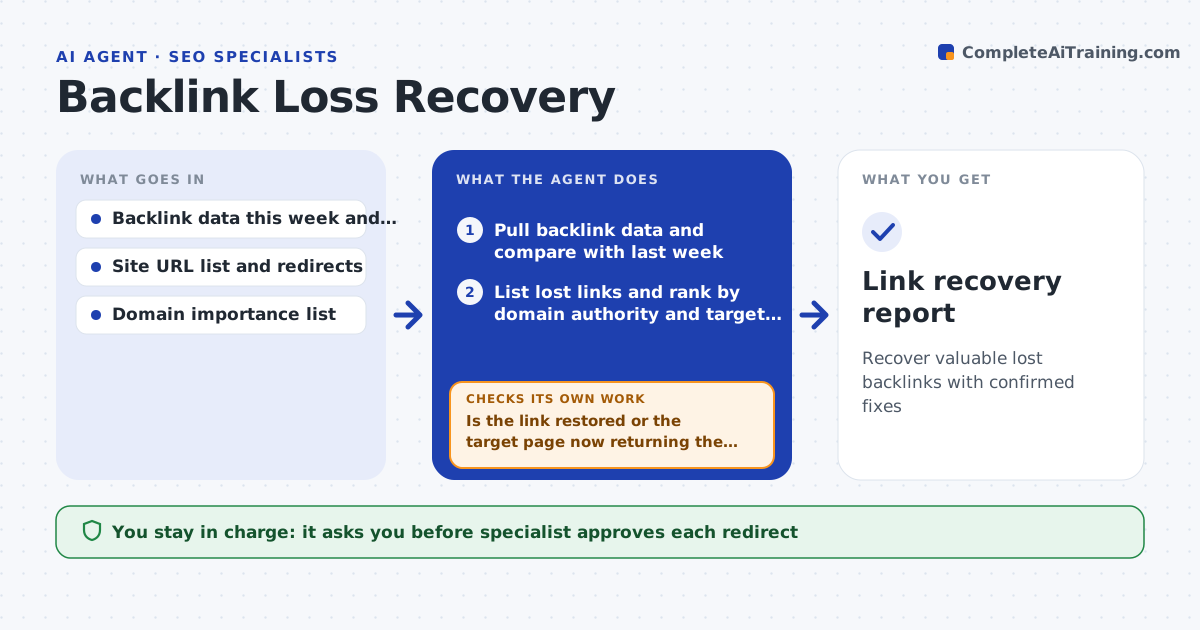
Recover valuable lost backlinks with confirmed fixes
What it does
A strong link from a trade publication stops working when a page is moved and no redirect is set, and the loss goes unnoticed for months. Each week this agent compares link data with the previous week and lists lost links from important domains. It checks the cause of each: the target page was removed, a redirect is broken or missing, the linking page deleted the link or the linking site changed. For removed or redirect errors it drafts the fix, such as a redirect rule. For deleted links, it drafts a polite outreach message to the linking site. It rechecks after the fix and after the outreach window. The specialist approves every fix and message. Edge case: the link was lost because the linking page itself was removed, so the agent skips outreach.
How it works
Follow the arrows from top to bottom. The orange dashed arrow is the loop: when a check fails, the agent goes back and tries again.
Read the steps as a list
- Weekly run
- Pull backlink data and compare with last week
- List lost links and rank by domain authority and target page value
- Check the target page status and the linking page
- Classify the cause: removed page, redirect error, deleted link or dead linking page
- Draft the redirect fix or the outreach message
- Specialist approves each fix and messageThe agent waits here for your OK.
- Apply approved fixes and send approved messages
- Recheck the link and the target page after 14 days
- Is the link restored or the target page now returning the right content?If not: draft a follow-up message or a different fix. Back to step 5.
- Link recovery report
How it decides
It ranks lost links by the authority of the linking domain and the value of the target page, and picks the fix by the cause it finds.
- Act first on domains in the top tier of authority
- Create a redirect when the page moved and no redirect exists
- Skip outreach when the linking page no longer exists
- Send at most one follow-up message per link
Make it yours
Every agent is a starting point. You choose these settings for your own situation.
- Authority tiers
- Recheck delay (default 14 days)
- Outreach tone and signature
- Backlink data source
- Follow-up limit (default 1)
What keeps you in control
It always asks you first
- Specialist approves each redirect
- Specialist approves each outreach message
Hard limits
- Never email without approval
- Never offer payment for links
It stops when
- Done: the link is restored or the case is closed with a reason
- Stop: the linking site declines
Set it up
We guide you through the set-up, step by step
Members get the full set-up guide for this agent. No technical skills needed: you copy, paste and upload.
- One set of instructions to paste into your AI, with the clicks for ChatGPT, Claude, Microsoft 365 Copilot, Gemini and Grok
- The agent then walks you through connecting your own data, one source at a time
- A downloadable copy with the flow chart, the rules and the full guide