AI agent for website developers
Site Migration Cutover Agent
Move a site with no lost pages, redirects, email or tracking, and with a verified switch.
What it does
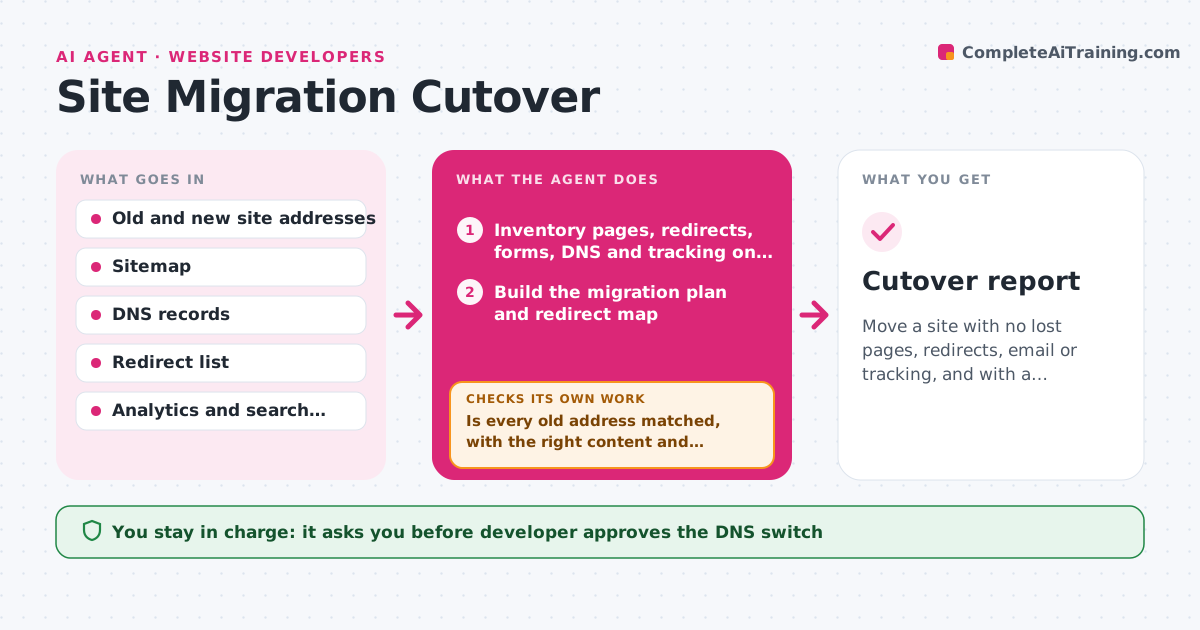
A site moves to a new host and weeks later the team finds that old product pages return errors and the contact email stopped working. This agent begins with a full inventory of the old site: pages, redirects, forms, DNS records, email settings and tracking tags. It builds the migration plan and then compares the new site to the old one page by page, checking addresses, titles, content, redirects and forms. It lists every difference. After the developer fixes them, it runs the comparison again until the list is empty or each remaining item is accepted. It also checks that DNS records, including mail records, are ready on the new side. The developer approves the DNS switch. After the switch it watches errors for 48 hours. Edge case: an old address with many inbound links has no redirect, so the agent flags it.
How it works
Follow the arrows from top to bottom. The orange dashed arrow is the loop: when a check fails, the agent goes back and tries again.
Read the steps as a list
- Migration planned
- Inventory pages, redirects, forms, DNS and tracking on the old site
- Build the migration plan and redirect map
- Compare each old address with the new site
- List differences ranked by traffic and links
- Is every old address matched, with the right content and redirects?If not: send the list to the developer and rerun the comparison after fixes. Back to step 3.
- Check forms, email records and tracking tags on the new side
- Do forms deliver and do email records match the old setup?If not: correct the records and test again before cutover. Back to step 7.
- Developer approves the DNS switchThe agent waits here for your OK.
- Watch errors and traffic for 48 hours
- Cutover report
How it decides
A page passes if its address resolves or redirects to an equivalent page, with matching title and main content. Pages with inbound links or traffic are checked first.
- Fail any old address with more than 5 inbound links that returns an error
- Require a one-step redirect for every changed address
- Check mail, SPF and DKIM records before any DNS switch
- Run the comparison again after every batch of fixes
Make it yours
Every agent is a starting point. You choose these settings for your own situation.
- Old and new site addresses
- Number of inbound links that marks a page as critical (default 5)
- Monitoring period after switch (default 48 hours)
- Mail and tracking items to check
- Pages accepted as retired
What keeps you in control
It always asks you first
- Developer approves the DNS switch
Hard limits
- Never change DNS records
- Never delete the old site before the check period ends
It stops when
- Done: no unmatched addresses remain and email works
- Stop: the new site cannot load more than 5% of the old pages
Set it up
We guide you through the set-up, step by step
Members get the full set-up guide for this agent. No technical skills needed: you copy, paste and upload.
- One set of instructions to paste into your AI, with the clicks for ChatGPT, Claude, Microsoft 365 Copilot, Gemini and Grok
- The agent then walks you through connecting your own data, one source at a time
- A downloadable copy with the flow chart, the rules and the full guide