AI agent for catering managers
Backward Prep Timeline Agent
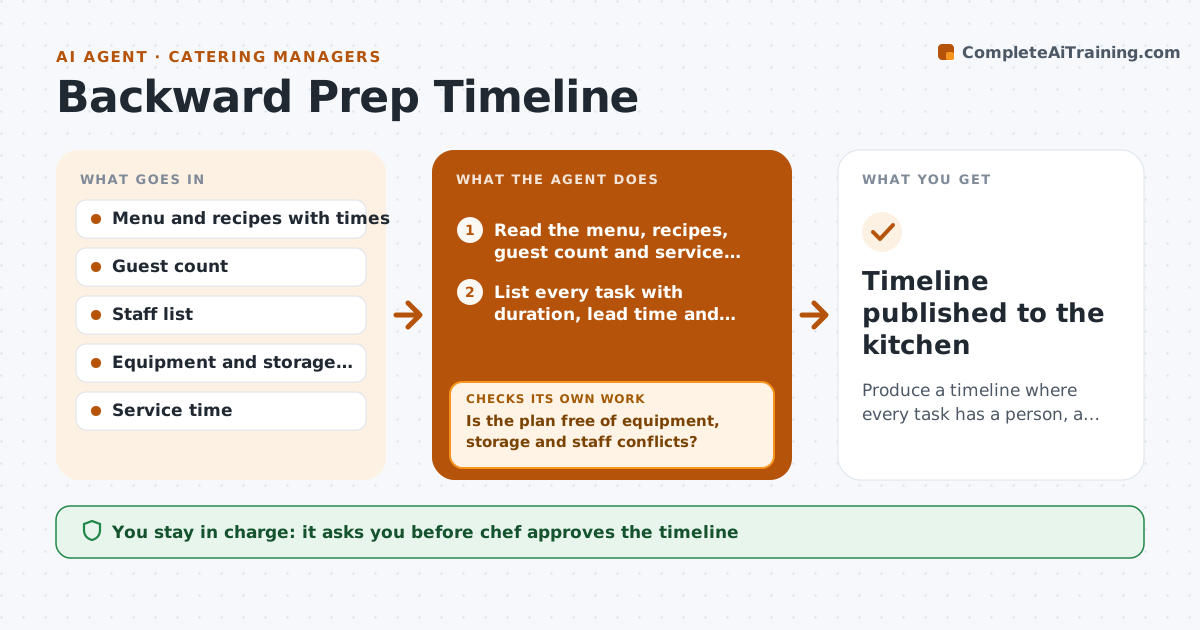
Produce a timeline where every task has a person, a station and equipment free at that time.
What it does
For a 300-guest dinner, the braise needs the oven for four hours, the desserts need the walk-in, and two cooks are on the same station at the same time. The agent builds a timeline backward from service time. It lists every task with duration and lead time, such as marinating, cooking, chilling and plating. It assigns tasks to stations and people and books equipment, then tests the plan for conflicts: two tasks in one oven, a fridge over capacity or a person double-booked. Conflicts are fixed by moving tasks earlier, splitting batches or changing the method, and the plan is tested again. It also checks hold times and food safety limits. The chef approves the timeline. Edge case: a dish that cannot be made ahead.
How it works
Follow the arrows from top to bottom. The orange dashed arrow is the loop: when a check fails, the agent goes back and tries again.
Read the steps as a list
- Large event is confirmed
- Read the menu, recipes, guest count and service time
- List every task with duration, lead time and hold limits
- Place tasks backward from service time
- Assign each task to a station, person and equipment
- Test for oven, fridge and staff conflicts
- Is the plan free of equipment, storage and staff conflicts?If not: move or split tasks, change the method and re-test. Back to step 4.
- Check hold times and food safety limits
- Is every item within its safe hold time at service?If not: move the task later or change the cooking method. Back to step 4.
- Chef approves the timelineThe agent waits here for your OK.
- Timeline published to the kitchen
How it decides
Tasks are placed by working back from service time. A plan passes when there are no equipment, storage or staff conflicts and hold times are safe.
- Leave a 15 percent time buffer for large batches
- Never place two tasks in one oven at different temperatures at the same time
- Keep hot items above 135 F and cold items below 41 F
- Move make-ahead tasks to the day before when the fridge allows
Make it yours
Every agent is a starting point. You choose these settings for your own situation.
- Time buffer (default 15 percent)
- Equipment list
- Hold limits
- Staff stations
- Timeline format
What keeps you in control
It always asks you first
- Chef approves the timeline
- Chef approves menu or method changes
Hard limits
- Do not shorten safe hold times
- Never assume equipment that is not on the list
It stops when
- Done: conflict-free timeline approved
- Stop: equipment cannot support the menu, return options to the chef
Set it up
We guide you through the set-up, step by step
Members get the full set-up guide for this agent. No technical skills needed: you copy, paste and upload.
- One set of instructions to paste into your AI, with the clicks for ChatGPT, Claude, Microsoft 365 Copilot, Gemini and Grok
- The agent then walks you through connecting your own data, one source at a time
- A downloadable copy with the flow chart, the rules and the full guide