AI agent for network administrators
Bandwidth Hog Investigation Agent
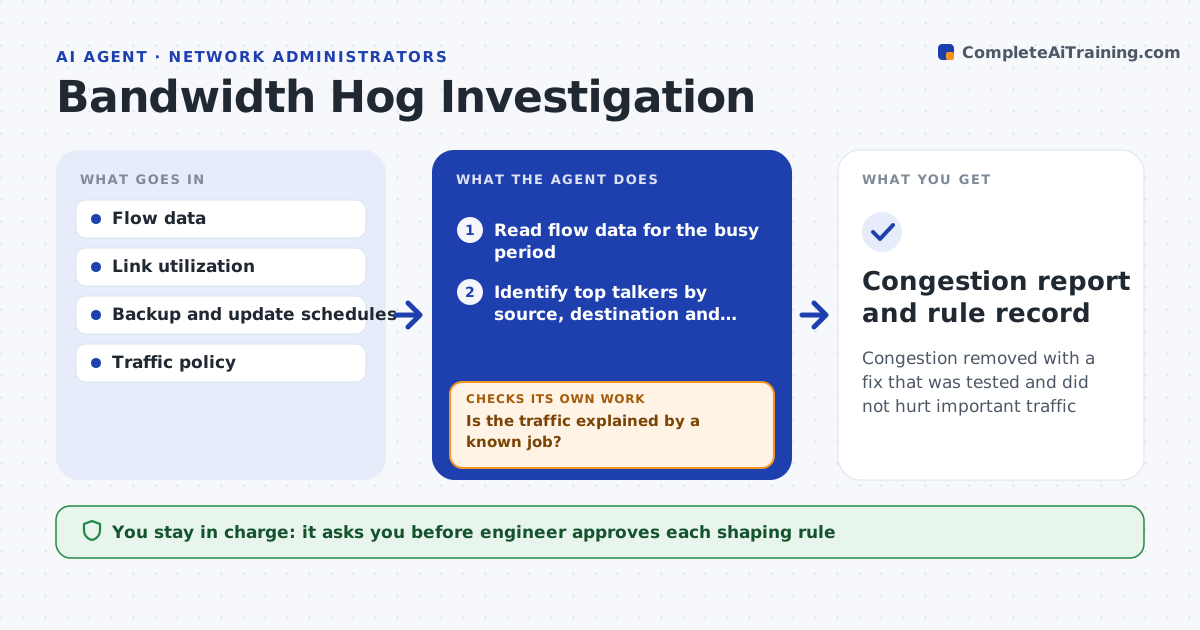
Congestion removed with a fix that was tested and did not hurt important traffic
What it does
Congestion is traced by hand through flow data and device logs. When a link passes a usage threshold, this agent reads flow data and identifies the top talkers. It tests whether the traffic is a backup, a software update or something abnormal, using schedules and known patterns. It then proposes limits or timing changes and, after the engineer approves, it checks the link again to confirm the load fell without hurting business traffic. Edge case: the top talker is a nightly backup that overlaps with a morning sync, so the agent proposes moving the backup earlier instead of limiting it.
How it works
Follow the arrows from top to bottom. The orange dashed arrow is the loop: when a check fails, the agent goes back and tries again.
Read the steps as a list
- Link passes the usage threshold
- Read flow data for the busy period
- Identify top talkers by source, destination and application
- Compare with backup and update schedules
- Is the traffic explained by a known job?If not: investigate the source and escalate if it looks abnormal. Back to step 3.
- Propose a limit or schedule change
- Engineer approves the shaping ruleThe agent waits here for your OK.
- Apply the rule
- Did link usage fall below the threshold without dropping business traffic?If not: adjust the rule or revert it and test another option. Back to step 6.
- Congestion report and rule record
How it decides
Traffic is judged by its source, time and pattern. Known jobs are rescheduled or limited. Unexplained traffic is raised as a possible abuse.
- Look at the top five talkers first
- Move a scheduled job before limiting it
- Treat unknown heavy traffic as a security question
- Protect voice and business-critical classes
Make it yours
Every agent is a starting point. You choose these settings for your own situation.
- Usage threshold (default: 85% for 10 minutes)
- Traffic classes to protect
- Known job schedules
- Rule time limit
What keeps you in control
It always asks you first
- Engineer approves each shaping rule
Hard limits
- Never applies shaping rules without approval
- Never blocks traffic by itself
It stops when
- Done: the link stays below the threshold after the change
- Stop: the traffic is abnormal and the case goes to security
Set it up
We guide you through the set-up, step by step
Members get the full set-up guide for this agent. No technical skills needed: you copy, paste and upload.
- One set of instructions to paste into your AI, with the clicks for ChatGPT, Claude, Microsoft 365 Copilot, Gemini and Grok
- The agent then walks you through connecting your own data, one source at a time
- A downloadable copy with the flow chart, the rules and the full guide