AI agent for competitive intelligence analysts
Battlecard Refresh Agent
Keep every battlecard current and sourced
What it does
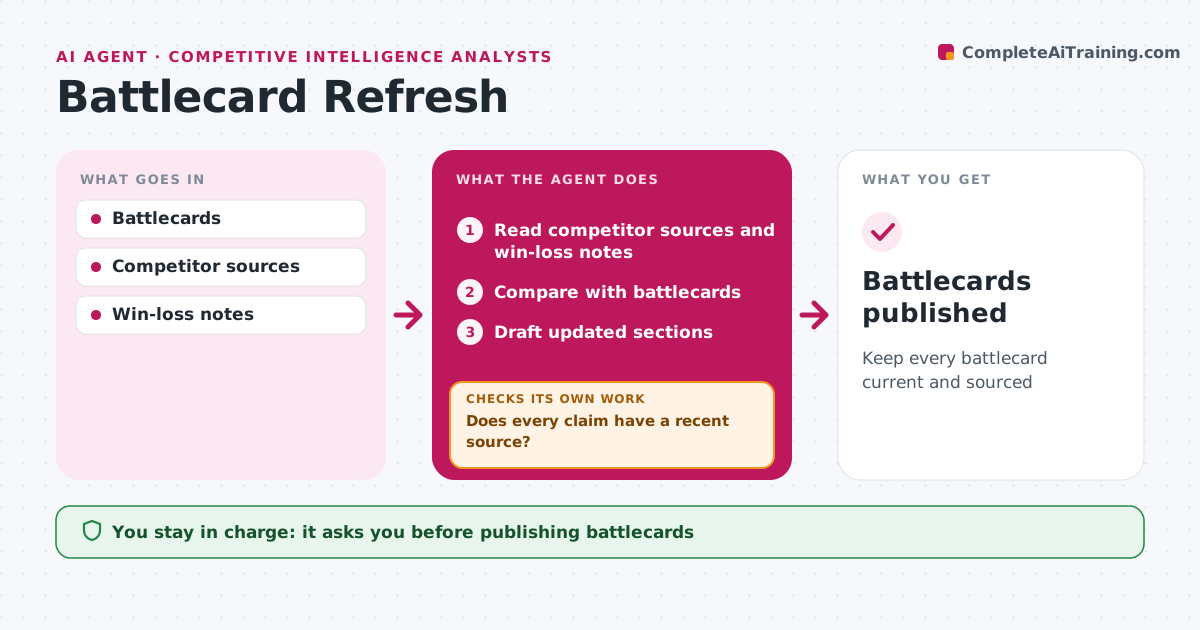
Sales teams rely on battlecards, but competitors change faster than the cards do, and an outdated claim can lose a deal. Each month this agent reads competitor release notes, websites, review sites and recent win-loss notes and compares them with each battlecard. It flags outdated claims and gaps, such as a new competitor feature or a changed price. It drafts updated sections with sources. It then checks that every claim has a source from the last 90 days and that win-loss notes do not contradict the card. Claims that fail go back for a new source or are removed. Features are only stated when confirmed in release notes. The analyst approves all updates before reps see them. Edge case: rumors heard on sales calls are kept but clearly marked as unconfirmed.
How it works
Follow the arrows from top to bottom. The orange dashed arrow is the loop: when a check fails, the agent goes back and tries again.
Read the steps as a list
- Monthly refresh
- Read competitor sources and win-loss notes
- Compare with battlecards
- Draft updated sections
- Does every claim have a recent source?If not: search again or remove the claim. Back to step 2.
- Analyst approves updatesThe agent waits here for your OK.
- Battlecards published
How it decides
Claims older than 90 days or contradicted by new sources are updated.
- Claims need sources under 90 days
- Rumors marked unconfirmed
- Features verified from release notes
Make it yours
Every agent is a starting point. You choose these settings for your own situation.
- Source age limit
- Competitors
- Card format
What keeps you in control
It always asks you first
- Publishing battlecards
Hard limits
- Never publishes unsourced claims
- Never disparages competitors
It stops when
- Done: updated
- Stop: no changes found
Set it up
We guide you through the set-up, step by step
Members get the full set-up guide for this agent. No technical skills needed: you copy, paste and upload.
- One set of instructions to paste into your AI, with the clicks for ChatGPT, Claude, Microsoft 365 Copilot, Gemini and Grok
- The agent then walks you through connecting your own data, one source at a time
- A downloadable copy with the flow chart, the rules and the full guide