AI agent for music producers
Beat Licensing Sales Tracker Agent
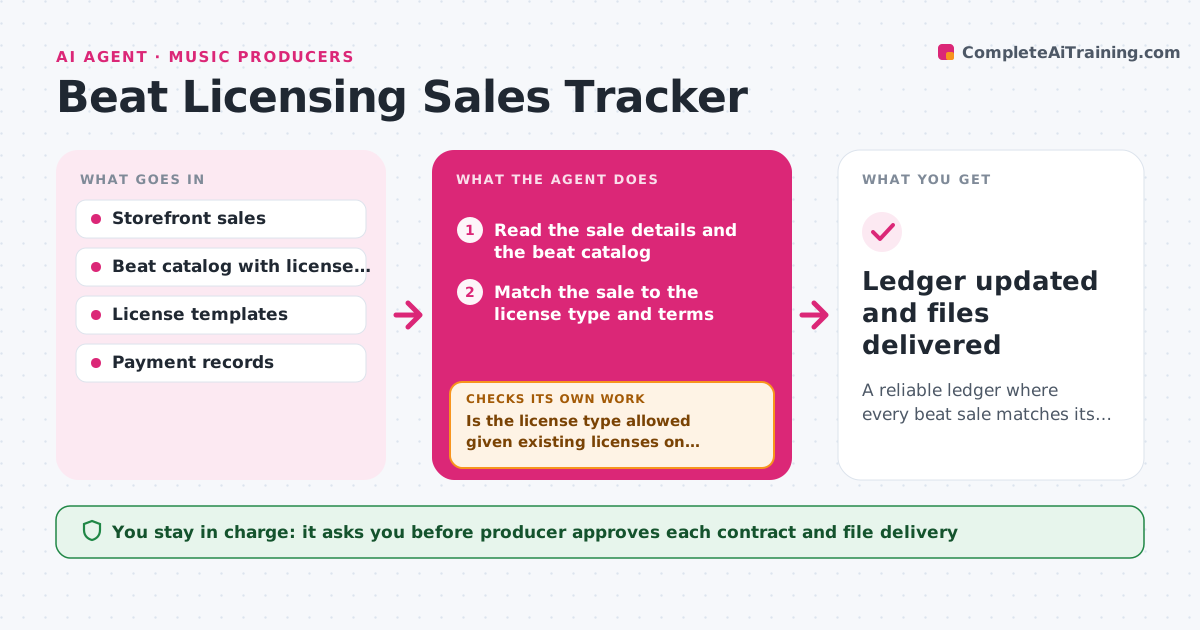
A reliable ledger where every beat sale matches its license terms and payment, with exclusive conflicts caught before delivery
What it does
A producer sells a beat as an exclusive license while the same beat still has a non-exclusive license active elsewhere, and finds out when the artist's label calls. This agent reads each sale from the storefront, matches the license to the tracks and terms, and checks exclusive buyers against all other sales and open offers for the same beat. It flags conflicts such as an exclusive sold after a non-exclusive that has stream or distribution limits. It confirms payments before marking a license delivered, rechecking the payment status if it is pending. It builds a ledger by beat showing license type, buyer, price, date and status. If a contract is needed, it drafts it from the license template for the producer's approval. Edge case: a refund on a non-exclusive license reopens the beat's availability after the producer confirms.
How it works
Follow the arrows from top to bottom. The orange dashed arrow is the loop: when a check fails, the agent goes back and tries again.
Read the steps as a list
- Sale or offer received
- Read the sale details and the beat catalog
- Match the sale to the license type and terms
- Check the beat's existing licenses and open offers for conflicts
- Is the license type allowed given existing licenses on this beat?If not: Flag the conflict and propose options such as a different license or a buyout of the earlier license. Back to step 3.
- Check payment status
- Is payment confirmed in full?If not: Wait and recheck payment, then remind the buyer if still pending after 2 days. Back to step 6.
- Draft the license contract from the template
- Producer approves any contract and the delivery of filesThe agent waits here for your OK.
- Ledger updated and files delivered
How it decides
It checks each sale against the beat's existing licenses. An exclusive license is allowed only when no active conflicting license exists, and delivery waits for confirmed payment.
- Block an exclusive sale when any active license on the beat is still running
- Release files only after full payment is confirmed
- Remind the buyer 2 days after a pending payment
- Record every refund and reopen availability only after the producer confirms
Make it yours
Every agent is a starting point. You choose these settings for your own situation.
- License types and terms
- Payment reminder timing (default 2 days)
- Storefronts to read
- Template contract text
- Catalog format
What keeps you in control
It always asks you first
- Producer approves each contract and file delivery
Hard limits
- Never send contracts or files without approval
- Never give legal advice, only the producer's own terms
It stops when
- Done: Sale is paid, the license is recorded and delivered
- Stop: A conflict cannot be resolved with the existing buyer, so the agent holds the sale for the producer
Set it up
We guide you through the set-up, step by step
Members get the full set-up guide for this agent. No technical skills needed: you copy, paste and upload.
- One set of instructions to paste into your AI, with the clicks for ChatGPT, Claude, Microsoft 365 Copilot, Gemini and Grok
- The agent then walks you through connecting your own data, one source at a time
- A downloadable copy with the flow chart, the rules and the full guide